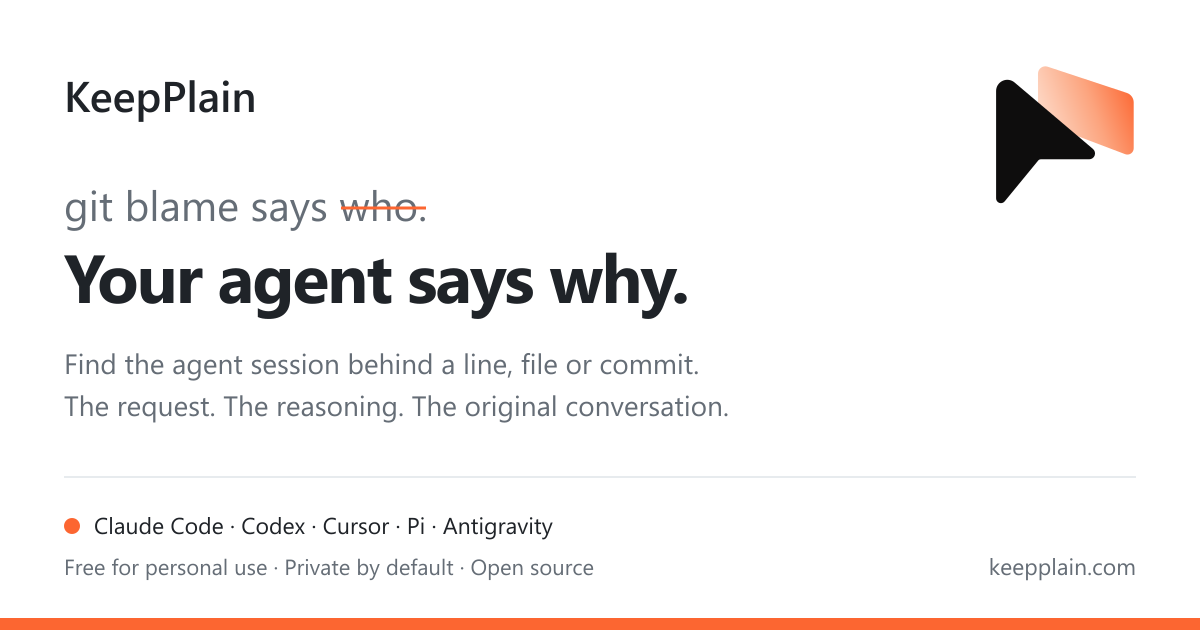
KeepPlain 推出 AI 代码溯源工具:git blame 可追到具体智能体会话
来源标题:Show HN: Git blame for AI code, down to the agent session
KeepPlain 推出新工具,把 git blame 从提交记录延伸到生成该行代码的 AI 智能体会话,支持 Claude Code、Codex、Cursor、Pi 和 Antigravity。它通过 git hooks 把会话 ID 写入提交信息,再用 keepplain blame 命令查看每行代码对应会话中的提问、早期尝试和修改原因。该工具个人使用免费,提供 macOS、Linux 和 Windows 安装方式,Windows 还可从 Microsoft Store 获取。
以下正文由 AI 翻译自 Hacker News 最新(原文版权归原站所有),可能存在偏差,重要内容请以原文为准。
git blame 到 commit 和名字就停了,而这名字通常是你自己。KeepPlain 会沿着这一行,一路追到背后的 Claude Code、Codex、Cursor、Pi 或 Antigravity 会话,并打开那一轮对话:你当时提了什么要求、agent 起初尝试了什么、后来为什么改了。
curl -fsSL https://keepplain.com/install.sh | sh # macOS 和 Linux
irm https://keepplain.com/install.ps1 | iex # Windows,在 PowerShell 中执行
keepplain login
keepplain enable
个人使用免费。当 keepplain enable 询问 git hooks 时选是:它们会把会话 id 加进你的 commit,blame 就能顺着它找到会话。
在 Windows 上也可以从 Microsoft Store 获取。
什么数据会离开你的电脑
GitHub 上的插件
$ keepplain blame -L 35,47 src/auth/login.ts
no session found 35 │ // 每分钟五次,然后冷却。
● Cursor · Scaffold the auth module 36 │ export const LOGIN_WINDOW = 60;
37 │
38 │ export const loginLimit = RateLimiter.for('login', (req) => {
no session found 39 │ if (req.isInternal()) return Limit.none();
40 │
○ Codex · Audit log for auth 41 │ audit('login.throttle', req);
● Claude Code · Rate-limit the login… 42 │ return Limit.perMinute(5).by(req.input('email'));
● Cursor · Scaffold the auth module 43 │ });
左侧栏标注出 agent 和会话,每块由某个会话写出的代码各标一次。● 表示该会话做了这个 commit,○ 表示其 agent 在手工 commit 之前编辑过该文件。
Git 只说谁改了它,说不出为什么。
向你的 agent 询问某一行,它会顺着 git 找到做出这次改动的会话,读取从你的请求到 commit 之间的各轮对话,并引用原文回答。它会说明读了哪几轮,以及会话是怎么找到的。
当某个 prompt 问起代码从何而来,插件会往里加一行:git 显示改了什么,而改动所在的会话显示为什么改。于是 agent 先运行 git log 或 git blame,再向 KeepPlain 按 commit、trailer、标题和文件查询会话。匹配在你的电脑上完成;prompt 不会发往任何地方。
git blame 只显示最后一次 commit。在你团队的搜索里,以 #L42 结尾的 GitHub 链接会变成这一行的历史:添加它的 commit、改动过它的每一个 commit,以及各自背后的会话。
https://github.com/acme/api/blob/main/src/auth/login.ts#L42
为团队开启后,GitHub App 会在每个 pull request 上保留一条评论,随 commit 变化更新:哪些 commit 来自会话、哪些有 agent 参与,以及各自背后的会话。
keepplain bot · 已评论,2 分钟前编辑
本 pull request 背后的会话。即来自 agent 会话或在 agent 协助下产生的 commit。
不引入新的版本控制,也没有 IDE 扩展。你现有的 agent 先运行 git,再询问 KeepPlain。
git blame 只指出最后一次 commit。你的 agent 会向 git 查询触碰过这一行的所有 commit,最多八个。
$ git log -L 42,42:src/auth/login.ts -s --date=short
--format='%h %ad %s %(trailers:key=Agent-Session,valueonly)'
a3f9e1c 2026-09-30 Key login rate limit by account 7c21e0b4-…
6d12f9a 2026-09-15 Tighten login limit
1b07c44 2026-09-02 Add login throttle 91e5aa20-…
有三个 commit 触碰过第 42 行,其中两个标明了它们来自哪个会话。
commit message 里的一行 trailer,由 KeepPlain 的 prepare-commit-msg hook 在 commit 包含某个会话的工作时写入。随你的 push 一起走的只有这个 id,会话本身不会。
$ git show -s --format=%B a3f9e1c
Key login rate limit by account
Agent-Session: 7c21e0b4-2f6e-4a1d-9c3b-58e0f1d2a7b9
KeepPlain 找到会话
依据 commit、trailer、标题和文件,在你的全部五个 agent 的会话以及团队会话中查找。
search_my_work
commit a3f9e1c
agent_sessions 7c21e0b4-…
subject "Key login rate limit by account"
paths src/auth/login.ts
→ Claude Code · “Rate-limit the login endpoint” · 9 月 30 日
found_by commit own true
cursor turn 115 changed src/auth/login.ts, made a3f9e1c
request turn 112 “Behind the load balancer everyone has…”
它读取这些对话轮次
从你的请求到这次改动:其中的推理和你的决定,而不是整份日志。所谓请求,是你在改动前最后一个真正意义上的请求;“yes”或“continue”会被跳过。
get_session_excerpt turns 109–115
109 agent Keying the limiter by IP, the usual default.
110 tests ✕ 2 of 41 failed · users behind one proxy are blocked together
112 you “Behind the load balancer everyone has the same IP. Key it by the account.”
115 agent changed src/auth/login.ts:42 · committed a3f9e1c
你的 agent 引用原文作答
上面那段回答:发生了什么、你的原话、commit,以及它来自哪几轮对话。如果会话是以别的方式找到的——通过它的编辑记录,或者根本没找到——回答里也会说明。
回答会告诉你会话是怎么找到的。或者告诉你没找到。
commit 说明了它来自哪个会话。回答会引用该会话以及它读取的轮次。
没有 trailer?KeepPlain 会取该 agent 在 commit 之前对这些文件的最后一次编辑,回答也会说明是按这种方式找到的,而不是通过 commit。
你能看到会话属于谁,以及它的页面。对话内容仍归其作者所有,直到作者主动分享。
这次改动不是在你能读取的已同步会话里做出的。你的 agent 会如实说明,而不是编一个理由。
Git 在你的电脑上运行,代码也留在那里。
文件的路径及其各次 commit:hash、文件在每次 commit 中的名字、标题、Agent-Session trailer、日期。每个文件最近 300 个 commit,每次请求一百个。绝不涉及代码。
你可以读取的会话。团队列表里能看到但无权读取的同事会话,只显示其作者。
如果 trailer 指向的会话在站点上不存在,就会在这台电脑上查找,且其中任何内容都不会发往别处。未登录时,你能得到的就这些,其余只有 commit 的标题。
只在你对 keepplain enable 说过 yes 的仓库中生效,绝不全局生效。会话 id 会成为仓库历史的一部分:在公开仓库里所有人都能看到。keepplain disable 会移除 hooks;已经写进 commit 的 trailer 则会保留。
(原文较长,此处译出前 6000 字,完整内容请点「打开原文」。)
正文由 探How 从来源站点 RSS 同步,内容未经改写;遇到排版缺失或需要图片、视频时请以原文为准。