Show HN: Axoris – macOS App for Grok, Claude, ChatGPT and Gemini
Quickly switch between ChatGPT, Grok, Claude and Gemini from anywhere on your Mac.
以下正文同步自 Hacker News 最新,版权归原站所有,已转换为易读排版。
Quickly switch between ChatGPT, Grok, Claude and Gemini from anywhere on your Mac.
Download for Mac
Email Download Link
Axoris
⌥ + 1 Grok
Ask Grok anything...
⌥ + 1 Grok
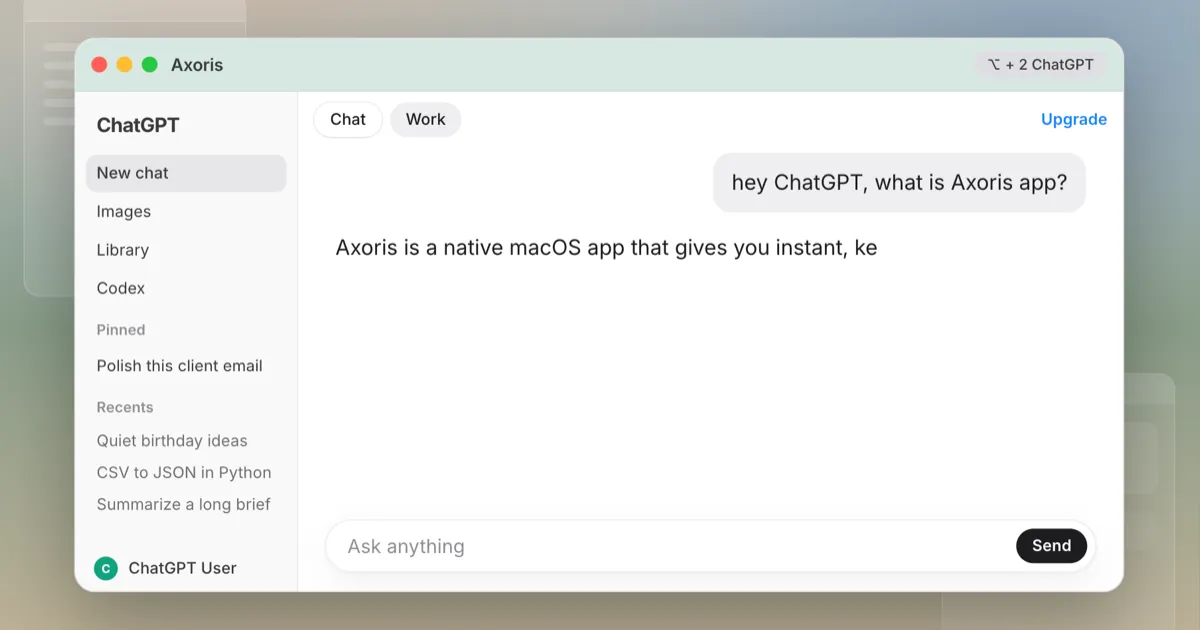
⌥ + 2 ChatGPT
⌥ + 3 Claude
⌥ + 4 Gemini
↓ History ↩ Send
Double-tap ⌥ + 2 Option key
How It Works
Step 1 Double-tap Option Key
Quick prompt appears over whatever you are doing.
Step 2 Pick your AI
Option + 1, 2, 3, or 4. ChatGPT, Grok, Claude, Gemini.
Step 3 Type and go
New conversation starts on the AI's website
Native macOS app
Lives in your menu bar. Stays out of the way until you need it
Extremely lightweight and fast
Near-zero overhead. Immediate response.
Uses the AI websites
Get the full features of each AI's website. No API key needed.
Switch between ChatGPT, Claude, Grok, and Gemini without juggling browser tabs or managing separate windows.
Not a stripped-down chatbot. Axoris loads the actual AI websites in a native, lightweight app, so you can use their familiar interfaces, sign in to your existing accounts, and access the features available on those sites.
“I double-tap Option from Figma and I’m in Claude. Same login, same projects, same canvas. I stopped keeping a Safari window just for AI.”
“Option + 1 is Grok, + 2 is ChatGPT, + 3 is Claude. I used to retype the same question into three tabs. Now I flip models without leaving the keyboard.”
“It’s the actual Gemini and ChatGPT sites, not a thin wrapper. Custom GPTs, file uploads, my Plus account — all still there. No API key dance.”
“Lives in the menu bar, tiny, and the prompt is instant. I installed it, set a shortcut that doesn’t clash with Magnet, and I haven’t opened the four bookmarks since.”
“We compare answers across Grok and ChatGPT before we ship copy. Axoris made that a two-key thing instead of hunting through Spaces and lost tabs.”
Send it to someone who still keeps four AI tabs open.
X
Pricing
No subscription. No account to manage. The license is yours.
14-day free trial. Fully functional.
No credit card needed during trial
Purchase
Free trial, fully functional for 14 days, no credit card needed during trial.
Axoris works with the AI services through their websites. You can sign in with your existing accounts, including eligible free accounts. Paid subscriptions to individual AI services are separate and are not included with Axoris.
You can. Axoris is for people who want faster, keyboard-first access to multiple AI services without searching through browser tabs or managing separate windows. It gives your AI workflow one dedicated home on your Mac.
Axoris is designed with your privacy in mind. Axoris does not collect or transmit your personal data, passwords, or AI conversations to Axoris servers. You sign in directly to the AI services through their websites, and your conversations are handled by the respective providers under their own privacy policies. Axoris simply provides a convenient, dedicated place to access the AI tools you already use.
No problem! You can customize Axoris's global keyboard shortcut in Settings to choose a shortcut that works best for your workflow and avoids conflicts with other apps.
正文由 探How 从来源站点 RSS 同步,内容未经改写;遇到排版缺失或需要图片、视频时请以原文为准。