HN: AMPH – A keyboard-driven TUI for managing Arch Linux package sets
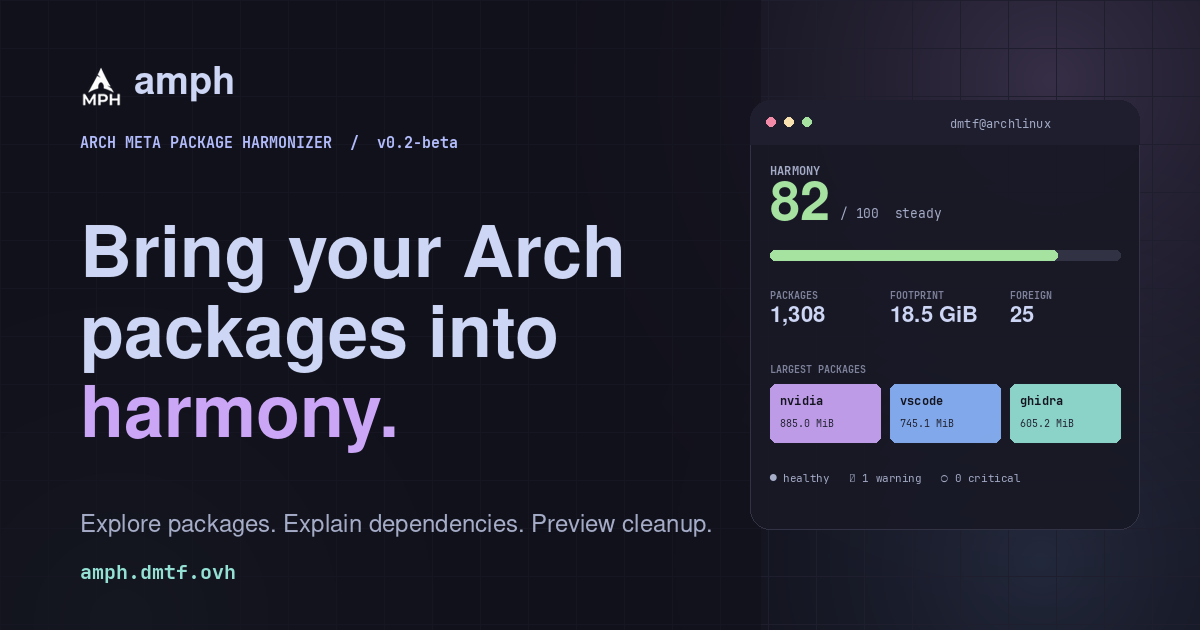
AMPH is a terminal-based package explorer and maintenance assistant for Arch Linux. It reads pacman's local database directly, keeps scans in the background, and answers in JSON when a script asks.
以下正文同步自 Hacker News 最新,版权归原站所有,已转换为易读排版。
AMPH is a terminal-based package explorer and maintenance assistant for Arch Linux. It reads pacman's local database directly, keeps scans in the background, and answers in JSON when a script asks.
View source
User install, no sudo · builds from source
TUI + CLI
Reads pacman's local DB
JSON & TOML ready
dmtf@archlinux - amphCatppuccin
AMPH / local scanhealthy
1,308 packages18.5 GiB footprint25 foreign
1–7 tabs · / filter · ? keys · q quitexample data
Package inventory
Why paths
Removal impact
Harmony radar
TOML blueprints
System checks
Pacman timeline
Health score
Safe cleanup
JSON automation
Package inventory
Why paths
Removal impact
Harmony radar
TOML blueprints
System checks
Pacman timeline
Health score
Safe cleanup
JSON automation
01Why AMPH
Package tools tell you what. AMPH helps you understand why.
It combines a responsive terminal interface with a scriptable command line, reads pacman's database directly, and resolves dependencies through package names and provided capabilities.
ratatuipacman DBJSONTOML
Understand first. Change later.
Local, not remote
01
AMPH reads pacman's local package database directly and resolves dependencies through package names and provided capabilities.
One tool, two shapes
02
A responsive ratatui interface when you want to explore; a scriptable command line and JSON output when you do not.
No surprises
03
Scans run in the background with visible progress. Cleanup plans are previews first, protected packages are checked again, and execution is explicit.
01
Package inventory
Browse installed packages with versions, sizes, install reasons, dependencies, providers, optional dependencies, and foreign status. Sort or fuzzy-filter without leaving the view.
Packages
fuzzy / 1,308
firefox145.0explicit
292.4 MiB
gtk33.24dep
82.6 MiB
pipewire1.4.9explicit
4.2 MiB
neovim0.11.4explicit
18.7 MiB
lib32-mesa25.0foreign
412.8 MiB
02
Dependency explanations
Use amph why <package> to see why something is present, its path from explicitly installed packages, and which packages depend on it. Provides are resolved, not guessed.
03
Removal impact
Simulate a removal before touching the system. Review dependents that would break, dependencies that would become removable, optional consumers, and space reclaimed.
04
Harmony redundancy radar
Find overlapping choices across browsers, terminals, kernels, audio stacks, AUR helpers, and more. Installed alternatives are highlighted, with useful companions suggested.
05
Blueprints
Export the explicitly installed set as portable TOML, compare it with the current system, and review a plan. Applying one is a dry run unless you pass the explicit flag.
06
System checks
Review .pacnew and .pacsave files, running-kernel module availability, package integrity, stale sync databases, foreign packages, dependency cycles, and old cache versions.
07
Pacman timeline
Browse transactions and package changes from current and rotated pacman logs. Filter the history, or show changes since a date or a relative window such as 7d.
08
Health & history
A transparent health score with weighted category explanations, plus compact scan summaries. See package and foreign counts, and trends over time - never a full snapshot.
structure 72dependencies 100clean 100
09
Safe cleanup
Select orphaned packages, inspect pacman's real -Rns --print preview, then confirm the exact request. Protected packages are excluded and checked again before execution.
gtk23.8 MiB
lib32-libpulse1.2 MiB
protected excludedbase · linux · pacman
0 changes applied312.4 MiB reclaimable
10
Automation
Use --json for machine-readable output. amph check runs non-interactive checks with stable exit codes, ready for scripts and cron jobs.
01Dashboard02Packages03Graph04Cleanup05Harmony06Checks07Timeline
amph / dashboardTUI view
ExpandPackage totals, health status, size distribution, and the items that may need attention - all on one screen.
Next view
04Palettes
Catppuccin by default. Yours if you want.
Four hand-tuned themes, one consistent interface. Change the palette in config, or keep it readable with NO_COLOR.
CatppuccinMocha01
Tokyo NightStorm02
GruvboxDark03
NordPolar04
Theme, protected packages, thresholds, and history retention live in ~/.config/amph/config.toml
The TUI adapts to small terminals and respects NO_COLOR.
Vim keys or arrows, mouse selection, fuzzy filtering, help, and quit - the same controls across every tab.
Example session
$ amph why firefox
firefox installed explicitly
path firefox ← explicit root
depends on gtk3 libpulse libxt […]
required by no installed dependents
▋
Follow a package back to the reason it is installed.
Copy command
Sample output for illustration; your system will differ. Add --json to get machine-readable output.
AMPH is an Arch Linux tool. Build the current release, then use the TUI when you want to look around and the CLI when you already know the question.
Clone the project source from GitHub. No prebuilt release is required.
The installer places amph in your Cargo bin. A user install does not need sudo.
Explore the dashboard, or ask one question from a script. Run hash -r if your shell still sees an older binary.
Open on GitHubSource-available license
installCopy all
clone
$ git clone https://github.com/DAMIOTF/Arch-Meta-Package-Harmonizer.git
$ cd Arch-Meta-Package-Harmonizer
build + install - user install, no sudo
$ ./install.sh
explore
$ amph
system-wide --systempreview --dry-runArch package makepkg -si
Alternative
Install with Cargo
Copy command
$ cargo install amph --version 0.2.0-beta --locked
✓Cleanup previews pacman's proposed removal set and requires confirmation. Protected packages are checked again before execution.
AMPH is source-available under the PolyForm Noncommercial License 1.0.0. It is not OSI-approved open source and does not grant commercial use.
正文由 探How 从来源站点 RSS 同步,内容未经改写;遇到排版缺失或需要图片、视频时请以原文为准。