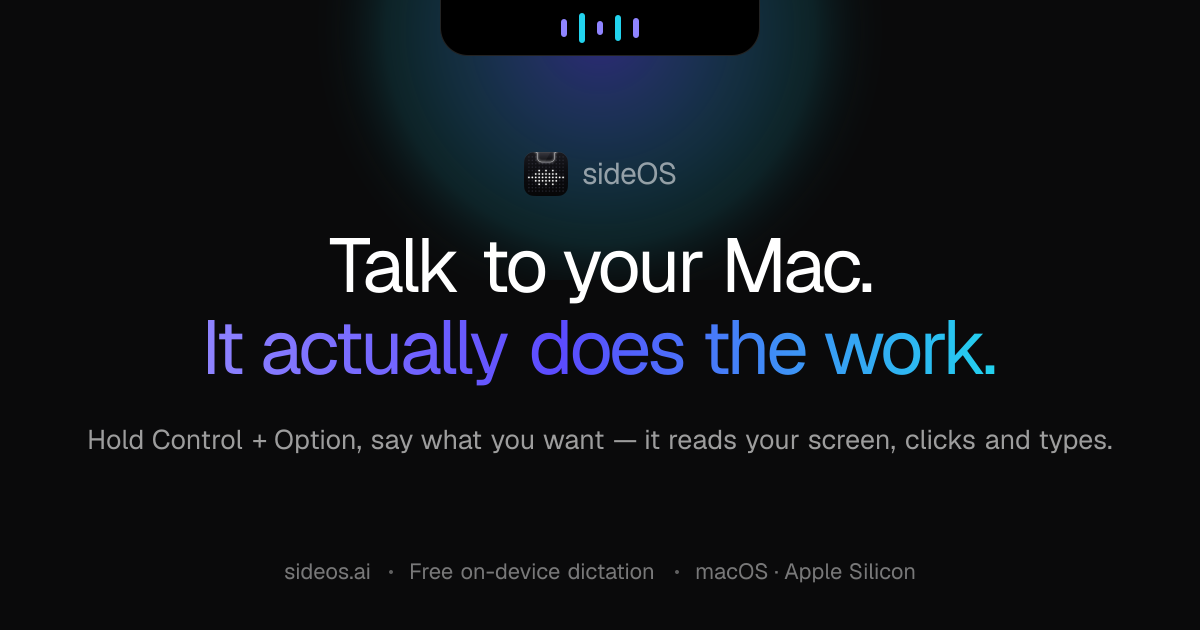
Show HN: Local AI for dictation, meetings, background tasks and more
We’re opening our partner program to a small group of teams this quarter, and sideOS is at the top of our list.
以下正文同步自 Hacker News 最新,版权归原站所有,已转换为易读排版。
Projects
Designs
PDFQ3 report.pdf
Screenshot.png
FinderFileEditViewGoWindowHelp
✦Tue Aug 129:41 AM
mail.google.com
GmailSearch mail
B
ComposeInbox12StarredSentDrafts
Partnership offerInbox
AAlex Carteralex@partner.co9:24 AM
to me ▾
Hi,
We’re opening our partner program to a small group of teams this quarter, and sideOS is at the top of our list.
Any interest in a quick call this week to talk terms?
Send
sideOS
Tasks
Remind
Meeting
Connections
TalkWrite
Your data never leaves you with local AI’s or your own api keys.Talk to your Mac. It actually does the work and tells no one.
Hold Control Option, say what you want, let go. sideOS reads your screen, decides what to do, opens apps, clicks, types — and tells you when it’s done.
Download for macOSPrivate by default
The film · 0:45
See it in 45 seconds.
Everything it does
Seven things, every single day.
The core of sideOS, playing itself. Pick any of them — or let it run.
Talk to itDictationBackground tasksMeetingsRemindersConnectionsActivity history
Talk to it
Say what you want. It reads your screen and does it for you.
The work starts the moment you release, and it tells you the result out loud.
The pointer becomes a laser. Circle something and that region travels with your question — “fix this” is a whole sentence.
Through the accessibility tree in about 50 ms, knowing every button by name. Images are the fallback, not the method.
Opens them, clicks, types, presses key combinations, runs AppleScript. Mail, Notes, Calendar, the browser — same road.
Weather, news, rates and scores are searched in the background. No browser window opens on your behalf.
“Why is this month down? Draft a note to the team.”
What you say lands at your cursor, in any app. No key, no bill, no internet.
Let go and the text appears wherever your cursor is, whichever app you happen to be in.
Tap instead of holding and dictation stays on. Tap again, press the island button, or hit Esc to finish.
Recognition runs on macOS's own engines. Nothing reaches a cloud model, nothing is billed.
No editable field in focus? The text goes to your clipboard and the island says so.
62 languages on the classic engine, no time limit on the new one. Automatic uses whichever is ready.
Ship the beta on Friday and move the review to Monday morning
No API requestNo key needed62 languages
Background tasks
Long jobs run in their own loop while you carry on. They never touch your screen or keyboard.
“Research this market and write me a report.” Say it out loud and it becomes a task on its own.
Shell commands, files, web search, page reads, rendered PDFs, AppleScript — in a loop separate from the chat.
When a command can't be undone the island opens by itself and asks. Some are blocked outright.
Everything it makes goes to Documents › sideOS Tasks, and the finished page opens in one click.
A notification on completion, another when it needs you. Meanwhile a coloured strip sits in the notch.
It records, transcribes on-device, writes the summary and pulls out the actions.
A Zoom, Meet or Teams window opens and the island offers one-tap recording. It never starts on its own.
Whisper downloads once and runs entirely here. No audio is sent anywhere, in any language.
Speakers are split apart rather than lumped together — with real names when the call window shows them.
Written the moment recording stops. Any action item becomes a reminder in one click.
Delete it the second it's transcribed, or keep it for a year. The transcript stays either way.
Works for me — I'll tell support today.
I'll redo the pricing slide before then.
They go off in the notch — and some of them finish the work before they do.
“Remind me to send Maya the deck at two tomorrow.” Typing or the bell panel work the same.
Ask for a news digest every morning and it runs before it rings — the finished page is waiting when it does.
The island stays open until you deal with it. Hard to miss, and snoozed in one tap.
Once, daily, weekdays, weekly or monthly — and overdue ones stay marked until you clear them.
Action items from a call become reminders with the meeting attached, so the context comes with them.
“Every morning at nine, give me the news digest.”
Connections
Gmail, Calendar, Notion, Slack, GitHub — their tools join the ones it already has.
Hit Connect, sign in through your browser, and the tools land in the list. Nothing to install.
Once connected they sit beside the built-in ones, so “reply to that and put it on my calendar” is a single request.
Tools that send, delete or change something arrive flagged and switched off. Enabling them is your call.
For servers outside the catalogue, paste their JSON — configs written for Claude Desktop work too.
Values from the config move into the Keychain; only the variable names stay in the file.
Switch it on and it can answer questions about your own past. Off by default — the call is yours.
“Which film did I watch five days ago?” stops being a question only you can answer.
Every ten seconds, just the frontmost app and its window title. The processor barely notices.
Once a minute the text on screen is read on-device. Only text is kept — no image ever hits the disk.
Retention and excluded apps are yours to set, and password managers are always excluded.
The database lives on this Mac. Only what matches your question is ever sent anywhere.
“Perfect Days — Tuesday evening, about nine forty.”
Playing through all seven — click any tab to take over.
macOS transcribes on-device. No API call.
Opens, clicks, types, scripts — for real.
Chatbots hand you a paragraph and leave the work to you. sideOS has hands — a toolbox that reaches straight into the apps already open on your screen.
It reads the screen, not a screenshot
sideOS pulls the accessibility tree macOS already maintains for every window: real buttons, real labels, real text fields. Same understanding as a screenshot, a fraction of the time and tokens. Images are the fallback, not the default.
The toolbox
read_screenReads the live state of the screen
open_appLaunches or focuses an app
click_elementHits buttons, links, menu items
click_atClicks exact coordinates when needed
focus_elementPuts the caret in a text field
type_textTypes into whatever is focused
press_keysSends any keyboard shortcut
run_applescriptDrives Apple apps directly
take_screenshotVisual fallback for canvas & video
waitWaits for the UI to settle
read_attachmentOpens files you drop into the chat
clipboard_historyLooks through your last 20 copies
paste_clipboardPastes a chosen clipboard entry
create_reminderSets reminders and scheduled tasks
list_remindersLists what is scheduled
cancel_reminderCancels a reminder
search_meetingsSearches your meeting notes
search_activity_historySearches the opt-in activity log
forgetDeletes a remembered fact on request
start_background_taskHands long jobs to a background agent
Things people actually say
A brake stops the agent if it starts repeating itself. Longer jobs belong in background tasks — press Esc at any moment and everything stops instantly.
No more describing what you're looking at. Frame it, ask, and sideOS sees exactly what you see.
Holding the keys turns the cursor into a crosshair. Frame a chart, an error, a paragraph — anywhere on screen.
The accessibility tree can't see charts or video. An image misreads long numbers and code. sideOS sends both, so they cover each other.
Only the region travels, at full sharpness — clearer than a whole screenshot and a lot cheaper.
SafariFileEditView
✦Tue 9:41 AM
612 × 318
“What’s driving the spike here?”
Dictation mode
Dictation that costs nothing.
Hold Control fn and talk. What you say is typed exactly where your cursor is — a note, an address bar, a form field, a terminal. It never touches the model.
Push-to-talk. The text lands the moment you let go.
Hands-free. Let go of the keys — the island keeps listening.
Ship the beta on Friday, tell the team we are moving the review to Monday
Zero API requests
Works without an API key
62 languages, including yours
No API, no bill
Dictation never reaches a cloud model. It runs on macOS's own engines and works without an API key.
Text is pasted at the caret, then whatever you had copied is put right back.
No editable field in focus? The text waits on your clipboard and the island tells you so.
Automatic by default — the newer engine when your language is supported, the classic one otherwise.
Fully on-device. We fed it 7 min 10 s of audio in one pass — about 50× faster than real time.
The voice loop is the front door. Behind it sits everything you'd expect from a real assistant — and it all stays on your Mac.
Hand it a job and walk away
Background tasks run in their own loop while you get on with something else. They can search the web, read and write files, run shell commands and render a finished PDF. Anything with teeth asks you first.
Meetings, handled
It notices when a call window opens and offers to record. Afterwards it transcribes on-device, writes the summary, works out who said what — and turns every action item into a reminder.
It remembers
How you write, what you're working on, who matters. Ask what it knows, edit it, or just say “forget that”. Switch memory off and nothing is stored or sent.
Reminders that nudge
“Remind me to send this at five.” It lands in the notch at five — overdue ones stay marked until you deal with them.
Or just type
Double-tap Control and a chat field opens in the island; answers stream down as bubbles. Drop in images, PDFs or text files and it reads them.
Bring your own tools
Connect any MCP server — HTTP or stdio, OAuth included — and those tools join the toolbox the assistant already has.
Searchable history
Every run is logged locally, so “what did I do about that invoice last Tuesday?” is a question it can actually answer.
32 interface languagesEsc stops everythingApproval before shell commandsRuns offline with a local model
Prefer the keyboard? Control Control opens the chat field. Move the pointer to the notch and the island unfolds into a full control menu.
The parts you'll find on your second day: the things that shape how it talks, what it remembers and where any of it lives.
Type instead
The same assistant, in a chat field inside the island.
Hand it a document
Drop a file on the notch and ask your question about it.
Memory
It gets to know you, and all of it stays on your Mac.
Personalisation
How it addresses you and the tone it speaks in.
Your choice of model
Claude, OpenAI, Gemini or Grok — the same assistant behind any of them.
Offline mode
Run the model on your Mac: no internet, no API key.
Voice & language
How it sounds, and which language it answers in.
The island
Nothing on screen when idle — the island is the notch itself.
Privacy & updates
Where everything lives, and how new versions arrive.
An assistant that can see your screen and press your keys has to earn that. So the design starts from the other end: keep everything local, and send only what the request cannot do without.
Speech recognition and dictation run on macOS's own engines, on your Mac
Your API key lives in the Keychain — never written to a file
Meeting recordings, transcripts, memory and history stay in local storage
No account, and no server of ours between you and the model
Nothing you say or show is used to train anything
Screen data is read only for the request you just made
Usage statistics are anonymous counters only, and you can turn them off
Your key, your bill
The only paid part is the model — Claude, OpenAI, Gemini or Grok — billed to you by that provider directly. We never see it.
The accessibility tree covers almost everything. Images are captured only when a request truly needs one.
Point sideOS at a local MLX model — Gemma, Mistral, Llama, Qwen and more — and no
正文由 探How 从来源站点 RSS 同步,内容未经改写;遇到排版缺失或需要图片、视频时请以原文为准。