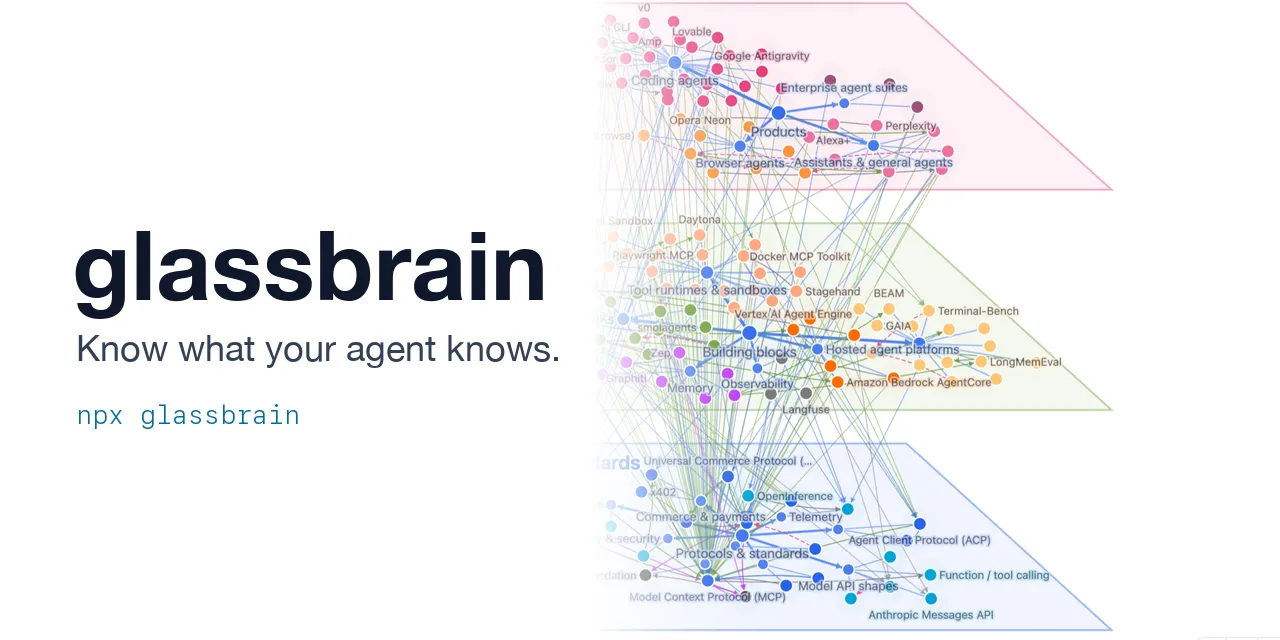
Glassbrain:用命令行工具查看 AI agent 的知识图谱
来源标题:Show HN: Glassbrain – Read your agent's brain, know what your agent knows
Glassbrain 是一款命令行工具,可让开发者直接在浏览器中查看 AI agent 维护的知识图谱,并通过 diff 命令展示 agent 每次学到的具体变化。该工具采用极简的 nodes/edges 双数组 JSON 格式,无需 SDK 或 API,agent 可直接写入。CLI 还提供 validate 命令,输出 agent 可据此行动的结构化提示。
以下正文同步自 Hacker News 最新,版权归原站所有,已转换为易读排版。
Your agent keeps knowledge graphs: of your code, your docs, its research, its own plans. glassbrain lets you read one at a glance, and when the agent learns something, shows you exactly what changed.
npx glassbrain kg/ # open a graph in the browser (kg/ = JSON files, or one folder per version) npx glassbrain diff HEAD~1 kg/ # what changed in the last commit
Live demo · Agents write it · Humans read it · Every brain · Try it · Docs
Two arrays. No SDK. An agent writes the format with no library and no API:
{ "nodes": [ { "id": "src", "label": "src", "kind": "folder" }, { "id": "src/auth", "label": "auth", "kind": "folder", "parent": "src" }, { "id": "src/auth/login.ts", "label": "login.ts", "kind": "file", "parent": "src/auth" }, { "id": "src/db.ts", "label": "db.ts", "kind": "file", "parent": "src" } ], "edges": [{ "source": "src/auth/login.ts", "target": "src/db.ts", "kind": "uses" }] }
parent says what sits inside what; that is the whole structure. Everything else is an edge. A JSON Schema describes every field, and the CLI answers in a form an agent can act on:
$ npx glassbrain validate kg warn 2-filled/ Dangling edge: points to missing node src/session
kg: 2 versions, 3 nodes, 1 edge — 0 errors, 1 warning
$ npx glassbrain diff kg/1-skeleton kg/2-filled 1-skeleton → 2-filled nodes: +0 −0 ~1 changed, 0 moved (2 unchanged) edges: +1 −0 (0 unchanged)
changed (1) ~ login.ts [src/auth/login.ts] — description
Errors exit 1 (--strict: warnings too), diff --exit-code exits 1 when anything changed, and --json gives the same as structured output. So an agent can build a graph in steps, validate each one, and check that a step did only its job.
Not a pretty viewer: the widest channel from an agent's memory to your head. A few hundred nodes hold more than any report an agent could write you, and a picture of them is read in seconds: what is there, what sits inside what, what touches what. That only works if the picture holds still.
Most graph viewers use a force layout: every edge pulls, so a few hundred relations decide the whole picture, and one change reshuffles all of it. glassbrain takes the shape from containment (folder ⊃ file ⊃ function, area ⊃ feature ⊃ step). Relations are drawn on top and move nothing. So the picture reads like a map, keeps reading at thousands of nodes, and stays where it was when the graph changes.
Search ranks by how well a node matches, the detail panel renders the node's markdown, labels make room for each other instead of piling up, and dark mode is computed from the light palette. Graphs with layers can be stood up in 2.5D:
The model already knows how. Codebase memory, docs knowledge bases, deep research, agent plans: each is a short skill or a single prompt.
glassbrain does not build graphs; your agent does. Because the format is two arrays and the CLI checks every step, there is no extractor, pipeline or embedding store to build: the reach comes from the model, not from machinery around it. Every dataset in the demo was made that way by Claude Sonnet 5.5, and each has a RUN.md with the exact prompt and the token count.
What that gets you, measured on the demo data:
The skills, for any agent that reads SKILL.md:
npx skills add voidixyn/glassbrain # the skills CLI (skills.sh); or copy skills/* into your agent's skills folder
Already have a graph from another tool? Open it as it is; the format is detected from the content.
Each tool's own notion of "inside" becomes the structure; everything else becomes edges. npx glassbrain convert <path> <out> writes any of them as plain glassbrain JSON (formats).
Three ways to try glassbrain—pick whichever fits.
Agent + npx. In any context, add "... using npx glassbrain." to your prompt. Skill-free and model-agnostic — any agent that can run terminal commands can use it. You get a standalone HTML file to open locally and share.
Map the detailed plot and character relationships in Pride and Prejudice, using npx glassbrain.
This refactor changed a lot. Show the architecture before and after, organized into layers, using npx glassbrain.
Turn these research notes into a graph of ideas, evidence, and open questions, using npx glassbrain.
React. Embed the graph component in your own app:
npm i glassbrain cytoscape cytoscape-fcose cytoscape-cose-bilkent
import { parseSources, diffModels, GraphCanvas } from 'glassbrain';
const model = parseSources([{ origin: 'graph.json', text }]); <GraphCanvas model={model} /> // browse <GraphCanvas model={after} diff={diffModels(before, after)} /> // compare
Customize colors, layers, fields and editing in the guide.
Is this a graph database or a graph builder? Neither. It is the screen: something else (your agent, Graphify, a script) builds the graph; glassbrain shows it and its changes.
How is it different from Graphify's or Understand-Anything's own viewer? Those come with their extractors. glassbrain opens their output too, and adds stable structure and version comparison. Use both.
Can I edit the graph by hand? Yes, in your app (onEdit) or in the demo. Edits are a patch of small operations, so they can be replayed after the agent regenerates the graph.
Guide: the library: profiles, colors, positions, theming, editing.
CLI: the commands, the formats they read, and how size was measured.
Design: why it moves the way it does, for contributors and the curious.
Develop
npm ci npm run verify # typecheck, build, check the package, test npm run demo:public # demo/dist/public.html, the page behind the live demo
See CONTRIBUTING.md. Security reports: SECURITY.md.
正文由 探How 从来源站点 RSS 同步,内容未经改写;遇到排版缺失或需要图片、视频时请以原文为准。