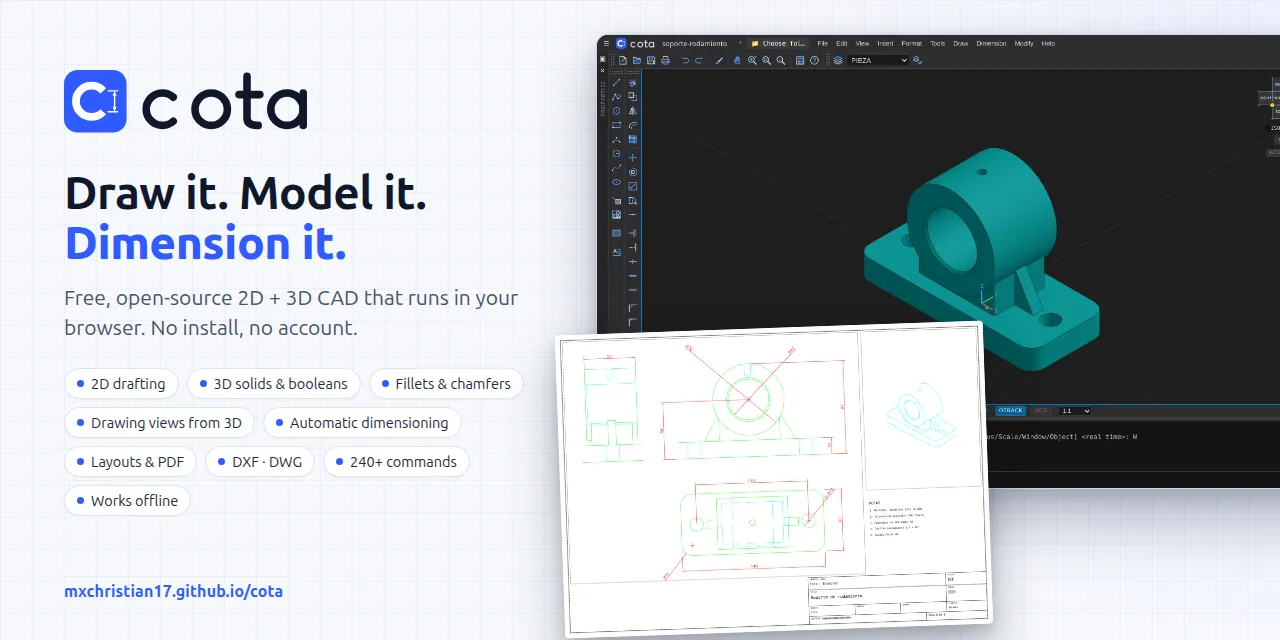
Cota – Free 2D/3D CAD in the browser, with drawing views and auto-dims
A free, open-source 2D + 3D CAD that runs in your browser.
以下正文同步自 Hacker News 最新,版权归原站所有,已转换为易读排版。
Draw it, model it, dimension it.
A free, open-source 2D + 3D CAD that runs in your browser.
Command-line driven drafting, real 3D solids and full drawing production — no install, no account, no license fee.
Try it now · Getting started · User guide · Command reference · Self-hosting
Cota is the Spanish word for a dimension on a technical drawing — the number that turns a sketch into a part you can build.
Area What you get
Drafting Line, polyline (with arcs and widths), arc, circle, ellipse, spline, polygon, rectangle, text and multiline text, hatch (patterns, solid fill, islands, associative), blocks with attributes
Editing Move, copy, rotate, scale, mirror, offset, stretch, lengthen, trim, extend, break, join, fillet, chamfer, array (rectangular and polar), align, explode, match properties, grips
Precision Snap, ortho, object snaps (endpoint, midpoint, center, geometric center, node, quadrant, intersection, perpendicular, tangent, nearest), object snap tracking, user coordinate systems, measuring
3D modeling Box, cylinder, cone, sphere, torus, extrude, revolve, union / subtract / intersect, fillet and chamfer edges, 3D-aware rotate, mirror and array in any view, visual styles (wireframe, hidden, shaded, shaded with edges), unfolded view cube (first or third angle), perspective, multiple viewports, named views
Dimensioning Linear, aligned, angular, arc length, radius, diameter, jogged, ordinate, baseline, continue, quick and automatic dimensioning, leaders and multileaders, center marks, dimension styles, annotative scales, associative dimensions
Drawing production Layouts and paper space, scaled viewports, base and projected views from the 3D model, profiles and flat shots, shaded views, title blocks with fields and attributes, page setup, plot and multi-page publish to vector PDF with lineweights
Interface 23 classic toolbars with icons (dockable on any edge or floating), menus for every command, command line with history and completion, clean screen, full screen; your setup is remembered
Organization Layers (color, linetype, lineweight, freeze, lock, plot), linetype library, layer tools, drawing properties
Files Native .cota (JSON), DXF import and export, OBJ import and export, PDF, DWG through the optional server
App Installable (PWA): own window without the address bar, desktop shortcut, works offline
Optional server Accounts, documents stored in a database, DWG ↔ DXF conversion, natural-language modeling with your own LLM key
See the full list of 240+ commands in the command reference.
Use it online
Open https://mxchristian17.github.io/cota/. Everything runs in your browser; nothing is uploaded. Save with SAVE (it downloads a .cota file) or pick a folder on your disk with OPENFOLDER. In Chrome or Edge, click Install app to get it in its own window, with a desktop shortcut and offline use.
git clone https://github.com/mxchristian17/cota.git cd cota/services/web npm install npm run dev
Open http://localhost:5173. To run it with the optional server (accounts, cloud storage, DWG), use Docker:
docker compose -f docker-compose.dev.yml up --build
More options in self-hosting.
Type these in the command line at the bottom (press Enter after each line):
RECTANGLE 0,0 @100,60 EXTRUDE click the rectangle, Enter, 10 CYLINDER 30,30 10 30 VIEW SWISO SUBTRACT click the plate, Enter, click the cylinder, Enter VSCURRENT SHADEDEDGES
You now have a plate with a hole. Continue with the getting started guide.
Getting started — install, first drawing, saving and opening
User guide — command line, coordinates, selection, precision, layers, 3D, dimensions, layouts and plotting, keyboard and mouse
Command reference — every command, alias and system variable
Examples — sample drawings you can open
Self-hosting — static hosting, Docker, the optional server and its settings
Architecture — how Cota is built, for contributors
Contributing · Changelog · Security
Built with
TypeScript, React, Vite, Three.js, three-bvh-csg and Zustand in the browser; Python, FastAPI, SQLModel and Alembic for the optional server; DWG files through GNU LibreDWG when it is installed on the server. See THIRD_PARTY_NOTICES.md.
Bug reports, feature requests and pull requests are welcome. Read CONTRIBUTING.md and the Code of Conduct first. If Cota is useful to you, a ⭐ on GitHub helps others find it.
The online demo has no accounts, cookies, analytics or trackers. Your drawings and settings stay in your browser (or in the folder you choose). The site is hosted by GitHub Pages, which keeps its own server logs under the GitHub Privacy Statement. If you run the optional server, you are responsible for the data it stores; the AI feature sends your prompts to the provider whose API key you configure.
Cota is provided "as is", without warranty of any kind (sections 7 and 8 of the license). Check dimensions and drawings before you manufacture or build from them. Geometry proposed by the AI feature can be wrong, and DWG conversion through LibreDWG can lose data.
Cota is created and maintained by Christian Orengia.
Licensed under the Apache License 2.0. Redistributions must retain the attribution notices in the NOTICE file, which credit the original author. The name and logo are covered by the trademark policy. If you use Cota in academic work, please cite it (CITATION.cff).
Cota is an independent project. It is not affiliated with, endorsed by or sponsored by any CAD vendor. DWG and DXF are trademarks of Autodesk, Inc.; they are used here only to name file formats. All other product names and trademarks belong to their respective owners.
正文由 探How 从来源站点 RSS 同步,内容未经改写;遇到排版缺失或需要图片、视频时请以原文为准。