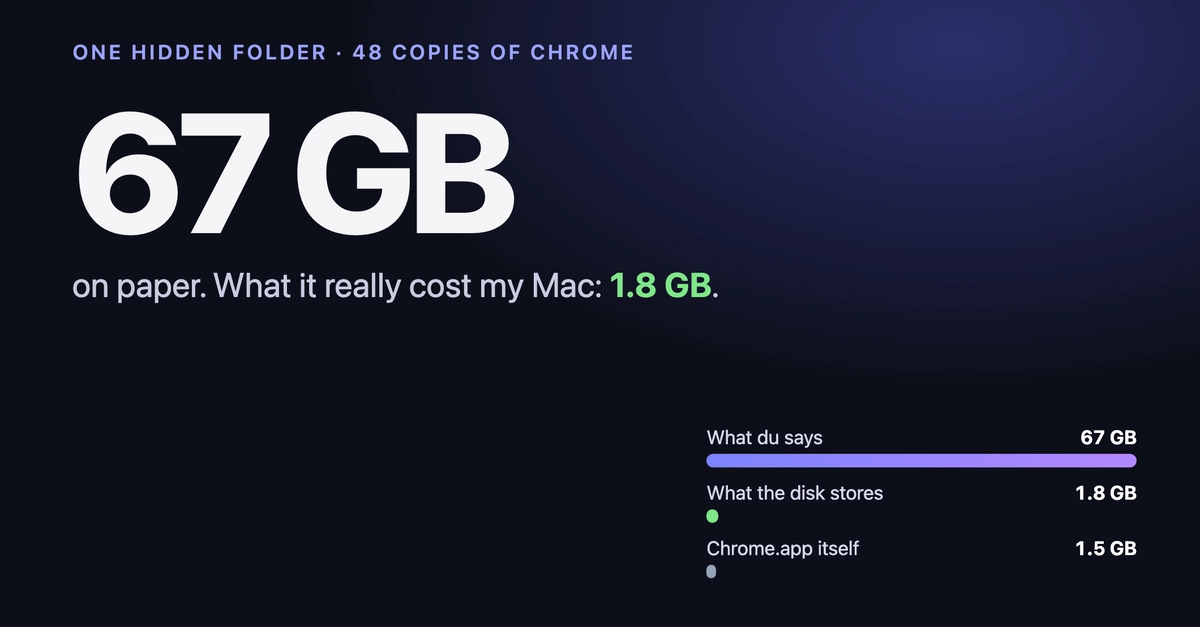
Du said Chrome was using 67 GB on my Mac. APFS said 2
My MacBook Air was down to 18 GB free, so I went hunting. The biggest folder on the whole disk, according to du, was this:
以下正文同步自 Hacker News 最新,版权归原站所有,已转换为易读排版。
Posted on Oct 18
•
AI-assisted
My MacBook Air was down to 18 GB free, so I went hunting. The biggest folder on the whole disk, according to du, was this:
/private/var/folders/…/X/com.google.Chrome.code_sign_clone 67G
Enter fullscreen mode
Exit fullscreen mode
Inside: 48 full copies of Google Chrome. None of them the version I actually have installed.
Then I measured it the way APFS actually stores it, and the 67 GB turned into about 2. Here's the folder, the trap, and a 30-line Swift script that measures any folder the same way.
(Written with help from an AI assistant. Every number and command was run on my own Mac.)
ls "$(getconf DARWIN_USER_TEMP_DIR)/../X/com.google.Chrome.code_sign_clone" | wc -l du -sh "$(getconf DARWIN_USER_TEMP_DIR)/../X/"*
Enter fullscreen mode
Exit fullscreen mode
Mine printed 48 and 67G.
From what I can tell, Chrome makes one of these each time it launches after an update. The running browser keeps a validly signed copy of itself while the new version is swapped in underneath. They're meant to be temporary. On my Mac they weren't: 3 copies of Chrome 154 and 45 of 155.0.8059.40, while /Applications has 155.0.8059.80.
APFS can clone a file. The clone looks like a full copy to every tool, but it shares blocks with the original until one side changes. Chrome makes its copies as clones.
du, Finder's Get Info and most disk-map apps add every clone up at full size. 48 × ~1.4 GB = 67 GB that mostly doesn't exist.
APFS will tell you the truth, you just have to ask through getattrlist:
So: for each clone, count its private bytes, and count the shared part once per family.
import Foundation
// Usage: swift realsize.swift <folder> // Counts APFS clones once: each clone adds only its private bytes, // and the shared blocks are counted once per clone family. func attrs(_ path: String, _ bits: UInt32, _ n: Int) -> [UInt64]? { var al = attrlist(); al.bitmapcount = u_short(ATTR_BIT_MAP_COUNT); al.forkattr = bits var buf = [UInt8](repeating: 0, count: 4 + 8 * n) return buf.withUnsafeMutableBytes { b in guard getattrlist(path, &al, b.baseAddress, b.count, 0x21) == 0 else { return nil } return (0..<n).map { b.loadUnaligned(fromByteOffset: 4 + 8 * $0, as: UInt64.self) } } } let root = CommandLine.arguments[1] var naive: Int64 = 0, real: Int64 = 0, families = Set<UInt64>() let e = FileManager.default.enumerator(atPath: root)! while let rel = e.nextObject() as? String { let p = root + "/" + rel var st = stat(); guard lstat(p, &st) == 0, st.st_mode & S_IFMT == S_IFREG else { continue } let full = Int64(st.st_blocks) * 512; naive += full // ATTR_CMNEXT_CLONEID | ATTR_CMNEXT_EXT_FLAGS; flag 1 = may share blocks if let c = attrs(p, 0x100 | 0x200, 2), c[1] & 1 != 0, let priv = attrs(p, 0x8, 1)?[0] { real += Int64(priv) if families.insert(c[0]).inserted { real += full - Int64(priv) } // shared part, once } else { real += full } } let g = 1_073_741_824.0 // GiB, same unit as du -h print(String(format: "du-style: %.1fG on disk: %.1fG", Double(naive) / g, Double(real) / g))
Enter fullscreen mode
Exit fullscreen mode
0x21 is FSOPT_ATTR_CMN_EXTENDED | FSOPT_NOFOLLOW. You need Xcode's command line tools for swift.
$ swift realsize.swift "$(getconf DARWIN_USER_TEMP_DIR)/../X/com.google.Chrome.code_sign_clone" du-style: 67.3G on disk: 2.1G
Enter fullscreen mode
Exit fullscreen mode
67 GB on paper, about 2 GB on disk. Still waste (those clones keep old Chrome versions' blocks alive), but a 30× smaller problem.
It's a simplification: a file's "shared" part can be shared with files outside the folder, so treat the result as "roughly what deleting this folder gives back". (My app's stricter version credits those blocks to whichever file owns them, and lands on 1.8 GB for the same folder.) The honest final check is always df -h / before and after (and empty the Trash).
Probably fine, with two rules: quit Chrome completely first (Cmd-Q), and expect them back after the next update. Open the folder with:
open "$(getconf DARWIN_USER_TEMP_DIR)/../X"
Enter fullscreen mode
Exit fullscreen mode
…and drag com.google.Chrome.code_sign_clone to the Trash. Expect a GB or two back, not 67.
Clones are everywhere now: Finder's Duplicate, pnpm's store, Chrome's copies. Any disk tool that sums file sizes will show you folders bigger than your drive, and you'll delete things expecting space you never get.
I ran into this while building Tidy Mac, a Mac cleaner. Full disclosure: it's mine. It counts clones once like the script above, labels what's safe to clear, and moves everything to the Trash first.
How many copies did your Mac have? Post your ls | wc -l in the comments. I'm curious if anyone beats 48.
Templates let you quickly answer FAQs or store snippets for re-use.
Are you sure you want to hide this comment? It will become hidden in your post, but will still be visible via the comment's permalink.
For further actions, you may consider blocking this person and/or reporting abuse
正文由 探How 从来源站点 RSS 同步,内容未经改写;遇到排版缺失或需要图片、视频时请以原文为准。