The Best E-Readers That Aren't a Kindle (2026): Kobo, Boox
Want to untether your reading from Amazon? These Kindle alternatives deserve a spot on your nightstand.
以下正文同步自 Wired,版权归原站所有,已转换为易读排版。
There are no fewer than 10 e-readers in my house at any given time, and I wouldn't have it any other way.
While nothing replaces the feel of a physical book, I usually reach for one of my e-readers as part of my nighttime routine. To me, these tablets are the easiest way to read because they grant immediate access to whatever is in my TBR pile at a given time. Whether it's a library book through the Libby app or a series I'm buying up because I can't wait any longer for a copy to be available, whatever I want to read, I can access it immediately on my e-reader.
It’s also convenient that e-readers (short for “ebook readers”) can store thousands of books at a time. These slim devices use E Ink screens to give text a paperlike appearance. They’re also designed to strain your eyes less than other digital devices, like your phone or computer screen.
And while many strongly associate Kindle with e-reader, you don't have to turn to Amazon for the best device. In fact, my all-around favorite isn't a Kindle at all, and there are plenty of other models to shop from that let you steer clear of the tech behemoth and its recent price increases. These are all my favorite e-readers that won't require you to support Amazon to enjoy the experience.
Updated October 2026: I've moved all Kindle recommendations (and details about the newly announced Kindles) out of our top picks to focus entirely on non-Amazon e-readers. There are also new sections for what I'm testing next and e-reader accessories compatible with my picks.
Love WIRED? Add us as a preferred source on Google to see more of us.
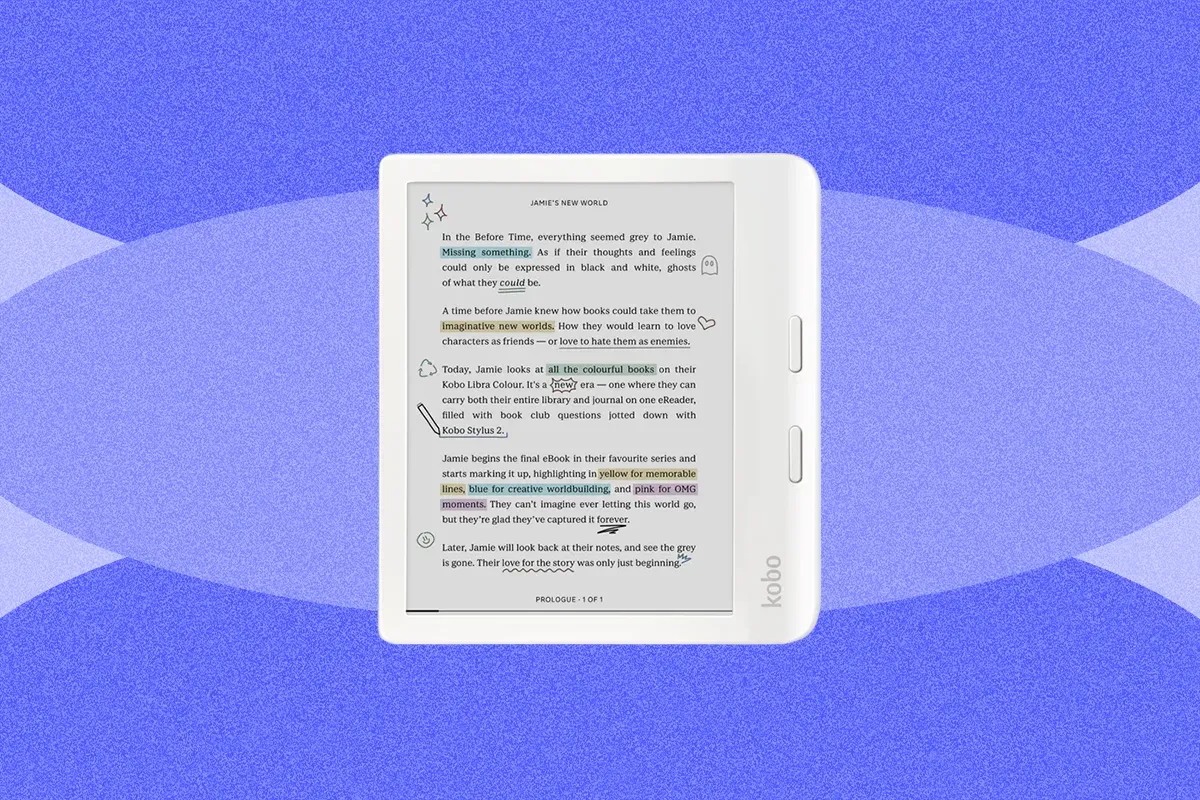
If you're looking for an e-reader that has everything from a color screen and page-turner buttons to the ability to double as a digital notebook, then the Kobo Libra Colour is the one for you. Kobo makes a great line of e-readers that offer all the benefits of a Kindle, without requiring you to have an Amazon account. The Libra Colour is especially fun, not only because of its color screen, but because of the optional Stylus 2 ($70) add-on accessory, which lets you use the digital notebook feature. You also get page-turner buttons, something we haven't seen in years on a Kindle.
Not only does the Libra Colour pack a well-priced color screen, but its 7-inch screen also has an adjustable front light and dark mode, and it can rotate to landscape mode for reading. It's also made from recycled materials, is waterproof (rated IPX8), and has Bluetooth support for listening to audiobooks. Kobo also works with OverDrive's Libby app, though connecting takes some effort: You'll need to log into OverDrive on the Libra Colour itself, rather than just sending ebooks to the device, as you would on a Kindle. This means you have to search for your reads on the Kobo e-reader.
The Libra Colour is also repairable, though I haven't come across any component that needs fixing yet. Kobo also launched its own external page-turner called the Kobo Remote ($30).
Kobo increased the price of its e-readers in May 2026, including the Libra Colour, which rose $30 to $260. Even so, Kobo often discounts its e-readers during major sale events, and after Amazon did a similar move to its Kindles in late August, Kobo continues to be the better-priced buy.
WIRED
Color screen! Allows you to highlight and write notes in margins as you read, and use color in notebooks
Page-turning buttons are a great reader feature
Has separate book and notebook sections that are easy to navigate between
TIRED
Writing experience isn't as smooth as other digital notebooks, and it's a small screen for writing
Stylus has to be charged separately
Best Budget E-Reader
Photograph: Nena Farrell
Courtesy of Kobo
Chevron
Chevron
Save to wishlistSave to wishlist
Kobo
The Kobo Clara is my go-to recommendation if you're looking for something a little cheaper. It has both a black-and-white and a color version, and it's a really affordable color model at just $180. That's only $20 more than the black-and-white version, and $30 more than the similarly sized Kindle, but a full $100 cheaper than Kindle's cheapest color model.
It has an adjustable warm light that will change how warm or cool the screen is based on the time of day (but doesn't change the actual brightness of your screen, which you'll still manually adjust), along with Dark Mode, OverDrive integration, and Bluetooth support. It's also waterproof, made from recycled materials, and is repairable.
I like that although this e-reader is small and lightweight, it offers the benefits of larger devices. It also includes a digital notebook-esque capability; under Beta Features, you'll find the Sketchbook, which lets you write and doodle with your finger. You can also find the web browser under the same Beta Features menu.
WIRED
Color screen
Auto-adjusting warm light and dark mode
Lightweight and comfortable to hold
Great price point for color
TIRED
Only a 6-inch screen
Just 42 days of battery life
Best for Reading Apps
Photograph: Nena Farrell
Photograph: Nena Farrell
Photograph: Nena Farrell
Courtesy of Boox
Chevron
Chevron
Save to wishlistSave to wishlist
Boox
If you want a device with more capabilities than an e-reader without it being a large digital notebook, you should consider Boox. Boox makes several e-paper devices, and while the Go line comes in a variety of sizes, including 7 and 10 inches, the 6-inch Go 6 (Gen II) feels like a classic e-reader.
The Boox Go 6 (and Boox's other devices) runs on Android 11 OS and has access to the Google Play Store, so you can add any Android app to your device (including browser apps and YouTube). I downloaded the Libby app to read library books on my Boox.
You can also download the Kindle or Nook app to read ebooks you've purchased through Amazon or Barnes & Noble, respectively. The Boox doesn’t, however, display books you access via a third-party platform on the main page of the device, meaning you have to read directly in the app. I don't mind this, but it’s worth noting. Books you purchase through Google Play, however, do display natively on the Boox.
Ultimately, the Boox is made for reading, but for a slightly higher cost than the Kindle Paperwhite, you get a world of additional capabilities. You can add a stylus to use it as a digital notebook, and it comes in some really pretty colors you won't find on other devices. I'm partial to the Custard Yellow.
WIRED
Powerful with Android 11 OS and ability to add Google Play apps
Works really well for existing Libby users
Can add on a stylus for more capabilities
Unique colors you won't find on other e-readers
TIRED
Color screen options limited to larger sizes of the Go line
Best Pocket E-Reader
Photograph: Nena Farrell
Photograph: Nena Farrell
Courtesy of Xteink
Chevron
Chevron
Save to wishlistSave to wishlist
Xteink
In this day and age, buying an e-book (or any other digital content) doesn't always feel like truly owning it. Your purchased book is usually locked into a certain device or application, like the Kindle app, for example. But you can own raw files of books, usually in electronic publication (EPUB) format. Not all retailers sell EPUB files, but you can get them from sites like Standard Ebooks and eBooks.com.
Micro e-readers from Xteink make using EPUB files easy. These little devices are small enough to fit into a pocket, which is a feat. Their magnet backing also lets them seamlessly connect to the back of your phone, though my test unit was a little large for the back of my iPhone 16 Pro.
The X4 Pro is the newest in this line of e-readers, and it sits comfortably in my hand. It can display about a paragraph and a half at a time on its crisp 4.3-inch screen. It pulls in images, too, though they appear a bit grainy. It has a touchscreen and home button that feel like a crossbreed of a Kindle and an older iPhone. It also has a warm, adjustable front light you won't find on Xteink's other e-readers.
It works with the easy-to-use Xteink app: Either use Wi-Fi to send book files from your phone or transfer files via a USB-C cord. The main hiccup I encountered while testing is that any media you upload needs to be DRM-free, meaning free of digital rights management software that can restrict access. Standard Ebooks are always DRM-free, and eBooks.com has a DRM-free section you can shop.
Ultimately, it's a fun, tiny e-reader, but you need to be file-savvy to use it most effectively. You can also customize it with other software, like CrossPoint, if that's up your alley.
WIRED
Tiny, but still has a touchscreen and an adjustable warm light
Syncs well with app to get content
Can add books, but will also convert URLs into readable content
TIRED
Doesn’t have a built-in ebook store
Needs DRM-free e-book files you can upload onto the device
Learning curve and requires some level of ePub familiarity
Comparing Our Favorite E-Readers
ModelDisplayResolutionColor?StorageWeightBattery Life and ChargingKobo Libra Colour7 inches, adjustable front light300 ppi, black-and-white; 150 ppi, colorYes32 GB7.03 ouncesUp to 40 days, USB-C chargingKobo Clara Colour6 inches, auto-adjusting warm light300 ppi, black-and-white; 150 ppi, colorYes16 GB6 ouncesUp to 42 days, USB-C chargingBoox Go 6 (Gen II)6 inches, adjustable warm light300 ppiNo32 GB5.6 ouncesUnspecified battery life, USB-C chargingXteink X4 Pro4.3 inches, adjustable warm light219 ppiNo16 GB2.5 ouncesUnspecified battery life, USB-C charging
Honorable Mentions
Below, find a few more e-readers I like but don't necessarily love as much as my top picks.
Boox Go 7 ($270) and Boox Go Color 7 ($290): Boox is known for its wide range of e-paper tablets, including the Boox Go 6 (Gen II) I recommend above. If you're looking for something a little larger with a similar Android-based experience, the Go 7 and Go Color 7 are both solid choices. There are page-turner buttons, and it's a nice square shape that's easy to hold and use. If you, like me, don't use color features a ton, it's worth saving the extra money on the black-and-white model. Regardless, it's great that the price difference between the two models isn't steep.
Boox Palma 2 for $250: This is a fun, pocket-sized device, with fingerprint recognition, a faster CPU, and a newer version of Android than previous models. Former WIRED reviewer Adrienne So loved using it with the Kindle app, but she wishes it cost less. Boox recently announced the Palma 3 is coming out (though it doesn't have a confirmed launch date) which explains why it's been unavailable for so long. The Palma 3 is next on my testing list, but if you want a similar device you can purchase now, the Boox Palma 2 Pro ($400) is available with a higher price tag, but color screen.
Nook GlowLight 4 Plus for $200: The 4 Plus is the only waterproof Nook in the lineup, and it has the biggest screen at 7.8 inches, along with 32 GB of storage. It also has physical page-turn buttons and a headphone jack for listening to audiobooks (you can also connect wireless earbuds via Bluetooth). Unfortunately, it was often slower than my Kindle and tended to freeze. While the large library has cheap and even free ebooks, it's not as good of a selection as Kindle Unlimited. The process of getting a book from the library on a Nook is also frustrating. You'll need to download either Adobe Digital Editions or Android File Transfer before physically connecting the device to your computer and then transferring the files.
Nook 9-inch Lenovo Tablet for $150: If you mainly read cookbooks or other color-intensive materials, and you want a dedicated reader, you might want to consider this affordable tablet from Nook and Lenovo, which has the Nook app built in. It's a tablet rather than an e-paper device l
正文由 探How 从来源站点 RSS 同步,内容未经改写;遇到排版缺失或需要图片、视频时请以原文为准。