Best External Hard Drives (2026): SanDisk, Samsung, and More
Need an ultrafast drive for video editing or a rugged option to back up your photos in the field? We’ve got a solution for every situation.
以下正文同步自 Wired,版权归原站所有,已转换为易读排版。
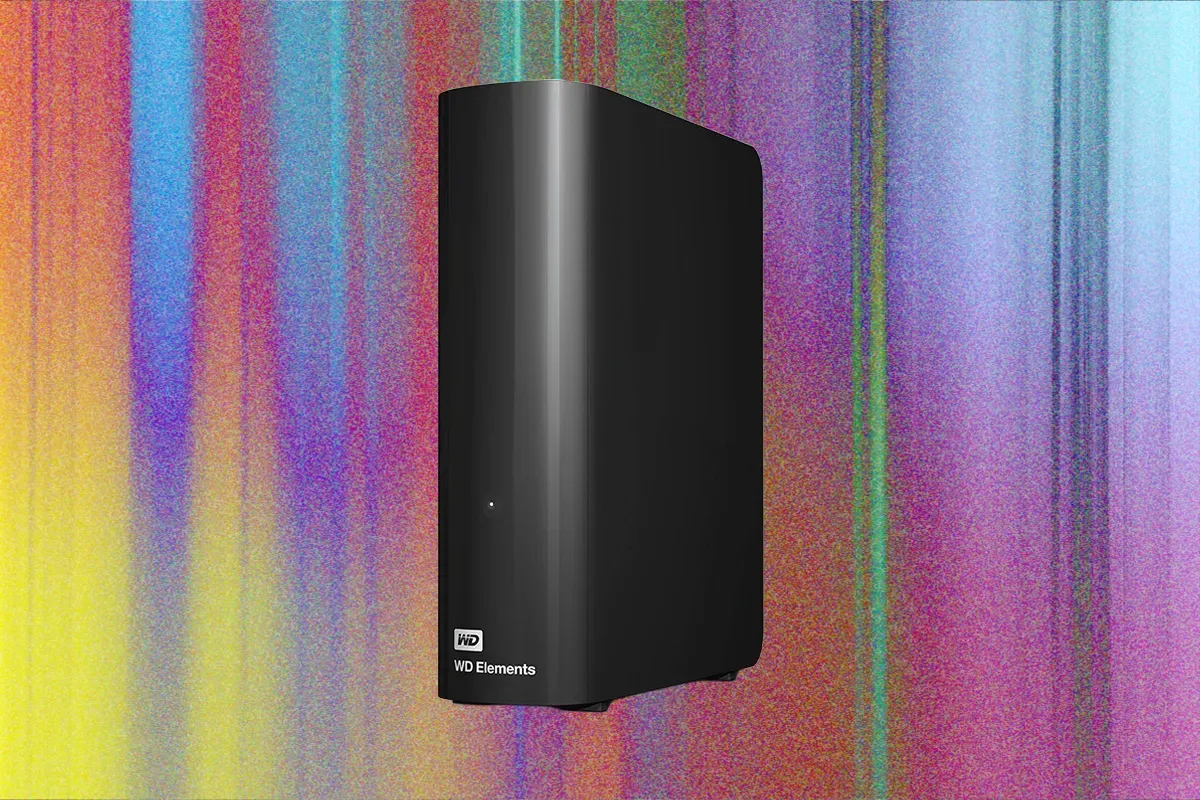
Ideally, choose a solid-state drive whenever possible—they're fast and durable. But which SSD, you ask? Great question. I’ve tested dozens so far, using all kinds of devices and operating systems, to figure out what works best and where. But don't dismiss a traditional hard disk drive (HDD), as it's still useful and cheaper for backing up everything on your computer. These are my top picks for the most common use cases. A word of warning: The AI race and its accompanying flurry of memory-hungry data centers are driving prices sky-high, with no end in sight. Drives in this guide have quadrupled in price in the past six months. For example, 8-TB SSDs are selling for more than a new MacBook Air, which has itself gone up $200 to help cover surging memory costs. Check out our other guides, including How to Back Up and Move Your Photos Between Services, How to Back Up Your Digital Life, and How to Back Up Your iPhone. Updated September 2026: I’ve added a SanDisk SSD made for NAS systems and a Satechi drive enclosure, removed some sold-out drives, and added a few notes on how AI is still ruining everything. I've also updated prices and links throughout. Note that memory prices are extremely volatile and could change after publication. If you have a lot of data to back up and don't want to spend a fortune, the Western Digital Elements desktop drive is your best bet. I have been using a variation of the Elements desktop hard drive to back up my data for more than a decade. These drives are big and require external power, but they’re some of the cheapest and most reliable I’ve used. This is one instance where it makes sense to invest in an HDD, especially since you should not need to access the data frequently, which puts stress on the moving parts. Transfer speeds are not off the charts—the Elements drive I tested scored 120 megabytes per second (MB/s) for sequential writes on Windows—but you should ideally run backups overnight, and even at these speeds the average PC backup will be done by morning. These drives use USB-C 3.2, and I’ve had no problem using them with Windows, macOS, or Linux. Storage options range from 1 TB to 26 terabytes. Just check the prices; sometimes you can get a 10- or even 12-TB drive for not much more than the 8-terabyte version. I have not seen a huge difference between the Elements line and the brand’s higher-end My Book drives, and the basic Elements drive is sufficient for most people. Another Great Desktop Drive
Seagate Desktop Drive 8000 for approximately $300 (8 TB): Seagate is also a reliable drive maker. It never hurts to have more backups, and when you make multiple backups, I recommend using drives from different brands, since that reduces the chance they'll both fail at the same time. This one is discontinued but still available, and it did extremely well in our speed tests.
Micron has discontinued its Crucial brand when it wound down its consumer business. While the products are being phased out, you can still find them for sale. In fact, it may be the best way to score a reliable SSD from a reputable company at a reasonable price. Crucial’s X9 Pro hits the sweet spot of speed and portability, making it the best way to back up your phone. Sure, cloud-based backups are great, but local backups are fast and offer more privacy. These Crucial drives are tiny, about half the size of a deck of cards, and weigh a mere 1.3 ounces. They’ll connect to just about anything. I tested the X9 Pro with iOS, Android, macOS, Windows, and Linux, and I never ran into any issues. When it comes to speed, the X9 Pro claims symmetrical read and write speeds of 1,050 MB/s. I actually consistently got higher speeds, up to 1,110 MB/s for read and 1,100 MB/s for write. That puts the X9 Pro at the top of the pack for portable drive speed. I’ve been using the X9 Pro for over a year now, and while I can’t speak to its long-term survival rate yet, I have tested Crucial's X6 and X8 drives for over three years without issue, if that gives you an indication of the X9 Pro's potential. There is also the X10 Pro drive (approximately $360), which offers even faster speeds. The X10 Pro delivers on its promise of 2,100 MB/s (I got it up to 2,050 MB/s). If your hardware supports it, the X10 Pro is worth the extra money, but for most people the X9 Pro will work just fine. I love Western Digital’s My Passport series for on-the-road backups. The Ultra version of this HDD uses a standard USB-C cable (many portable HDDs still use the USB Micro-B connector) and is available in sizes up to 6 TB. It’s not the thinnest drive on the market, but it’s less than an inch thick and solid enough that I never worry about tossing it in my bag. (That said, it is a spinning drive without a rugged enclosure, so don’t literally toss it.) I also like that the corners are nicely rounded and there are no screws or anything else that will snag on fabric in your bag. Performance is good for a mechanical hard drive. I tested it with CrystalDiskMark on Windows, AmorphousDiskMark on macOS, and KDiskMark on Linux, then averaged the results to get 121 MB/s read and 115 MB/s write. The Ultra delivers higher write speeds than many similar portable drives, especially on small blocks of data, like transferring photos from an SD card via a laptop. And it's plenty fast enough to run a daily backup in your hotel room overnight. The 256-bit AES encryption helps keep data secure, making it ideal for travelers and road warriors. Versions are available for Windows and macOS; they are formatted accordingly and include software for a particular operating system. Make sure you get the right model for your laptop, but you can reformat it for whatever OS you use (you can download and reinstall the manufacturer's backup software or use the tools built into the OS).
Seagate Portable External Hard Drive for $190 (4 TB): Seagate's answer to the Ultra is slightly thinner and more pocketable (does anyone really carry a spinning drive in their pocket though?), but write speeds were slightly slower in my testing, and there are no encryption features. That said, if you can catch this one on sale for less than the Ultra, it's worth getting. Western Digital Elements Portable HDD for $165 (2 TB): This drive is slightly thinner than our top pick but feels flimsier in my experience. Speeds are a tad slower, but you can grab one for far less than the Ultra series drives.
A quick history lesson. G-Technology was a high-end storage drive maker. Fabrik acquired it; Hitachi bought Fabrik; and then Hitachi became part of Western Digital. Throughout these transitions, the companies retained the well-regarded G-Drive lineup of hard drives. After WD bought SanDisk, it shifted the G-Drive to the new SanDisk Professional brand. Fast-forward to 2025, and WD spun off SanDisk (now spelled Sandisk, if you're still following) as its own company focused on flash memory products. WD, however, kept the G-Drive brand for a series of high-performance drives. That brings us to the G-Drive ArmorATD, a solid, semi-rugged external hard disk drive that doesn't (currently) cost as much as some others in its class. We tested it when it was part of the SanDisk Professional division, and you're likely to still find it branded as such. Somewhat unique among external drives, it supports the macOS-friendly HFS+ format out of the box, making it plug-and-play with Apple’s Time Machine backup system. You can still use it with Windows, but you’ll just need to reformat it to exFAT (likewise, when testing on Linux, I formatted it to ext4). The ArmorATD is compact for a spinning drive, measuring 3.4 by 5.1 inches and less than an inch thick. A removable black rubberized sleeve cushions the drive, and the enclosure is a silverish-gray on the top and bottom. One end has a cover that protects a USB-C port with a USB 3.1 Gen 1 interface (which works with Thunderbolt 3 or higher ports on Macs). The ArmorATD comes with two cables: one USB-C to USB-C and one USB-C to USB-A. I describe this drive as semi-rugged because it’s a spinning drive, which makes it more vulnerable to bumps and bruises, but it's designed to sustain drops of up to 3.3 feet, and it has an IP54 rating, which means it’ll stand up to splashes, but it can't be submerged in water. The ArmorATD managed a read speed of 133 MB/s, just below the claimed 135 MB/s and a little faster than the WD Passport Ultra above. In all my testing, I haven't seen a huge difference among similar spinning drives (most 5,400-rpm drives score around 120 to 130 MB/s), and you’re unlikely to notice much difference in real-world tasks. Some users complain online that G-Drives aren't as good as they were before Western Digital acquired them, but I didn't have issues during my review. If you want something a little more rugged, the G-Drive ArmorATD is a great option at a reasonable price. I tested the 2-TB model, but options range from 1 TB to 6 TB. The LaCie Rugged Pro5 is currently one of the most eye-wateringly expensive SSDs on the market, but it is an amazingly fast drive. The “5” in the name stands for, you guessed it, Thunderbolt 5, which, despite being announced seemingly forever ago, has been painfully slow to trickle into the market. This made testing a bit tricky, but fortunately a friend let me borrow his brand-new MacBook Pro 14 for testing. The results were impressive. LaCie claims read/write speeds of up to 6,700 MB/s and 5,300 MB/s, which it says are adequate for real-time editing of 8K and 6K RAW footage. In testing the highest speeds, file transfers were 5,787 MB/s read and 5,188 MB/s write—which, while not quite matching the claim, still make it far and away the fastest drive in this guide. But raw speeds are just numbers for spreadsheets; I was more interested in real-world performance. I threw some 6K ProRes RAW at the Pro5 and was able to edit it on the MacBook Pro in DaVinci Resolve Studio. The downside here is the price. It started at $600 for the 4-TB version (the minimum you’d want for working with ProRes RAW video files). That was already pricey, but these days that’s climbed to insane heights ($1,600 as of this update), making it a less compelling value. Still, if you need the speed, this is the drive to get. Samsung's T9 has been my go-to portable drive for a couple of years now. While I like the LaCie drives that usually dominate this category, the Samsung is plenty fast, clocking in at over 1,350 MB/s and handily beating the Crucial X9. The T9 also seems to draw less power, or at least when I plug it into my Android tablet, it drains the battery far less than any other drive I use regularly. The padding on the T9 is less substantial than the LaCie's, but it's also considerably cheaper and has held up well to life on the road. The only catch is that it's not waterproof or dustproof. The padding stops on the ends, so it’s not completely sealed. I haven’t had any issues, but if you get it wet, it will be a problem. If you’re worried about that, check out the T7 Shield below.
Samsung T7 Shield 2-TB SSD for approximately $575: This drive is very similar to the T9, but it has an IP65 rating, which means it’s safe in the rain and protected from dust and sand. The T7 line has built-in security features like hardware-based encryption, but unlike the Touch model, the Shield doesn't have a fingerprint reader.
With hard drive prices skyrocketing, repurposing an internal NVMe SSD you already own for an external drive is a compelling alternative. Plenty of DIY drive enclosures are available, with some promising speeds up to 80 GBps (with compatible USB 4 ports). The D1 SSD comes in two flavors: the 80-GBps Pro drive I tested and a slower 40-GBps Plus version, which makes more sense if you don’t have USB 4 (there's also a base 10-GBps option that's much slower but cheaper). If you do, though, this is an incredibly fast drive, and thanks to the heat-dissipating design, it never throttled on me. The D1 SSD Pro supports the full s
正文由 探How 从来源站点 RSS 同步,内容未经改写;遇到排版缺失或需要图片、视频时请以原文为准。