AI video effects from one or two photos, without writing prompts
9 trending effectsTurn one photo into a viral AI video
以下正文同步自 Hacker News 最新,版权归原站所有,已转换为易读排版。
9 trending effectsTurn one photo into a viral AI video
Choose a trending video effect, add your photo and get a shareable MP4 in minutes. No editing skills, no prompts to write.
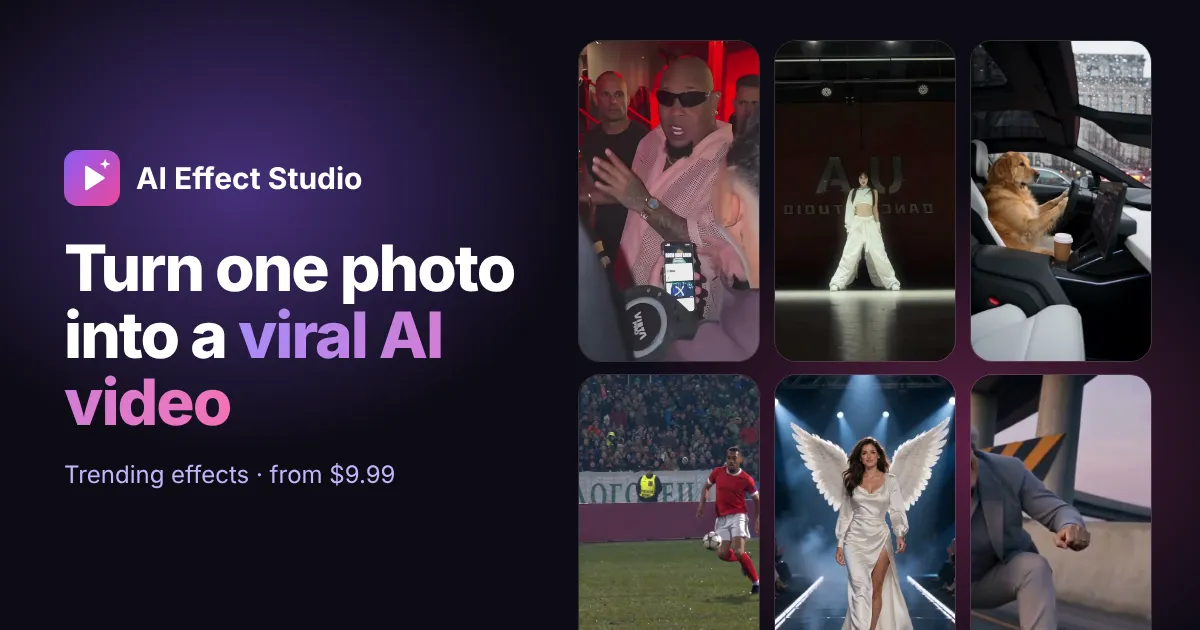
Hover to preview. Each effect page explains what you need and what you get.
Step into the Bulin 47 freestyle crowd with one photo.
Take the yellow-shirt spot in the Burning Bridges party video.
Two photos, one invisible-motorcycle chase across five scenes.
Replace the golden retriever driver with you or your pet.
Score the famous goal and celebrate in the kit you pick.
Pick a card, cover the lens, reveal your dream car.
Two photos become a synchronized neon K-pop style duet.
Put two friends or pets into the white-studio keyboard meme.
Walk a glamorous night runway in the outfit you choose.
Choose an effect
Each effect follows a real trending clip: its motion, camera and timing stay, the person changes to you.
Upload your photo
A clear, front-facing photo works best. Some effects take two photos or let you pick a scene, kit or outfit.
Download and share
Most videos are ready in 3–10 minutes. You can close the page; finished videos wait in My videos for 30 days.
Your photos are private, used only for your video and deleted after 7 days. Finished videos are visible only to you and deleted after 30 days.
AI Effect Studio is a web app that turns one photo into a short video copying a trending clip. You pick an effect, upload a photo and download an MP4. There is nothing to install, no prompt to write and no editing timeline.
Each effect is built on one real viral format: the Bulin 47 freestyle, the Burning Bridges party toast, the Unforgettable car reveal, the Alors On Danse studio sketch and others. The motion, camera and timing come from that clip. The person in it becomes the one in your photo. Every page explains what stays, what changes and what can vary, so you know what you are paying for.
The AI treats the trending clip as a motion guide and your photo as an identity guide, then renders a new video that combines the two. It does not paste your face onto old footage frame by frame. It generates every frame again, which is why lighting, head turns and expressions look natural instead of stuck on.
In practice, one generation goes through four steps:
Because the reference is cut before rendering, the length you pay for is the length you get. A 15-second order cannot come back as 20 seconds and use extra credits.
The catalogue currently has nine effects. Most need one photo; duets need two different people, and some effects also accept a pet.
New effects are added when a format is clearly trending and can be reproduced reliably. Effects that stop giving good results are removed rather than left up.
A 15-second 480p video costs 100 credits, which is exactly the $9.99 starter pack. 720p, or the full-length version of a clip longer than 15 seconds, costs 200 credits. Full-length 720p costs 400 credits.
One-time packs never expire: 100 credits for $9.99, 220 for $19.99 and 600 for $49.99. Monthly plans start at 300 credits for $19.99 and cost less per credit when paid yearly. Subscription credits reset each billing period and do not roll over. See pricing for all options.
There are no free credits. Every video runs on paid video models, and a free tier would mean slower queues or watermarks for everyone. What you get instead is a refund rule: if the video service confirms a generation failed, its credits return to your account automatically, once per task.
A sharp, evenly lit photo of one person with the whole face visible works best. The model can only keep what it can see, so a hidden ear, a hand over the chin or heavy filters tend to come back changed.
The photo guide has examples of what works and what fails.
Often, yes. YouTube, TikTok, Instagram and Facebook all ask creators to disclose realistic AI-generated or altered video, and the EU now requires it by law for deepfakes. A clearly playful meme is treated more lightly than a clip that could fool someone, but adding the platform's AI label is the safe default.
"We'll require people to use this disclosure and label tool when they post organic content with a photorealistic video or realistic-sounding audio that was digitally created or altered, and we may apply penalties if they fail to do so."
"Deployers of an AI system that generates or manipulates image, audio or video content constituting a deep fake, shall disclose that the content has been artificially generated or manipulated."
For evidently artistic, satirical or fictional work, the Act allows a lighter disclosure that does not spoil the piece. This is general information, not legal advice. The posting guide covers where each platform keeps its label.
Your photo is used only to make your video. It is private and deleted after 7 days. Finished videos are visible only to you and deleted after 30 days, so download what you want to keep. Payments go through Stripe, and the site never sees your card number.
What you upload matters too. Only use photos of yourself, or of people who have agreed to appear in the video. Never upload photos of anyone under 18. The consent and rights guide explains why, and what to do if someone asks you to take a video down.
A template app is quicker for plain cuts and captions. A general AI video generator gives you more freedom but needs prompts and retries. AI Effect Studio does one thing: it reproduces one known trend with your photo, already timed to the original sound.
If you want to film the dance yourself, a template is the right tool. If you want to be in the scene without filming it, an effect is.
Most videos are ready in 3 to 10 minutes. You can close the page while it runs; the result appears in My videos and stays there for 30 days. You download an MP4 with the trend's sound, in vertical 9:16 or landscape 16:9 depending on the original clip, with no watermark added. Vertical effects fit TikTok, Reels and Shorts as they are; landscape ones suit YouTube, X and group chats.
One 15-second 480p video
Failed videos refund their credits
Private photos and downloads
Buy 100 credits
Most popular220 credits
One full-length or 720p video
Failed videos refund their credits
Private photos and downloads
Buy 220 credits
600 credits
One full-length 720p video, with credits left over
Failed videos refund their credits
Private photos and downloads
Buy 600 credits
Credits per videoVideo480p720p15-second cut (or effects up to 15s)100200Full-length clip over 15s200400
Frequently asked questions
How much does one AI effect video cost?A 15-second 480p video uses 100 credits, which is the $9.99 starter pack. 720p or full-length versions use 200 credits, and full-length 720p uses 400 credits.
If the video service confirms a failure, the credits for that video return to your account automatically, once per task.
Credits from one-time packs never expire. Subscription credits are refreshed every billing period and do not roll over.
One clear, well-lit photo where the face is visible and not covered. Effects with two roles need two different photos.
Usually 3–10 minutes. You can leave the page; the video appears in My videos when it is ready.
You may share your videos on social media. Many effects reference songs, people or brands you do not own, so check the rights before any commercial use.
Not here. Watching every example is free, but each video runs on paid AI video models, so generating one uses credits. The cheapest video is 100 credits from the $9.99 starter pack, and confirmed failures are refunded automatically.
Yes, for effects that say so, such as Day 1 of Owning a Roadster and Alors On Danse. Use a clear photo of one pet with the whole head and eyes visible.
Usually yes. YouTube, TikTok and Meta ask creators to label realistic AI-generated video, and the EU AI Act requires disclosure of deepfakes from 2 August 2026. Turning on the platform's AI label is the safe default.
No. We don't add a watermark. You download the full MP4 with the trend's sound.
正文由 探How 从来源站点 RSS 同步,内容未经改写;遇到排版缺失或需要图片、视频时请以原文为准。