Raspberry Pi Zero 3W and Pi 4 Model A spotted in device trees
Two new Raspberry Pi boards have quietly turned up in Raspberry Pi’s Linux kernel tree, and neither of them is quite what I’d have guessed. Device tree files for a Raspberry Pi Zero 3 W and a Raspberry Pi 4 Model A have…
以下正文同步自 Hacker News,版权归原站所有,已转换为易读排版。
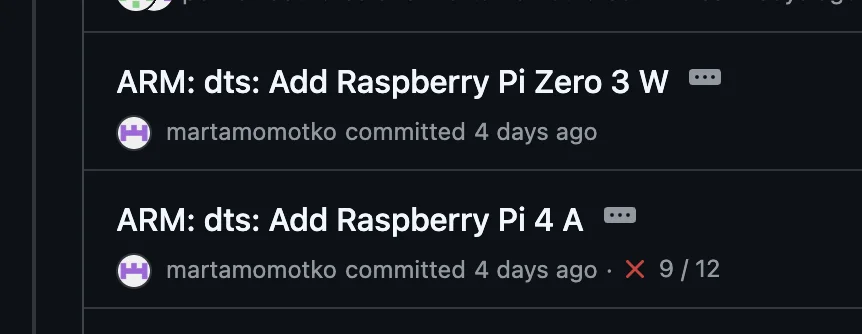
Two new Raspberry Pi boards have quietly turned up in Raspberry Pi’s Linux kernel tree, and neither of them is quite what I’d have guessed. Device tree files for a Raspberry Pi Zero 3 W and a Raspberry Pi 4 Model A have landed (Phoronix spotted it first), and whilst there’s no official announcement just yet, device tree files tend to give away a surprising amount if you can decipher them and I gave it my best shot.
The Raspberry Pi Zero 2 W launched almost exactly five years ago (tomorrow, in fact), so a successor has been a loooooong time coming. If you want a refresher on where things stood back then, my Raspberry Pi Zero 2 W vs Zero W benchmarks piece covers the jump from the original pretty well.
The headline from the Zero 3 W device tree is the SoC. It’s the Broadcom BCM2711, the same quad-core Cortex-A72 chip that powers the Raspberry Pi 4, replacing the Zero 2 W’s quad-core 1GHz Cortex-A53 RP3A0. If you want an idea of the sort of gap we’re talking about, it’s worth having a look at how those two compare on sbc.compare. That’s a big step up in per-core performance, and if they can get anything close to Pi 4 clocks in that tiny footprint, it’ll be a hell of a lot of compute for a Zero. I do wonder how toasty it’s going to get though, as the BCM2711 isn’t exactly known for running cool, and there’s not a lot of board for the heat to spread into. The device tree doesn’t tell us anything about clock speeds, so we’ll have to wait and see whether it’s been dialled back.
Beyond the SoC, here’s what else stood out to me:
There are a couple of more speculative bits too. The PCIe controller is enabled and there are lines named PCIE_PWR_EN and PCIE_DET_WAKE, and the camera side pulls in a 4-lane CSI configuration rather than the 2-lane one the Pi 4 Model B uses. It’s worth noting that both device trees share a lot of copy-and-paste DNA (the Zero 3 W even has a duplicated “PWR_GPIO” line name), so I wouldn’t read too much into either of those until we see an actual board. I’d love to see PCIe exposed on a Zero, but I’m not holding my breath.
The second surprise is a Raspberry Pi 4 Model A. We haven’t had a Model A since the Raspberry Pi 3 Model A+ back in 2018, and the formula has always been the same: take the Model B, strip out the bits most people can live without (RJ45, some USB ports etc), and knock a chunk off the price. The Pi 4 Model A looks to follow that recipe pretty closely, though the price comment may not quite hold. Let’s see!
The device tree doesn’t tell us anything about USB. On the Model B, the USB 3 ports made use of the PCIe bus, and the PCIe controller is enabled here too, so USB 3 is possible, but the 3 Model A+ only had a single USB-A port and I’d probably expect the same here.
The previous Model A, the Raspberry Pi 3 Model A from 2017
How Do They Compare?
Here’s a quick side-by-side of what the device trees tell us, with the Pi 4 Model B thrown in for good measure. Anything marked with an asterisk is my interpretation of the device tree rather than something it states outright.
Quite a lot, I’m afraid. Device trees don’t describe RAM, so there’s no word on memory configurations, and there’s nothing on pricing, clock speeds, connector types or a release date either.
Pricing is the big one for me. Memory costs haven’t exactly been kind lately (I covered the last round of increases alongside the 1GB Raspberry Pi 5 launch), and a lower-cost Pi 4 variant makes a lot of sense in that context. The BCM2711 is a mature chip at this point, it’s well supported in software, and a cut-down board gives people who don’t need a Pi 5 something cheaper to reach for. The Zero 3 W is a tougher one to call though, as the Zero range has always lived and died by its price, and I can’t imagine the BCM2711 being as cheap to build around as the RP3A0.
On the whole, I like what I’m seeing here. The Zero 3 W looks like the upgrade a lot of people have been asking for since the Zero 2 W landed, and the 4 Model A feels like a sensible way of squeezing more life out of the Pi 4 platform at a time when components aren’t getting any cheaper. The external antenna support on the 4 Model A is a really nice touch if it makes it to the final board.
Saying that, everything above comes from device tree files rather than an official spec sheet, so mileage may vary when the real thing turns up. Kernel support landing ahead of launch is usually a good sign that it’s not far off, and you can bet I’ll be throwing both the Zero 3 W and the 4 Model A onto sbc.compare as soon as I can get one in my hands.
Which of the two are you more excited about? Do let me know in the comments!
Sources bcm2711-rpi-zero-3-w.dts bcm2711-rpi-4-a.dts
Related posts: Raspberry Pi Zero 2 W vs Zero W Benchmarks – Pi Zero Showdown – 1GB Raspberry Pi 5 Launched Alongside Price Increases
Bret has worked with Raspberry Pi computers for almost 10 years now and in that time he's benchmarked and tested over 30 Single Board computers. In his day job, he's a systems administrator for a large cloud computing provider.
Save my name, email, and website in this browser for the next time I comment.
正文由 探How 从来源站点 RSS 同步,内容未经改写;遇到排版缺失或需要图片、视频时请以原文为准。