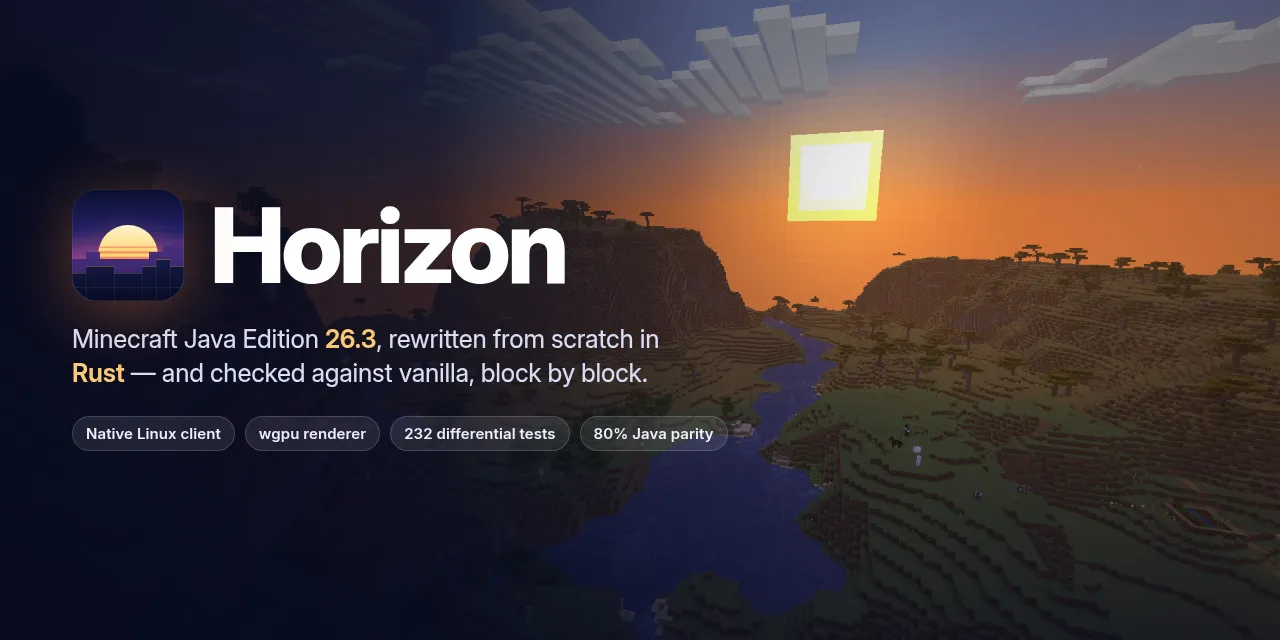
Minecraft Java 26.3 was decompiled and rewritten in Rust
A Rust rewrite of Minecraft: Java Edition 26.3 built for one-to-one vanilla parity, checked against the game itself with differential tests.
以下正文同步自 Hacker News 最新,版权归原站所有,已转换为易读排版。
Website · Download · What changed · Screenshots · Parity status · Documentation
A Rust rewrite of Minecraft: Java Edition 26.3 built for one-to-one vanilla parity, checked against the game itself with differential tests.
Every subsystem matches vanilla in all 281 parity harnesses, on Linux and macOS: 100% of what the harnesses compare (see Project status). The native client is playable on Linux, macOS (Apple Silicon) and Windows.
Not an official Minecraft product. Not approved by or associated with Mojang or Microsoft. Horizon contains no Minecraft code, assets or data: you need your own legally obtained copy of Minecraft: Java Edition 26.3.
Horizon is downloaded only through the Horizon launcher: get it from playhorizon.dev or from the launcher's releases (the newest launcher-v* release, currently launcher-v0.1.3), for Linux x86-64, macOS Apple Silicon or Windows x64. The launcher installs and updates the game, prepares its resources from your own copy of Minecraft, starts the client or a dedicated server, and updates itself.
You need Minecraft: Java Edition installed with the official launcher, with 26.3 played once; Python 3.10 or newer and Java 25 (a JDK, e.g. Eclipse Temurin 25) for the one-time resource preparation; and a GPU with Vulkan on Linux and Windows, or any Apple Silicon Mac.
It lists Horizon's releases and installs the build for your platform, shows each release's patch notes, updates Horizon and itself, and doubles as a command-line tool and an MCP server. See the launcher's README.
Captured in the Rust client itself, with vanilla assets and no mods or shaders.
The vanilla menus are one setting away: Options → Interface → Menu style → Classic. See Graphics settings.
Vanilla world generation ported to Rust (terrain, aquifers, carvers, features, villages and the Nether), every block model with smooth lighting and biome tints, the vanilla sky and fog, mobs, the HUD, chat and advancements: everything in these frames is drawn by Horizon.
What it does
Horizon reimplements the Minecraft Java client and its game logic in Rust, one subsystem at a time, and compares each piece with the vanilla game. Each tools/test_*_parity.py harness drives the same inputs through Horizon and through the vanilla client and server bytecode from your own copy of the game, then checks that the outputs are identical. It is for players and developers interested in game reimplementation, and for anyone who wants to see how far a behaviour-exact native rewrite can go.
The native client opens on a vanilla-style title screen with world creation and selection, and generates worlds with the Rust port of the vanilla generators: noise terrain, aquifers, surface rules, carvers and placed features, all checked against vanilla. It streams and lights chunks on worker threads and renders every vanilla block model with smooth lighting, biome tints, the vanilla sky, sun, moon, stars and clouds. Gameplay includes:
AI agents and scripts can play Horizon. horizon-ctl, shipped beside the game in every release folder, is a command line that reads the game as JSON and acts like a player; horizon-ctl mcp serves the same commands as an MCP server (one tool per command, screenshots returned as images).
horizon-ctl launch --world Survival --seed 5 --wait # finds the version the launcher installed horizon-ctl state # position, health, food, target, screen... horizon-ctl find-block birch_log # the nearest logs horizon-ctl goto -0.5 65 -2.5 --near 2.5 # walks there along a path horizon-ctl break -1 65 -3 # mines it; replies with the drops horizon-ctl open-inventory && horizon-ctl click-slot 0 # menus: slots, buttons by label, text fields
Commands block until the action is done and reply with what happened; errors are JSON with distinct exit codes, horizon-ctl help lists every command and horizon-ctl COMMAND --help explains one with examples. It talks to the game over a Unix socket on Linux and macOS and over a token-protected localhost port on Windows. See Agent control in the native client guide.
For developers. Requirements: Rust 1.90 or newer, Python 3.10 or newer, JDK 25, and on Linux the ALSA and udev development headers (libasound2-dev libudev-dev on Debian and Ubuntu). Development and the vanilla harnesses run on Linux.
Horizon contains no game files and never downloads them. It builds its resources from your own copy of Minecraft: Java Edition 26.3, verified against the checksums in research-lock.json:
git clone https://github.com/ludovic111/horizon.git cd horizon cargo run --release -p horizon-prepare -- --prepare --server-jar ~/Downloads/server.jar # needs JDK 25 cargo run --release -p horizon-prepare -- sounds # optional: sounds from your launcher install cargo run --release -p horizon-client
Everything prepared lands in the gitignored .local/. It is derived from the game: never commit it or share it.
The client starts on the title screen. Command-line options (--world, --seed, --creative, --render-distance, --dedicated), controls, playing and scripting through horizon-ctl and its MCP server, and the architecture are described in the native client guide. The rest of the documentation is indexed in docs/README.md, including the parity workflow.
The table below is the project's own audit of each subsystem. Every subsystem now matches vanilla in every harness that compares it. 100% means 100% of what the harnesses compare, not proof that nothing else differs. The remaining known differences are listed below.
Each subsystem scores 0 (absent), 0.25 (started, not playable), 0.5 (playable, major vanilla features missing), 0.75 (playable, mostly complete) or 1 (complete and verified against vanilla by differential tests). The percentage is the average; tests/test_parity.py keeps it in sync with this table. Last audited 2026-10-13 against the harness results: all 281 harnesses pass on Linux, each rerun whenever one of its inputs changed, and the Mac mini now runs every one of them too (Rust uses Java's own float maths on each platform).
Online-mode servers (Mojang's session servers) are not supported; skins served over https show the default skin unless already cached; pack icons show the unknown-pack texture in game; the creative hotbar keys (C/X) aren't wired to the hotbar loader; item tooltips lack attribute lines.
Issues and pull requests are welcome: see CONTRIBUTING.md for how we work (vanilla first, small pull requests, labels). Before opening a pull request, run the self-check and paste the block it prints:
git config core.hooksPath .githooks python3 tools/pr_ready.py
It runs rustfmt, clippy with warnings denied, the tests of the crates you touched, the Python tests, the public-tree check, and the vanilla harnesses your change can affect. CI runs the same checks on GitHub's Linux runners; the vanilla harnesses need the game, which Horizon never downloads, so they run on a self-hosted runner holding the maintainer's own copy. Never commit game files, decompiled source or prepared resources: tools/check_public_tree.py rejects them, and tracked Java is allowed only under the project's own dev/horizonlab namespace.
MIT, for the project's original work only. Dependencies keep their own licences. Minecraft is a trademark of Mojang Synergies AB; Minecraft code and assets belong to Mojang and Microsoft and are covered by the Minecraft EULA. Decompiled game source and prepared resources stay on your machine and are never published.
Third-party credits and licenses: Third-party notices.
正文由 探How 从来源站点 RSS 同步,内容未经改写;遇到排版缺失或需要图片、视频时请以原文为准。