I've Tested Over 100 Home Security Cameras. Here's Which to Buy
Keep an eye on home wherever you are with the best security cameras, including indoor and outdoor, subscription services, AI smarts, and local recording options.
以下正文同步自 Wired,版权归原站所有,已转换为易读排版。
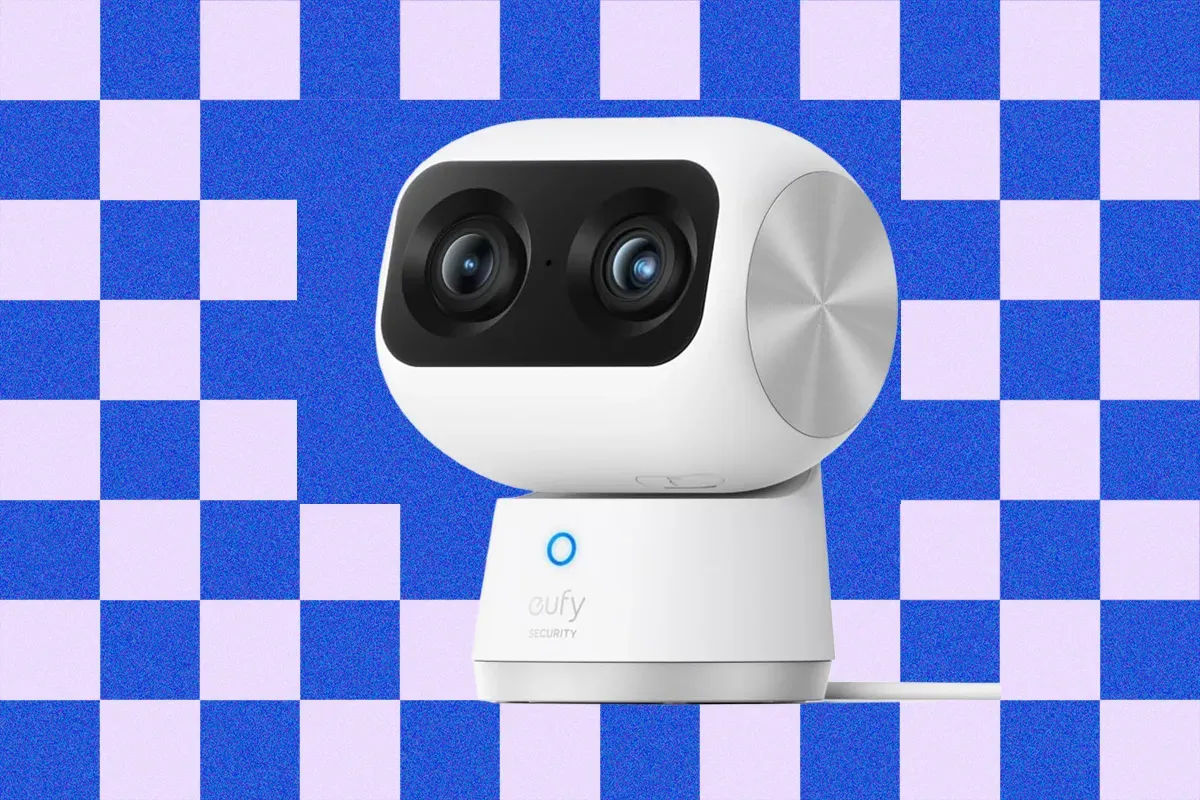
Beyond the purchase price, expect ongoing running costs, and be prepared to sacrifice some privacy. It’s vital you trust the camera brand you invite into your home. It makes sense to pick one brand for easy app access and management. I’ve tested more than 100 different security cameras over the last decade, and five brands consistently dominate my recommendations. Whether you want cloud or local storage, serious AI smarts, or the cheapest cameras you can get without sacrificing quality, I’ve got you covered. And I’ve included more brands worth considering below, with a few that are best avoided. Want more options? Check out the Best Outdoor Security Cameras, Best Subscription-Free Security Cameras, Best Floodlight Security Cameras, and Best Video Doorbells. For sheer feature-packed variety, Eufy security cameras are tough to beat. They’re easy to set up and use. They’re also reliable, and they don’t hide their best features behind a subscription. That means you can record locally on a hub, NVR, NAS device, or sometimes directly on the camera. My favorite Eufy cameras is the Indoor Cam S350, which is a good middle-ground in terms of price and features. In fact, even this model will likely feel like overkill for most folks. It combines a regular camera with a 130-degree field of view that can go up to 4K with a 2K telephoto lens that provides 3X optical zoom. It also has 360-degree pan and 75-degree tilt controls, as well as AI tracking that works well. The camera also supports up to four preset positions it can patrol through, including the default position that it returns to after tracking a subject out of frame. There’s also privacy mode, two-way talk, and onboard AI to detect people, pets, and sounds. You can record locally with a microSD card up to 128 GB (not included), hook it up to a HomeBase S380 ($200), or subscribe for cloud storage from $4 per month. The Home Base S380 (previously called HomeBase 3) is a hub that connects to your router, ideally via Ethernet cable, and offers 16 GB of internal storage that can be expanded up to 16 TB with a hard drive. The footage is crisp and detailed enough to zoom in on, though bright areas like sun streaming in a window can appear blown out. Because the frame rate is 15 fps, sometimes fast-moving subjects appear blurry. The motion detection is reliable, and you can set up privacy zones in the app. Notifications are swift and come with a thumbnail if you don’t mind uploading to the cloud (which is optional). I sometimes noticed a slight lag on the live feed, and the sound quality could be better. There is no HomeKit support, but you get Alexa and Google Assistant, though the camera was very slow and sometimes failed to load for me via Google. This is my favorite pan-and-tilt camera right now, and it's a self-contained powerhouse with a fixed main lens that has a 130-degree field of view and records crisp, clear video at up to 4K, paired with dual 2K pan-and-tilt lenses that pan through 360 degrees and tilt through 70 degrees. The 8X hybrid zoom can blow up subjects up to 164 feet away. Tracking is very good, and you retain the fixed view, so there’s no risk of missing anything. The quick swap 10,000-mAh battery is rechargeable, but the included solar panel, which can go on top of the camera or nearby, was enough to keep mine topped off. The 32 GB of built-in storage is plenty for local recordings (expandable to 256 GB via microSD). But you can also get this in two or four cam kits with Eufy’s HomeBase S380. If you like the S4 cameras, but you're able to go the wired route and run Ethernet cables, Eufy's S4 Max ($1,500) system employs Power over Ethernet (PoE) and comes with four S4 cameras and a network video recorder (NVR) with 2 TB of storage. Here are a few more of the best Eufy cameras I've tested and recommend.
A cheaper indoor pan-and-tilt camera: Eufy Wired Cam C31 for $60 An excellent 4K package: EufyCam S3 Pro (2-Cam Kit) for $550 A cheaper outdoor pan-and-tilt camera: Eufycam C37 for $90 An affordable HD camera kit: Eufy C35 2-Cam Kit for $200 A solar wall light camera: Eufy Wall Light Cam S4 for $250
Arlo is an excellent brand for security cameras that I've thoroughly enjoyed testing over the years, though unlike with Eufy, it'll require stomaching an expensive monthly subscription. Its hardware is relatively affordable for the quality it delivers. The cameras alert reliably, boast the best rich notifications, and the subscription provides generous cloud storage. Arlo also offers monitoring and emergency response as an optional extra. This is my favorite Arlo camera, the 2nd-gen Essential Indoor model. With its compact design, clear video, and two-way audio, this Arlo camera matches performs reliably well. It can be placed on a shelf or wall-mounted, features a privacy shutter that lowers when the camera is not in use, and stores video in the cloud. The footage is detailed, and there’s no blurring on motion (the frame rate is 24 fps). Arlo’s second-generation Essential Indoor cameras are available in two varieties: a 1080p model and a pricier 2K model. I’m a fan of the app for its ease of use, loading speeds, and two-factor authentication, enabling you to log in to the live feed with your fingerprint or face scan (phone permitting). There’s also a built-in siren and smart home integration for Amazon Alexa, Google Assistant, and IFTTT, but not Apple HomeKit. Unfortunately, cloud storage, accurate subject detection, and smart animated alerts require an expensive Arlo Secure subscription at $10 per month ($96/year) for a single camera. It’s a bit more palatable if you have multiple Arlo devices, as you opt for a $20 per month package ($216/year) for support for unlimited cameras. For folks with video doorbells or other cameras from Arlo, this camera is an obvious pick to keep things in a single app. But the lack of local storage might be a turnoff, and there are occasionally a few seconds of lag on the live feed. The best security camera for outdoors is Arlo's Pro 6 as it records lovely crisp 2K resolution footage with HDR to prevent bright areas from becoming blown out or detail being lost in the shadows. This camera also boasts color night vision or a spotlight, clear two-way audio, and a built-in siren. Detection is rock solid and motion alerts are categorized by people, animals, vehicles, and packages. The notification system is swift and accurate, offering animated previews and screenshots with highlighted subjects that are easy to read even on a smartwatch screen. Arlo’s cameras are among the best at reducing false positives, and it’s easy to filter videos and tweak detection zones. 2K is sharp enough for most folks, but is you crave the best picture quality possible, the Arlo Ultra 3 (2-Cam Kit) ($350) steps up to 4K and offers everything you get from the Pro 6. There are plenty of alternatives if you decide to go with an Arlo system. Here are the rest of the best Arlo cameras I've tested.
An indoor pan-and-tilt camera: Arlo Essential Indoor Pan Tilt Zoom for $50 A 4G LTE camera: Arlo Go 2 (Battery) for $200 An outdoor pan-and-tilt camera: Arlo Essential Outdoor Pan Tilt Zoom for $60
Folks on a limited budget will struggle to find better quality security cameras at prices this low anywhere else. TP-Link’s Tapo line works well and is very affordable. The trade-off is that Tapo cameras lack proper end-to-end encryption, and the company’s router business has come under fire in the US. Here are my top Tapo picks: Crisp video at a relatively low price makes the Tapo C120 very attractive. This camera is quick and easy to set up, with a handy magnetic base that can stick to the fridge, be wall-mounted, or sit on a shelf. It supports two-way audio (with a slight lag) and has a slot for up to 512 GB microSD cards to keep recordings local. Importantly, it offers smart detection (people, pets, and vehicles) without a subscription. I found the motion detection very reliable, and you can tweak the sensitivity and customize the notifications you receive, so you don’t get bothered by false positives. The color night vision is also above average. You can set activity and privacy zones in the Tapo app, and there’s AI detection to recognize people, pets, vehicles, and the sound of a baby crying. This camera also supports the open Real-Time Streaming Protocol (RTSP), making it easy to use with a network video recorder (NVR) or third-party software. This camera even has an IP66 rating, which means you can also use it outdoors (provided you can run the power cable). It works OK with Google Gemini or Amazon Alexa, though it was a little slow to load the stream on my Nest Hub. On the downside, the frame rate maxes at 20 fps, so fast-moving subjects sometimes appear blurry, especially with low light. Rich notifications, including a snapshot of the subject, are bundled with the optional Tapo Care subscription, along with 30 days of cloud storage for clips, and it’s expensive at $3.50 per month for a single camera or $12 per month for up to 10 cameras. It also lacks Apple HomeKit or IFTTT support. Some folks may also have concerns about TP-Link, as its router business has been under investigation by the US government for alleged links to China. If your budget is tight, the Tapo C110 ($28) is cheaper with only a few compromises (lower frame rate, no pet or vehicle detection, microSD limited to 256 GB). This is a solid outdoor camera with a magnetic mount that makes it easy to angle and remove when it's time to recharge. It offers a 150-degree field of view, and sharp video at up to 2K and 30 frames per second, but you must change the default settings in the app to get the best from it. The lack of HDR might be a problem if it's in a spot with a lot of direct sunlight. The built-in spotlight enables color night vision, though it doesn’t penetrate far into the gloom, and I got better results with the black-and-white night vision. You will likely need to charge it every three months or so, unless you pair it with a solar panel. If you want sharper footage and don't mind spending a bit more, try the Tapo MagCam 4K Solar ($150). It comes with a solar panel and offers up to 4K footage, but the frame rate is limited to 15 fps. TP-Link churns out many, many Tapo cameras. Here are the other best Tapo cameras I've tried.
An indoor pan-and-tilt camera: TP-Link Tapo C210 for $30 A hardwired outdoor camera: TP-Link Tapo C325WB for $70 A 4K solar pan-and-tilt camera: TP-Link Tapo C660 for $170 A 2K dual lens pan-and-tilt camera: TP-Link Tapo HybridCam Duo C246D for $70 An affordable pan-and-tilt camera: TP-Link Tapo HybridCam 360 C216 for $40 A 4K dual lens pan-and-tilt camera: TP-Link Tapo C675D for $230
For the smartest AI detection, descriptions, and video filtering, Google’s Nest cameras are unbeatable right now. You need the relatively expensive subscription to unlock the top features, but if you’re already a Gemini fan and invested in Google’s ecosystem, it’s an easier sell. Camera choice is more limited, but here are my picks: With an understated style, Google’s indoor Nest Cam comes in two subtle finishes to blend in with your decor, or a bright red “berry” paint job if you want it to stand out. It has HDR, footage is clear at 30 fps, with night vision that kicks on automatically when the lights are out, and the third generation ups the video quality from 1080p to 2K. There’s also two-way audio, enforced two-factor authentication, and accurate detection to alert you about people, animals, or vehicles. This latest model also features a wider field of view and animated previews that zoom in on the subject. You can install and use the Nest Cam through the Google Home app by scanning the QR code (it’s the fastest and easiest setup I’ve encountered), and it’s quick to load on Nest displays or a Chromecast with Google TV. (It's even accessible via a web interface.) You only get six hours of history unless you sign up for a Google Home Premiu
正文由 探How 从来源站点 RSS 同步,内容未经改写;遇到排版缺失或需要图片、视频时请以原文为准。