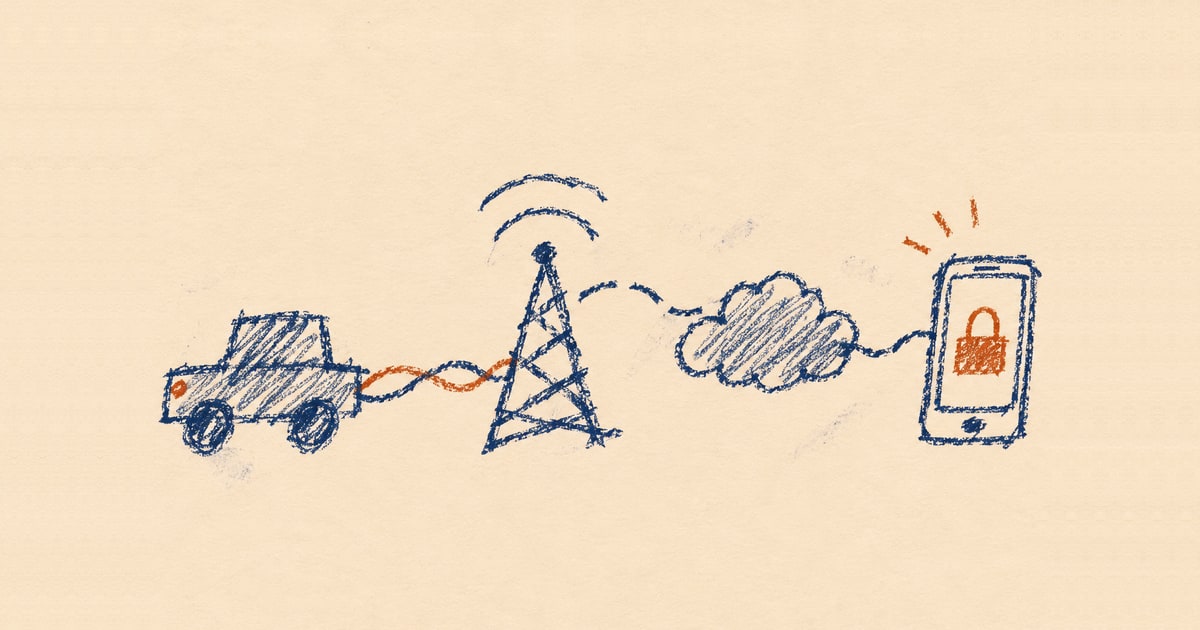
两名安全研究员利用ForgeRock漏洞入侵两家车企,可远程解锁车辆
来源标题:Hacking Two Automakers: ForgeRock Path Confusion, RCE, and Remote Vehicle Access
安全研究员Shubham Shah和Sam Curry在2026年初发现ForgeRock服务器路径混淆漏洞链,可在两家车企处理客户登录的生产服务器上实现远程代码执行。利用该漏洞能为任意客户账户创建有效会话,进而获取车辆位置、远程解锁车门及启动或熄火。两家车企在收到报告后约两小时内完成修复并轮换了受影响凭证。
以下正文同步自 Hacker News 最新,版权归原站所有,已转换为易读排版。
Back to blog
Hacking Two Automakers: ForgeRock Path Confusion, RCE, and Remote Vehicle Access
November 7, 2026·By Shubham Shah and Sam Curry
In early 2026, Shubham Shah and I found a vulnerability chain that gave us remote code execution on the production ForgeRock servers handling customer logins for two automakers, which we'll call Automaker #1 and Automaker #2Obviously, they have asked not to be named, and while normally we would fight to actually include the company names, it's a busy time in the security world and I don't like the idea of them diverting resources because they are worried about something with this disclosure.. From those servers, we could create a valid session for any customer account managed by the affected deployments. If the account had a connected vehicle, the session gave us the same remote access as the owner's app: its location and telemetry, door lock and unlock, and remote engine start and stop.
After we reported the vulnerability, both automakers fixed it within about two hours and rotated the affected credentials. The affected systems served customers in multiple regions; we tested the complete chain only with US accounts and vehicles.
In the past few years, we'd found ways to remotely control vehicles from Honda, Acura, Nissan, Infiniti, Hyundai, Genesis, Ford, Porsche, Kia, and Subaru, but we'd never found a vulnerability that enabled remote access to either an Automaker #1 or Automaker #2 vehicle.
Both apps exposed the normal connected-car functionality we expected. Once signed in, an owner could see every vehicle and VIN in their garage along with its location, mileage, fuel or battery range, tire pressure, door and window state, vehicle health, alerts, and subscription status. Depending on the model and subscription, the same app could lock or unlock the doors, start or stop the engine, sound the horn, flash the hazards, or locate the vehicle.
To understand how those features worked behind the interface, Shubham and I downloaded the Android versions of both automakers' apps, pulled them apart, and traced their authentication flows side by side. Both apps led back to ForgeRock, an identity platform both automakers used to manage customer accounts and logins.
We first documented the normal login flow. Automaker #1 authenticated its users through login.automaker1.example, while Automaker #2 used login.automaker2.example. The two flows were nearly identical, so we used the US Automaker #1 exchange as the representative example:
POST /json/realms/root/realms/consumer-native/authenticate?authIndexType=service&authIndexValue=MobileAppSignIn HTTP/2 Host: login.automaker1.example Accept: application/json Content-Type: application/json Accept-API-Version: resource=2.1, protocol=1.0 Accept-Language: en-US X-Make: A X-Market: US User-Agent: Automaker1App/3.10.0 (com.automaker1.mobileapp; build:3100; Android 14) okhttp/4.12.0
{}
The request started Automaker #1's MobileAppSignIn journey inside the consumer-native realm. ForgeRock used Accept-API-Version to select the API behavior expected by the app, while X-Make, X-Market, and Accept-Language identified the brand, market, and locale. Those values selected the regional telematics services used by the app.
The empty JSON object did not contain a username or password. It asked the server which step should come first. ForgeRock responded with an opaque authId and a callback describing the value it wanted:
HTTP/2 200 OK Content-Type: application/json;charset=utf-8
{ "authId": "AQIC5wM2LY4SfczK7n0fB1x6mQ...", "callbacks": [ { "type": "NameCallback", "output": [ { "name": "prompt", "value": "ui_locales" } ], "input": [ { "name": "IDToken1", "value": "" } ] } ] }
The app filled in the requested input and sent the entire document back to the same endpoint. ForgeRock then returned the next callback, so the server controlled the journey through the account, device, verification, and OTP steps.
Successful completion returned an authenticated ForgeRock session, but not yet permission to call the vehicle APIs. The app exchanged that session for the mobile app tokens used by the rest of its account and vehicle requests.
Automaker #2 followed the same sequence on its branded hostname. It selected the AppSignIn_v2 tree instead of MobileAppSignIn, sent X-Make: B, and included its ForgeRock client-version header. In the US profiles Shubham and I traced, both apps otherwise used the same consumer-native realm, mobileappsdkclient OAuth client, callback URI, and server-driven callback model. The two apps looked like brand-specific entrances to the same identity platform.
Tracing the shared login flow led us through two parts of ForgeRock. ForgeRock Access Management, or AM, ran the callback journey and issued the login session. Identity Management, usually called IDM or OpenIDM, stored the customer records that AM used during that journey.
While following the shared login code, Shubham found an email-validation request backed by /openidm/endpoint/validateEmail. OpenIDM calls its customer identity records managed users and exposes them through ForgeRock's Common REST, or CREST, API under /openidm/managed/user. We began testing that managed-user route and the administrative paths normally found beside an OpenIDM deployment.
OpenIDM also runs its Java services as OSGi bundles inside Apache Felix. Felix's Web Console conventionally lives at /system/console; its bundles plugin lists the code loaded into the process, and /system/console/configMgr edits live OSGi service configurations. ForgeRock's own production-hardening guide recommends removing or protecting the console and notes that it authenticates separately from IDM.
ConfigMgr was interesting because OpenIDM's scheduler can invoke inline scripts, and its script service supports Groovy. If ConfigMgr exposed the OpenIDM schedule factory, a console configuration could run Groovy inside the identity process.
Direct requests to /openidm/managed/user, /system/console, /system/console/bundles, and /system/console/configMgr were blocked. Repeating them caused our IP to be denied on those administrative paths, while the normal login and email-validation routes continued to work. Shubham varied the URL encoding, method, and path separators and received different responses, which suggested that the edge was matching dangerous path patterns before the Java application finished interpreting them.
Requests beneath the site's normal /static asset prefix continued to reach the backend, so Shubham began combining that prefix with encoded slashes, dot segments, and semicolon path parameters. We wanted the edge to keep seeing a static request while the Java backend normalized it into one of the blocked routes. The results suggested that the two layers were reading the same URL differently: the edge decided whether to allow the incoming path, the servlet container decoded another form of it to select an OSGi servlet, and the selected application could parse it again.
The first target was OpenIDM's read-only /openidm/info/ping health resource. The path /static%2f..%2fopenidm/info/ping packed the traversal and servlet prefix into one raw segment, but the US edge returned an AWS load balancer 403. Changing it to /static%2f..;/openidm/info/ping passed the edge, reached OpenIDM's authentication filter, and returned 401 without credentials.
Felix provided another way to test the same path behavior. Requesting /static%2f..;/system%2fconsole;/bundles/.json without an Authorization header returned 401 with WWW-Authenticate: Basic realm="OSGi Management Console". Invalid credentials produced the same response. Shubham then tried the documented admin:admin default and requested the bundle inventory:
GET /static%2f..;/system%2fconsole;/bundles/.json HTTP/1.1 Host: openidm.automaker1.example Authorization: Basic YWRtaW46YWRtaW4= Accept: application/json Accept-Encoding: identity Connection: close
The encoded route reached the hidden console and returned its live bundle inventory:
HTTP/2 200 OK Content-Type: application/json;charset=utf-8 Set-Cookie: INGRESSCOOKIE=1771327827.628.1370.731091|d9d3d1c276f880a4762689fb631664e2; Path=/; HttpOnly Set-Cookie: felix-webconsole-locale=en; Path=/system/console; Expires=Mon, 12-Feb-2046 11:30:26 GMT; Max-Age=630720000
{ "status": "Bundle information: 361 bundles in total, 343 bundles active, 17 bundles active fragments, 1 bundle installed.", "s": [361, 343, 17, 0, 1], "data": [ { "id": 0, "name": "System Bundle", "fragment": false, "stateRaw": 32, "state": "Active", "version": "7.0.1", "symbolicName": "org.apache.felix.framework", "category": "" } ] }
[remaining bundle entries snipped]
The default credentials worked. Bundle zero identified Apache Felix 7.0.1, 343 of the 361 bundles were active, and the same console session gave us access to ConfigMgr.
To understand why it worked, Shubham and I traced how Jetty and Felix handled the path. With /static%2f..;/system%2fconsole;/bundles/.json, Jetty's canonical path used for servlet selection decoded the slashes, stripped the semicolon path parameters, and resolved the /static/.. dot segment. The servlet container mapped the resulting /system/console/bundles/.json path to the Felix Web Console. Felix then read the canonical path information supplied by the servlet container and used the first remaining segment as the plugin name, so it selected bundles.
OpenIDM handled the same trick differently. ForgeRock registers /openidm as the outer HTTP servlet, then routes the remainder internally through CREST. For a normal /openidm/info/ping request, the servlet container consumes /openidm and CREST receives info/ping. ForgeRock's CREST adapter rebuilt that resource from the original encoded URI. Its ResourcePath parser splits only on literal slashes. In /static%2f..;/openidm/info/ping, static%2f..; and openidm remained two raw elements. CREST removed one element for the matched servlet and tried to route openidm/info/ping instead of info/ping.
The single-segment /static%2f..%2fopenidm/info/ping form would have left CREST with the clean resource, but the edge rejected it with 403. The accepted /static%2f..;/openidm/info/ping form selected the OpenIDM servlet but left the extra openidm segment for CREST. Moving /openidm inside the path parameter as /static%2f..;%2fopenidm/info/ping also failed because Jetty discarded that parameter before servlet mapping. Felix was the route that survived both interpretations.
Inside ConfigMgr, Shubham found the org.forgerock.openidm.schedule factory. Its configuration could tell the scheduler to invoke the script service, select Groovy as the engine, and supply the source code inline. The scripts ran inside OpenIDM with access to the surrounding OSGi runtime. Running commands and retrieving their output through one-shot schedule configurations would have been awkward, so we used one to install a small OSGi servlet that provided a stable request and response channel.
The console response set an INGRESSCOOKIE, which mattered because the OpenIDM hostname was load balanced. ConfigMgr could create the schedule on one backend node while a later request reached another, and the installed bundle lived only in the OSGi runtime that ran the schedule. We carried the affinity cookie through the create, enable, polling, cleanup, and command requests to keep the sequence on the same OpenIDM process.
Each ConfigMgr factory configuration received a persistent identifier, or PID. Creating one meant posting to the literal placeholder [Temporary PID replaced by real PID upon save], URL-encoded in the path below. In the form body, apply=true told ConfigMgr to save the submission, factoryPid selected OpenIDM's schedule factory, propertylist=jsonconfig declared the configuration property being submitted, and jsonconfig carried the schedule itself as URL
正文由 探How 从来源站点 RSS 同步,内容未经改写;遇到排版缺失或需要图片、视频时请以原文为准。