DeskSprite
No account needed — a pet on your screen in about a minute.
以下正文同步自 Hacker News 最新,版权归原站所有,已转换为易读排版。
No account needed — a pet on your screen in about a minute.
Desktop pet · Windows / macOS / Chrome Bring your desktop pet to your screen
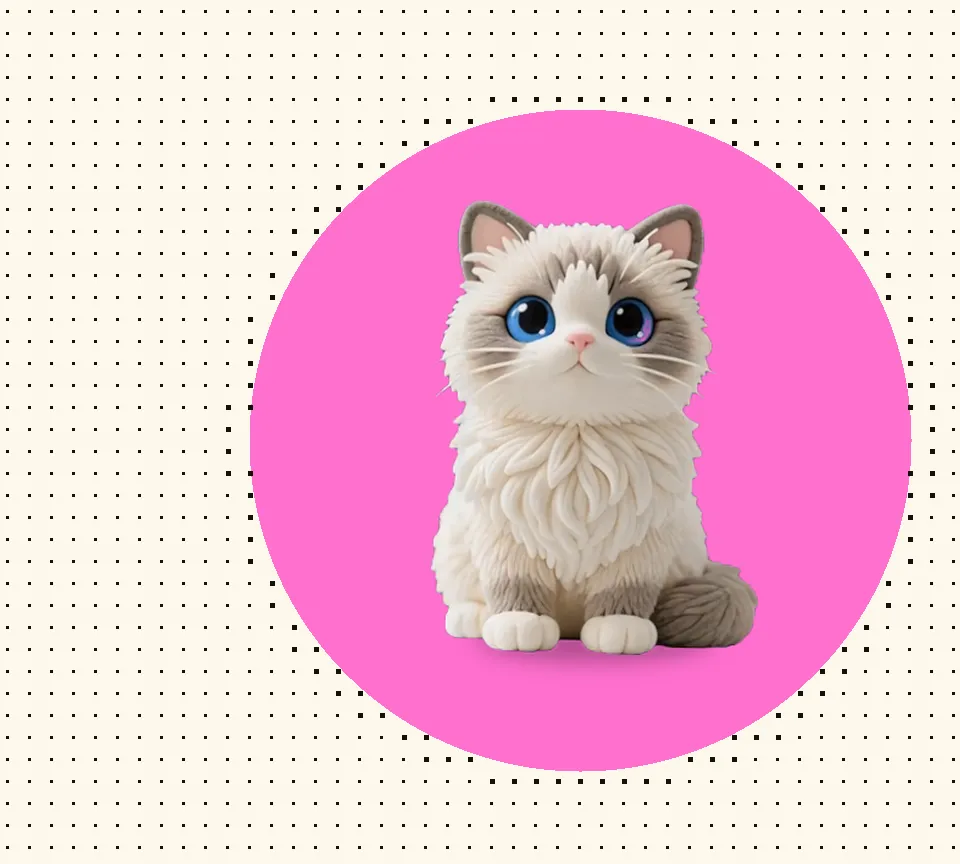
DeskSprite is a little companion that lives on your desktop: it answers when you click, looks up when your cursor comes close, and stays quiet while you focus. Every time you open your laptop, a familiar little rustle is waiting.
Free default pet · No account needed
👋 Bring your cursor close, then give it a click Eclipse · A live pet, not a video
🎃 Halloween special — the Spooky Squad lands this October, Ghost free to install ✨ AI-custom pet · From your photos
🐾 Built-in pet · Ready out of the box
Default pet free · No login
More pets · In the shop
Runs locally · Data stays home
Windows · macOS
🆕 Now on macOS · Apple silicon & Intel
🧩 Chrome extension · One-click add
Which companion will you pick?
Every pet in the shop moves like this — hover over them and see who clicks with you.
Other people's pets are cute — but never as cute as your own. Upload 1–3 photos of your pet and get a living, reacting desktop pet made just for you, in about 5 minutes.
Your photos (1–3 is plenty)
Milo · A living, reacting pet
01 Upload 1–3 photos
A few clear shots are all it takes — different angles help. Cats, dogs, monsters — all welcome.
Idle, acting cute, looking back at your cursor — a full set of action clips, generated while keeping your pet's look intact.
Auto-matted, auto-packaged — your pet moves into the DeskSprite app, one click to bring it onto your desktop.
Most desktop decorations get boring in a day. The DeskSprite companion watches you, answers you, and sticks around for the whole afternoon — that's what "keeping" a pet on your desktop feels like.
It answers your clicks
Tap it gently and it gives you a small reaction — as if to say: I'm here.
It knows your cursor
Come closer and it notices; pause and it pauses with you — like it recognizes your footsteps.
Place it anywhere
Screen edge, beside a window, any empty corner — pick it up and settle it where you like.
Quiet focus company
A built-in Pomodoro timer: it naps quietly while you work, then gently reminds you when time's up.
From the first hello at boot to the last stretch before shutdown — its day revolves around you.
01 / Hello Tap it once, it looks up at you
No need to be polite when you want to say hi. The moment your finger lands, it answers with a whole-body little performance.
02 / Gaze Your cursor passes, its eyes follow
No click required — just passing by is enough. A desktop watched by a pair of little eyes suddenly feels alive.
03 / Territory Pick it up, choose its favorite spot
Beside your editor, on top of the browser, any corner of the screen — where it lives today is entirely your call.
04 / Pastime Left alone, it entertains itself
Stretches, yawns, spontaneous cuteness. These unscripted little shows slowly become a routine only you two share.
05 / Focus During focus time, quieter than you
Start the Pomodoro timer and it settles down without a peep; when the bell rings, it gently coaxes you off the chair.
06 / Move-in Starting tonight, a new resident on screen
Download, install, first hello — all within a minute. Every boot from now on begins with a greeting.
Free for Windows, macOS and Chrome — a quick install (or one click in the Chrome Web Store) and your pet moves in. No account needed.
Safe to install — the SmartScreen notice on first install is just because we haven't purchased a code-signing certificate yet; the app itself is completely fine. Click "More info → Run anyway" to continue, and your pet can move right in.
macOS
New Native build · For macOS 12 and later
Safe to install — the app itself is completely fine; the alert only appears because we haven't purchased Apple's signing service yet. If macOS blocks it on first launch, it's just a one-time step: right-click the app → Open, or System Settings → Privacy & Security → Open Anyway — and your pet can move right in.
Chrome
New Chrome, Edge & other Chromium browsers
The pet walks across your open web pages, reacts to clicks and your cursor, and keeps you company with the same Pomodoro timer — free on the Chrome Web Store.
Your first membership includes a free AI custom pet. One custom credit with your first plan — it never expires. Start customizing
Everything you might want to know about DeskSprite.
DeskSprite is a free desktop pet app for Windows and macOS. It puts a living pet on your computer desktop: it responds when you click it, watches your cursor as you move, and keeps you company while you focus. New to the category? See What is a desktop pet? — the beginner's guide, or the background on Wikipedia: Virtual pet (desktop pets started with cursor-chasing Neko).
The download, the built-in pet and the free pets in the shop are all completely free, ready from first launch. Premium pets in the shop come with a membership (subscription or one-time lifetime) — your first sign-up includes 1 free AI custom credit. See the membership page for details.
DeskSprite supports Windows and macOS. Installers for both platforms are available on the download page for free.
Yes — DeskSprite also lives in your browser. Desktop Pet for Chrome is free on the Chrome Web Store: the pet walks across your open web pages, reacts to clicks and your cursor, and keeps you company with the same Pomodoro timer. One click to add — works in Chrome, Edge and other Chromium browsers.
Yes for everyday use: pet assets, interaction rules, and settings all stay on your own computer, and no account is required. The one exception is AI Custom — the photos you upload there are used only to generate your custom pet, never for anything else (see the privacy policy).
After installing, the built-in pet moves in automatically on first launch. Click it, drag it, or move your cursor nearby to trigger different reactions. The control panel lets you tune animations, interaction rules, and the Pomodoro timer.
Yes — AI customization is live. Open AI Custom, upload 1–3 photos of your pet, and AI generates a full set of action clips packaged as your personal desktop pet. It appears in the DeskSprite app under My Pets with a "Get" button.
No. The pet renders in a transparent always-on-top window and uses almost no CPU when idle.
Shimeji is the category classic — a fan-made desktop buddy program plus a browser extension. DeskSprite takes the same idea native: one installer for Windows and macOS (no Java), pets that install in one click from the built-in shop, and AI customization that generates a pet from your own photos. Weighing them up? The DeskSprite vs. Shimeji comparison covers the differences, and the honest Is Shimeji safe? breakdown covers what's risky and what isn't.
Free to download, no account, one minute to the first hello. Let it move into your screen today.
正文由 探How 从来源站点 RSS 同步,内容未经改写;遇到排版缺失或需要图片、视频时请以原文为准。