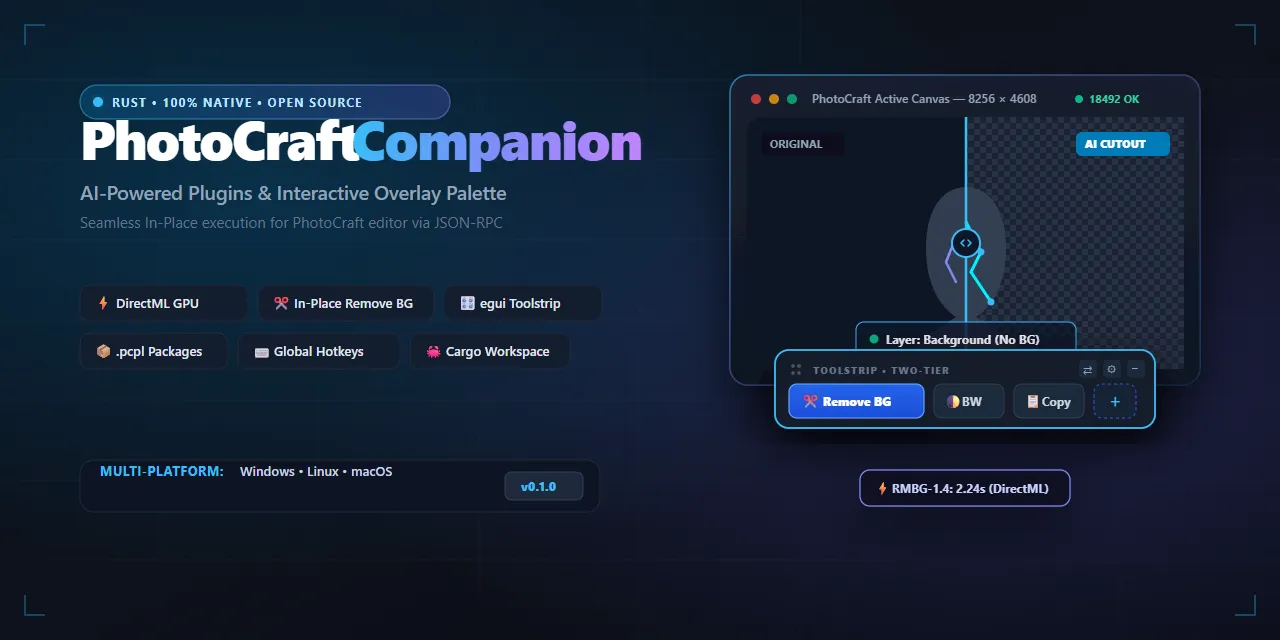
Show HN: Local DirectML AI and Floating Toolstrip for PhotoCraft in Rust
Extensible plugin ecosystem, local neural tools, and interactive overlay palette for the PhotoCraft graphics editor.
以下正文同步自 Hacker News 最新,版权归原站所有,已转换为易读排版。
Extensible plugin ecosystem, local neural tools, and interactive overlay palette for the PhotoCraft graphics editor.
Why Companion? • Features • Download & Installers • First-Launch Guide • Marketplace • Quick Start • Architecture • .pcpl Packages • Documentation • Discord • License
💬 Join the PhotoCraft Companion Discord: Have questions about plugins, ideas for new tools, or need developer assistance? Join our Discord Server to connect directly with the author and community developers!
PhotoCraft Plugins & Companion solves the core challenge of seamlessly extending the PhotoCraft graphics editor (a modern, open-source Rust-based reimplementation of Photoshop):
PhotoCraft includes a built-in plugin mechanism based on an internal WebAssembly (Wasm) runtime. While Wasm provides sandboxed safety, it imposes strict technical boundaries that make heavy AI workflows and floating palettes impractical.
Here is how PhotoCraft Companion elevates the editing experience:
✂️ In-Place AI Tools & Neural Computer Vision (Zero-Core Architecture):
📐 Photoshop-Style Tool Variations (Sub-Actions & Flyouts):
⚡ Declarative Workflow Engine & Context Variables:
🔄 Bidirectional Session Color Sync & Echo Guard:
🎛️ Floating Two-Tier Toolstrip (egui / eframe):
📦 100% Autonomous .pcpl Package Ecosystem:
Ready-to-use binaries are built for every platform as both full installers and standalone portable archives:
All release binaries are published on the GitHub Releases page.
macOS Gatekeeper Note: If macOS displays a warning saying "The application is damaged and can't be opened" or blocks unsigned open-source applications, open Terminal and remove the quarantine attribute:
xattr -cr "/Applications/PhotoCraft Companion.app"
Alternatively, go to System Settings › Privacy & Security and select Open Anyway.
PhotoCraft Companion communicates with PhotoCraft through a local control socket (port 18492) using a security token (control.token). Starting with v1.0.7, launching and pairing are completely automated in one click!
Start PhotoCraft Companion:
If PhotoCraft is not running yet, Companion displays a sleek standby window: "Waiting for PhotoCraft...".
Launch in 1 Click:
Click the [ > Launch PhotoCraft ] button directly in the waiting window (or in Settings › General).
Companion automatically discovers photocraft.exe across standard locations (or you can point to it once via [ Browse... ]), generates a cryptographically secure 64-character control.token, launches PhotoCraft with --control 18492 --control-token-file, and establishes the connection.
The configured executable path is safely persisted and mirrored in portable mode.
Start Creating:
Once PhotoCraft is running, the waiting window seamlessly transforms into the floating toolbar above your canvas.
Method 2: Manual PhotoCraft Launch
If you prefer starting PhotoCraft from custom shortcuts or command line:
photocraft.exe --control 18492 --control-token-file "PhotoCraftData/control.token"
Start photocraft-companion.exe. It automatically detects the running process, reads control.token, and turns the connection indicator to ● Connected.
Building Packages Locally
Windows:
.\scripts\package_release.ps1
(Creates a portable .zip in dist/ and builds the Inno Setup installer if ISCC is installed).
chmod +x ./scripts/package_release.sh ./scripts/package_release.sh
🚀 Quick Start (for Developers)
Prerequisites
OS: Windows 10 / 11 (x64), Linux (X11 / Wayland), or macOS
Rust: Toolchain 1.80+ (2021 edition)
GPU (optional): Any DirectX 12 capable GPU (NVIDIA, AMD, Intel) for DirectML acceleration.
- Clone Repository
git clone https://github.com/kobaltgit/photocraft-companion.git cd photocraft-companion
- Fetch AI Model Weights
Model weights are excluded from Git (.gitignore) to keep the repository lightweight. Run the download script to fetch RMBG-1.4:
.\scripts\fetch_models.ps1
(Alternatively, click [ ⬇ Download Model ] inside the Plugin Manager UI on first run).
Launch the companion application
cargo run --package companion_app
- Quality Gates & Testing
To maintain uncompromising reliability and ensure the Zero-Core architecture remains free of hacks, execute our automated test barriers:
Resource Guard Rule: Always execute cargo commands with the -j 1 single-thread flag to prevent CPU and RAM starvation on developer machines.
1. Code Formatting (Zero-tolerance style check)
cargo fmt --all -- --check
2. Complete Workspace Test Suite (152 unit & integration tests)
cargo test --workspace -j 1
3. Core Architecture Integrity Linter (Strict Zero-Core & anti-sniffing barrier)
cargo test -p ai_engine --test architecture_integrity_test -j 1
4. Dev Regulations Linter (5-file SemVer sync, crate isolation, chronicle parity, model isolation)
cargo test -p ai_engine --test dev_regulations_lint_test -j 1
5. UI Linters (Strict i18n localization & Vector-First UI / anti-tofu barrier)
cargo test -p overlay_ui --test i18n_lint_test -j 1 cargo test -p overlay_ui --test vector_first_lint_test -j 1
6. Ecosystem Plugin & Registry Validator (Validates manifests, vector SVG icons & model links)
cargo run -p plugin_validator -j 1 -- --validate plugins
🏗 Workspace Architecture
The project is structured as a modular Cargo Workspace with strict separation of concerns:
photocraft-plugins/ ├── Cargo.toml # Root Rust Workspace manifest ├── crates/ # Independent crates │ ├── core_contracts/ # Plugin traits, DTOs, Config, i18n, .pcpl installer │ ├── photocraft_bridge/ # Async PhotoCraft socket client (JSON-RPC 18492) │ ├── ai_engine/ # DirectML GPU ONNX runtime inference (RMBG, Real-ESRGAN, LaMa) │ ├── overlay_ui/ # Floating Toolstrip, In-App Store, Plugin Manager (egui 0.36) │ ├── plugin_validator/ # Ecosystem CLI: validation, packaging, marketplace generator │ └── companion_app/ # Main binary (system tray, lifecycle, DI container, workflow engine) ├── plugins/ # Installed plugin directory │ ├── black_and_white/ # Declarative No-Code macro plugin │ ├── chromasense/ # Interactive UI A11y color panel (Rhai, WCAG 2.1, CVD simulation) │ ├── depth_map/ # Autonomous AI 3D depth estimation plugin (Depth Anything V2) │ ├── inpaint/ # Autonomous AI generative fill plugin (LaMa) │ ├── remove_bg/ # Autonomous AI background removal plugin (RMBG-1.4, Sub-Actions) │ ├── upscale/ # Autonomous AI 2x super-resolution plugin (Real-ESRGAN) │ └── vectorize/ # Autonomous Smart Vectorizer / SVG Trace algorithm plugin ├── scripts/ │ ├── fetch_models.ps1 # PowerShell model downloader │ ├── package_release.ps1 # Inno Setup & Windows packaging script │ └── package_release.sh # Linux DEB & macOS DMG packaging script └── docs/ # Engineering specifications & dev chronicles
📦 .pcpl Package Format
Any plugin can be distributed as a portable .pcpl archive (ZIP format):
my_plugin.pcpl ├── plugin.json # Declarative manifest (metadata, commands, hotkeys) ├── icon.svg # Vector palette icon └── models/ # (Optional) Local ONNX neural weights └── rmbg-1.4.onnx
Install any .pcpl file with a single click via [ + Install Plugin (.pcpl) ] inside the Plugin Manager.
Download community plugins as ready-to-use .pcpl packages and drop them into your Companion or install them in 1-click via the Plugin Manager:
Want to publish your own plugin? Check out the Plugin Development Guide, create your plugin inside plugins/<id>/, and submit a Pull Request! Our automated CI validates your manifest, icon, and neural models before publishing.
Detailed specifications and development history can be found in docs/:
Have questions, suggestions, or want to share your custom plugins with fellow digital artists? Join the official PhotoCraft Companion Discord Server:
This project is licensed under the MIT License.
正文由 探How 从来源站点 RSS 同步,内容未经改写;遇到排版缺失或需要图片、视频时请以原文为准。