Cut Express
The video editor for Claude, ChatGPT and Claude Code · MCP
以下正文同步自 Hacker News 最新,版权归原站所有,已转换为易读排版。
The video editor for Claude, ChatGPT and Claude Code · MCP
Cut Express is a video editing MCP server for Claude and ChatGPT: you send your clips in the chat, Claude decides every cut, caption, color grade and sound, and Cut Express renders the MP4. No timeline to drag, no templates.
14 days free, then $19/mo. Cancel before day 14 and you pay nothing. · 9:16 and 16:9, up to 2K · works in Claude.ai, Claude Desktop, Claude Code and ChatGPT
See the prompt
Make a 15-second 9:16 motion graphics video explaining how Cut Express works. No footage: build it with animated scenes only (render's advanced edit, HTML + CSS + GSAP). Brand: dark background #0B0B0A, Cut yellow #FFD23F for highlights, Playhead violet #9D8CFF for the signal color, thin borders, no shadows, no emoji. Pick a bold sans and a mono font from assets.
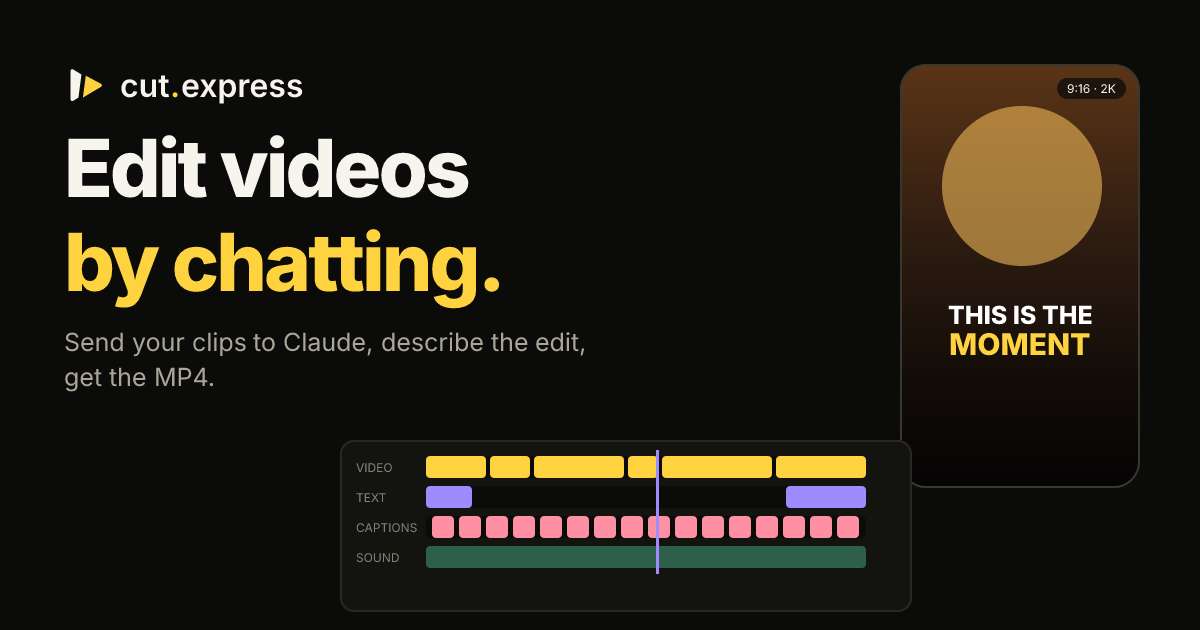
Beats: 0–3 s: kinetic title "Edit videos by chatting." with "chatting" in yellow. 3–7 s: a chat bubble types "cut my 3 clips into a 30s reel. hook first, bold captions, warm look". 7–11 s: three clip thumbnails (simple vector rectangles) slide into a timeline with video, text, captions and sound tracks; a violet playhead sweeps across. 11–15 s: the timeline collapses into a vertical phone frame labelled "MP4 · 9:16"; end card with the cut.express wordmark and "14 days free".
Add a whoosh on each transition and a soft click when the bubble finishes typing (built-in sfx). Show me the timeline before you render.
What you can make
Ask for the job in your own words. Claude looks at the footage first, so the same chat handles a two-minute fix and a finished reel.
Gameplay, streams, podcasts and vlogs. Cut Express finds the moments where something happens and ranks them as highlights, so Claude cuts the plays and lines worth posting.
you> find the 5 best plays in this stream and cut each into a 30s Short
Trim a clip, drop the pauses, join takes, turn a horizontal video vertical, fix a clip shot sideways or just add music. Small jobs take one sentence.
you> remove the silences and make it vertical
Word-by-word captions timed to the speech, on a video you already finished or a new edit, so people follow with the sound off.
you> add bold yellow captions, nothing else
Animated titles, kinetic text, charts, counters, price tags, checklists and end cards, written for your video and rendered with it. Twenty ready recipes to start from.
you> a 15s ad: title card, three benefits as a checklist, price tag, end card
Drop the reel next to your clips. Claude breaks it down shot by shot and rebuilds it with your footage, on the same pace.
Longer edits with b-roll, lower thirds, split screens, picture-in-picture and a progress bar, in 1080p or 2K on Ultra.
you> cut this into a 10-minute YouTube video with lower thirds
A 30-second reel is an afternoon in a timeline. A weekly YouTube video is a weekend. So the clips sit in your camera roll, or the edit goes to someone else and comes back in a week.
Scrub, split, trim, nudge, render, notice the caption is off by a frame, render again. The tool is powerful; the hours are yours.
One-click editors pick the cuts for you, on a beat, from a template everyone else uses too. Your story doesn't fit a template.
Captions in one app, a voice-over somewhere else, music from a library, then back to the editor to put it together.
Cut Express connects to Claude through MCP, the standard it already supports. Claude does the thinking: it looks at your clips, reads what's said in them and decides every edit. Cut Express gives it eyes on the footage, the tools, and a render farm.
Connect Cut Express once, then drop videos, photos and music into the upload panel right in the chat. In Claude Code, it uploads local files for you.
"A 30-second reel, hook first, bold captions, warm look." Claude scans the contact sheets and the transcript, finds the moments, adds a voice-over or sound effects, and writes the timeline.
The video renders while you watch the player in the chat. "Shorter intro, captions yellow, music lower" makes version 2. Every version stays in your account, ready to download.
No presets deciding for you. Every cut, word and sound is chosen for your footage, and every choice is in a timeline you can ask to change.
Claude reads contact sheets of every clip and a timestamped transcript. It cuts on the sentence that lands and drops the pauses and false starts, so you get the part you asked for. Speed ramps, reverse, boomerang, freeze frames, punch-in zooms and 21 transitions are there when the edit needs them.
Word-by-word captions timed to the speech: pop, karaoke, boxed, bold, clean or minimal, in any font, color, size and position, so people follow with the sound off. Text boxes for titles, labels and calls to action.
73 cinematic looks (teal and orange, golden hour, noir, film, pastel and more) with an intensity, plus color sliders: temperature, contrast, highlights, shadows, vibrance, vignette, grain. Per scene or for the whole video, so you get a finished grade without opening a color tool.
Drop a reel you love next to your own clips. Claude breaks it down shot by shot: every cut, its length, the camera movement, the beat it lands on, the text on screen. Then it rebuilds it with your footage, so you get the same pace with your video.
A natural voice-over from any script, with captions that follow it word for word. 63 built-in sound effects cost nothing, and new ones come from a description. Background noise comes out, voices get an EQ, and music ducks under the voice by itself, so you never mix levels.
Animated titles, kinetic text, charts, counters, lower thirds and end cards, as a full scene or over your footage. Split screens, picture-in-picture, green screen and a progress bar too. Reels, Shorts and TikTok in 9:16, YouTube in 16:9, 1080p on Pro and 2K on Ultra.
Every video comes from a small JSON timeline: scenes with their in and out points, texts, captions, sound tracks and color. Claude writes it, Cut Express renders it. "Make the intro tighter" or "now a 16:9 version for YouTube" edits the same timeline and renders the next version, in seconds of your time.
Nothing is locked inside a template. Download the timeline from any version, or ask Claude to start a new video from it.
{ "format": "9:16", "quality": "2k", "scenes": [ { "media": "m_a1B2c3D4e5", "in": 12.4, "out": 15.1, "transition": { "type": "zoomin", "duration": 0.3 } }, { "media": "m_k3v9q2xw7d", "in": 2, "out": 4.5, "speed": 0.5 } ], "captions": { "source": "auto", "style": { "preset": "pop" } }, "audio": [ { "media": "m_voice0001x", "role": "voice" }, { "media": "m_music0001x", "role": "music", "duck": 0.25 } ], "grade": { "looks": [{ "key": "golden_hour", "intensity": 0.6 }] } }
Made with Cut Express
Every example was made by asking Claude in the chat. No timeline, no template: open one to watch it and read exactly what was asked.
you> a 20-second skate edit from 4 minutes of gameplay and a phone clip, ending on the bail in slow motion
See example
Make a 20-second 9:16 skate edit from the two clips I uploaded: a phone video of my laptop and a 4-minute recording of a skate game. Inspect the gameplay with moments and pick the best lines: the grinds, the ledges and the big jump.
Open on the laptop clip (2.4 s) with the text "out of tokens at 2AM" at the top: Montserrat Black, white with a black stroke, "2AM" in yellow. Then hard cuts on the beat of my track, one trick per cut, keeping the game sound low under the music. End on the bail: slow it down, black and white, and freeze on it. Look: a light crisp grade with a bit of sharpening. Fade the music out at the end.
SaharaAlpsTokyoLapland
km
stock · footage · music
Stock footage, music and motion
you> a 25-second 16:9 trip around the world, made only from stock footage and music
See example
Make a 25-second 16:9 video for the Cut Express site. Use only stock: search for footage, photos and music with the stock tool and look at the previews before you pick.
Concept: "Around the world in 25 seconds".
- Footage: 8 horizontal clips from very different places: a desert with dunes, a snowy mountain, an Asian city at night, a tropical beach, a market full of color, a train crossing a landscape, a northern lights sky, a busy airport.
- Music: an epic or cinematic stock track that builds to a peak around second 18.
- Motion graphics: a kilometre counter in the top corner that keeps rising throughout the video (0 → 40,075 km, the circumference of the Earth), and an animated lower third with each place's name as it appears.
- Rhythm: it starts calm with dissolves, speeds up with fast cuts and a 2x2 split screen at the peak, then lands on a final wide shot.
- End: a title card "Edit the whole world. By chatting." and below it "cut.express", with a built-in whoosh and an impact.
- Look: a cinematic LUT, thin letterbox bars, a soft music fade at the end. When it's done, show me the video.
cut.express
cut my 3 clips into a reel
Narrated tour with a chat overlay
you> a 20-second narrated tour of cut.express from a screen recording, with a chat overlay and captions
See example
Make a 20-second 9:16 narrated video that tours the cut.express landing page, using the screen recording I uploaded. Inspect it first (contact sheets) and pick the moments where the hero, "How editing videos with Claude works", the feature cards and the pricing are on screen. Use fit: blur so the landscape recording sits in the vertical frame, with slow punch-ins on the parts the voice talks about.
Voice-over (make it with audio, a calm confident male voice, English), this exact script: "You have the footage. Editing is the bottleneck. With Cut Express, you just tell Claude what you want. It reads your clips, picks every cut, caption and sound, and renders the MP4. Reels, Shorts, YouTube. Fourteen days free at cut dot express."
Over the recording, add a chat overlay as a motion graphic (animation overlay, transparent, box in the top half, x 0.06, w 0.88): a dark chat card (#131310, 1 px border #3A372C, radius 20) where a user bubble types "cut my 3 clips into a 30s reel. hook first, bold captions, warm look", then a reply line from Claude appears ("inspecting 3 clips... writing the timeline... rendering v1") with a small yellow #FFD23F progress bar. Keep it on screen from about 3 s to 12 s, with a slide_up entrance and fade_out exit.
Captions: source auto from the voice track, preset bold, highlight color #FFD23F, bottom third, 2 lines max, so they never cover the chat card. Music: a soft beat under the voice if I uploaded one, ducked. Add a whoosh on each section change (built-in sfx). End card (last 2.5 s, motion scene, background #0B0B0A): the cut.express wordmark and "Start your 14-day free trial".
Show me the timeline before you render.
thisisthemoment
popkaraokeboxedboldcleanminimal
Word-by-word captions
you> a 12-second motion video showing the six caption looks on one sentence
See example
Make a 12-second 9:16 motion video about Cut Express word-by-word captions. Animated scenes only, no footage. Brand: dark #0B0B0A, yellow #FFD23F, violet #9D8CFF, borders not shadows, no emoji.
Beats: 0–2 s: title "Captions people read." pops in. 2–9 s: one sentence, "this is the moment everything changed", plays word by word in the middle of a vector phone frame, cycling through the six caption looks: pop, karaoke, boxed, bold, clean, minimal. Label each look in small mono text under the phone as it appears; the spoken word is highlighted in yellow. 9–12 s: end card: "Timed to the speech. Styled by chat." and the cut.express wordmark.
Use a pop sfx on each style change. Keep every text inside the safe area (x 0.08, w 0.84).
reference
your clips
Recreate any video
you> a 15-second motion video explaining how a reference reel gets rebuilt with your clips
See example
Make a 15-second 9:
正文由 探How 从来源站点 RSS 同步,内容未经改写;遇到排版缺失或需要图片、视频时请以原文为准。