Why We Still Need an IDE
I’ve been mulling this over for about a year now. The developer landscape has shifted to the point where you can’t scroll past the news without seeing someone declare “I never open my IDE anymore” or “I do everything in…
以下正文同步自 JetBrains Blog,版权归原站所有,已转换为易读排版。
I’ve been mulling this over for about a year now. The developer landscape has shifted to the point where you can’t scroll past the news without seeing someone declare “I never open my IDE anymore” or “I do everything in the terminal.” And those workflows genuinely work for some people. But not for everyone. I honestly believe IDEs embody why we love what we do. The question then becomes: how do we move forward as the world changes?
The workflow has changed. The environment needs to match it.
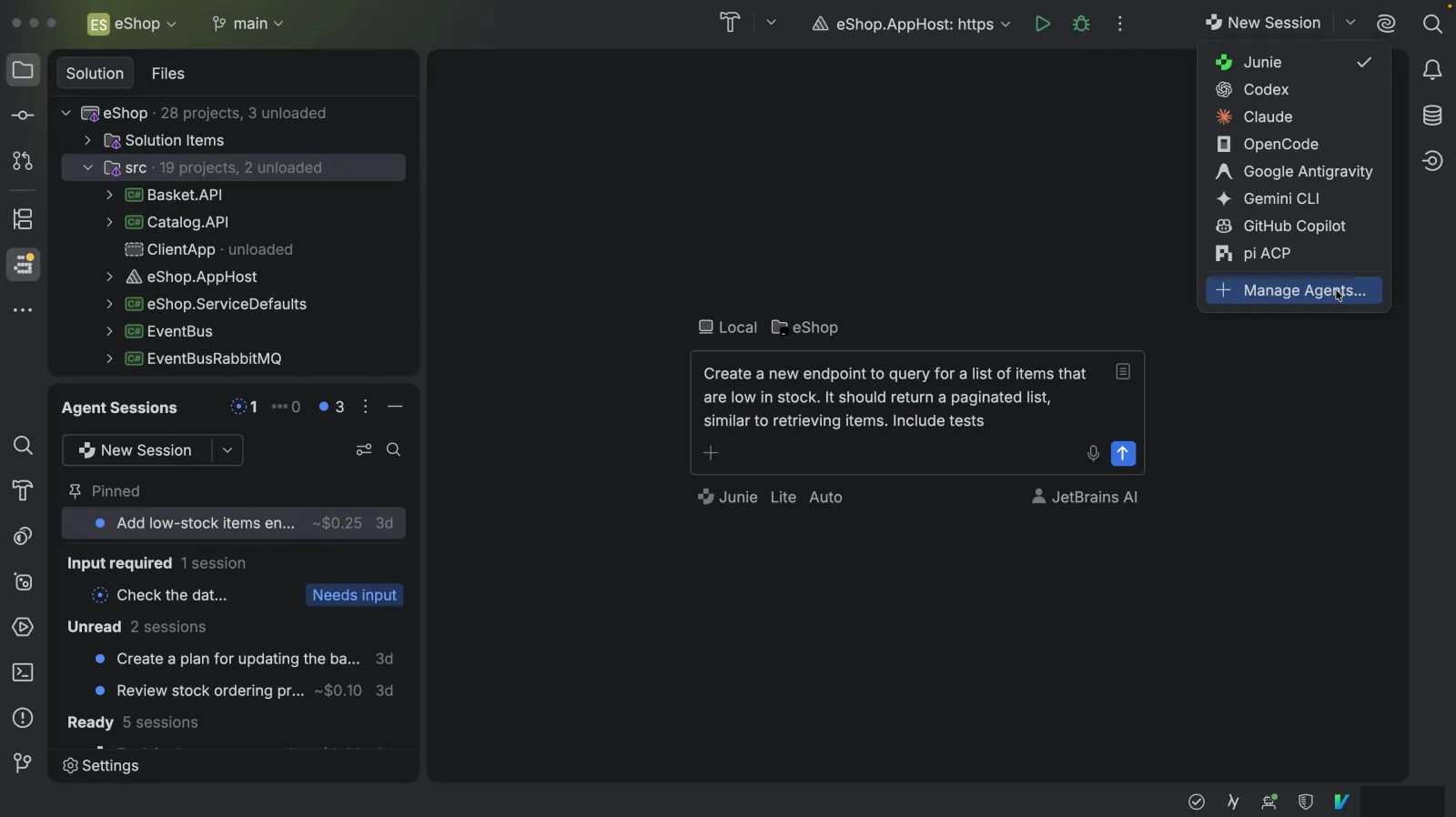
Coding agents are no longer an experiment; for many of us, they’re already an everyday part of building software. We aren’t just tab-completing anymore. We’re handing agents substantive tasks that touch multiple files, explore dependencies, and refactor across packages. The day-to-day rhythm of engineering is evolving: it’s less about typing line by line and more about steering intent. JetBrains Rider looks more like a cockpit for agentic development these days: agent sessions, their status, and the full project context in one view. Think of this shift like the move from hand-flying to using a modern aircraft’s flight computer. The computer can handle complex execution, but it is capable because it is connected to the plane’s instruments: navigation, altitude, speed, and engine data. The pilot doesn’t need to move every control at every moment, but still needs a cockpit where they can see the whole flight, understand what is happening, and intervene when the route changes. Agentic software development works the same way. An agent can plan and carry out a substantial change, but it needs a rich environment around it, and so does the engineer directing it. Code analysis, navigation, dependency information, type checking, tests, and access to the systems around the code provide the context that a terminal or isolated session may not expose clearly. An agent may run a compiler or test; the IDE makes the result part of a connected picture of the project, so you can understand not just whether something failed, but what it affects and why. The pilot also owns the flight, even when the computer is doing much of the work. The engineer owns what ships, even when the agent wrote most of the code. That means reviewing the change in context, understanding its consequences, and being able to explain and defend the result later. And then there is judgment: deciding whether the proposed route is the right one, not merely whether the plane can reach its destination. An agent can produce a working implementation; the engineer still decides whether it fits the architecture, the users, and the problem worth solving. This is where the role of the IDE becomes particularly interesting. It is the cockpit where agents and developers can see the same project, use the same instruments, and work together on the decisions that determine what gets shipped. A prompt can start the work. An IDE is where you steer, verify, and take responsibility for the result.
From “typing syntax” to “directing intent”
This is the context problem. An agent can reason across your codebase, but if you can’t see what it’s seeing, you’re not actually steering it – you’re just hoping it got it right. Agentic tools aren’t a passing fad. They’re a core part of how a lot of us build now, and that’s not going away. Being a good developer was never really about how fast you could type. Typing was just the mechanical part. The actual work was figuring out what required a change and deciding what to do about it. Typing took up so much of the day that it was easy to confuse it with the job itself. Now that typing isn’t the bottleneck, the day looks different. You’re reading the agent’s plan before it runs. You’re catching the one edge case it missed. You’re asking whether the change it proposed is actually the right change, not just a working one. Less time producing code, more time deciding that the code is correct. I built something recently in a stack I had basically no real experience with. I wanted to build a browser extension, but after reading the docs, I wasn’t clear how bootstrapping and configuring the project were done. Instead of learning every detail before I could begin, I pointed an agent at the problem. It handled much of the mechanical work, from creating the project to configuring it and getting the first pieces in place, all while I focused on what I wanted to build. I didn’t have to know the exact syntax or setup process to express the intent. The agent didn’t replace the learning. It gave me a working project I could explore, question, and improve instead of a blank file or empty workspace. Once I opened the IDE, I could see how the pieces fit together, trace unfamiliar code, and steer the next step from something real. A few years ago, that project didn’t happen, or it happened much more slowly, because the barrier was always “I don’t know this well enough to get moving”. The agent lowered that barrier. It took care of some of the mechanical work so I could concentrate on the problem, the direction, and the decisions that mattered. It also pulls you into the bigger picture, even on small tasks. If an agent touches a dozen files for something that used to be a two-line fix, you’re the one who has to know whether that was the right dozen files. That means more of your day lives at the architectural level than it used to, with more thinking about how services depend on each other, what a change actually impacts downstream, and whether the agent’s plan fits how the system is supposed to work. A ticket/issue used to mean “I need to edit this function to solve this”. Now it means “I need to define the right shape of the entire change, then point the agent at the right things to edit”. That’s hard to do from a chat window. You’re watching an agent make real decisions about your codebase through an interface that shows you one message at a time. If these tools can reason across your whole project, you need to be able to see it across your whole project too, and how they are affecting it; otherwise, you’re just clicking approve. This is also where the IDE’s own tooling comes in, not just for you, but for the agent.
Verification and understanding are where ownership lives
This is the ownership problem. Code being correct and code being yours are two different things, and only one of them survives the postmortem. Generating more code is easy now. An agent can write you a working function in seconds, and in a lot of cases, it will be fine on the first try. That’s not really the hard part anymore, and treating it like the hard part is how you end up shipping things nobody on your team actually understands. The bottleneck moved to verification. Questions like: “Is this correct?”, “Does it handle the case your users actually hit?”, and “Does it match how the rest of the system is supposed to behave, not just how this one function behaves in isolation?” are what we worry about now. An agent can generate the code faster than you can read it, which means reading it, really reading it, not skimming diffs, is now the slow part of the job. That’s fine, because that was always supposed to be the slow part. This matters because you can’t own code you don’t understand. If a bug shows up in something an agent wrote and your merge commit says “the agent wrote it”, good luck on that triage call or postmortem. Your name is on the commit, so you need to understand the change well enough to defend, debug, and explain it to someone else. That is what makes it actually yours, and that doesn’t happen by reading a chat summary of what the agent did. It happens by sitting with the actual change, in context, long enough to be sure. The agent isn’t the one who gets paged at 2:00 am, isn’t the one in the postmortem, and isn’t the one whose name is on the performance review. You are. Accountability doesn’t transfer just because the authorship did, and no team is going to accept “the agent did it” as a substitute for “I understood what I shipped”. This is also just what IDEs were already built for. Long before agents existed, the IDE’s main function was to let you verify the solution to a problem, allow you to jump to a definition, see where a function is called, catch a type error before it ships, and trace a variable back to where it came from. None of that functionality needs to be reinvented for agentic work; it just needs to be pointed at agent output instead of your own. The tool for understanding code has existed the entire time. The only new part is that you’re not only using your own code?
Take pride in what you build
This is a judgment problem, and it was never really about agents at all. This isn’t really a conversation about tools. It’s a conversation about what the discipline of software engineering is actually built on, and whether that survives the shift to agentic work or gets lost in it. It’s easy to think, “I am typing almost none of the code myself,” and see it as being removed from the process. It isn’t, as long as the thinking behind it is still yours in every way that matters. You can type nothing and still be the one who devised the architecture, the one who knew why a particular approach was right, when the rest of your team thought otherwise, or the one who caught the thing the agent got subtly wrong before it shipped. That’s not a smaller job than writing every line by hand. It’s the same job it always was, with the typing taken out. The thing worth remembering is that engineers were never actually in the business of producing code. Engineers solve problems. Code was always just the medium that happened to require a lot of manual labor to produce, so the labor got mistaken for the craft. An agent that writes code faster than you can type isn’t replacing the craft; it’s removing the part of the job that was never really the point. So take pride in the thing that was always the actual work: the judgment, the architecture, the final decision over what should exist and why. If an agent helps you get there faster, that’s not a smaller version of engineering. It’s the same standard, held just as seriously, moving at the speed the tools finally allow. Every captain flying on autopilot still needs a cockpit to control the flight path. The instruments don’t replace the pilot; they’re what make the pilot capable of flying such a complicated machine safely. Think of the IDE as your coding cockpit. It’s not a “nice-to-have” around the agent. It’s the thing that makes directing one, instead of just talking to one, actually possible.
IDE tools for developers AND agents
IDEs are uniquely equipped to answer the problems stated above, just like the flight computer. We should look to give agents access to the same instruments and controls that the pilot has, as well as tools for validation and review. A rich IDE also gives you the opportunity to exercise your judgment, helping you understand and own the code, by providing everything you need to do the job. LLMs are probabilistic. They’re guessing, well-informed guessing, but guessing nonetheless. Software engineering isn’t. A type system doesn’t have an opinion about whether the code compiles; it either does or doesn’t. That gap between how the agent thinks and how the system actually behaves is where most of the real bugs live. Right now, most of that gap gets closed after the fact. Some agents already run compilers, linters, and tests mid-task, which is genuinely useful because it catches errors that would have otherwise been shipped. But running a check and actually seeing the system the way a developer does aren’t the same thing. The agent gets a compiler or runtime error, possibly a stack trace. A human using an IDE gets the type checker, the linter, and the test suite integrated into actual navigation and context, not just a pass/fail, but the reason why. From there, you can trace its source and understand how it connects to the larger picture. The tooling isn’t missing from the ag
正文由 探How 从来源站点 RSS 同步,内容未经改写;遇到排版缺失或需要图片、视频时请以原文为准。