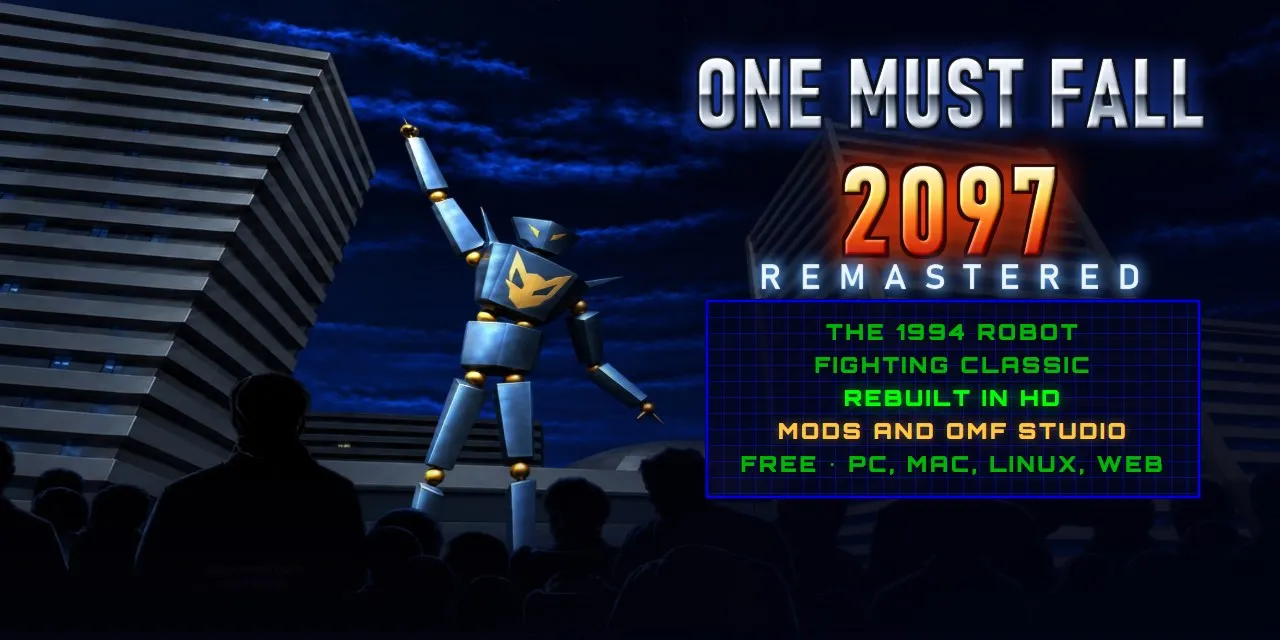
One Must Fall 2097 Remastered
Sound on. A fan trailer: 1994 on an old PC in the game's colors, then 32 years later in HD, the new robots
以下正文同步自 Hacker News,版权归原站所有,已转换为易读排版。
omf2097-remastered-trailer.mp4
Sound on. A fan trailer: 1994 on an old PC in the game's colors, then 32 years later in HD, the new robots and arenas, and a mod made from scratch in OMF Studio, cut to Hadal Static's Twenty Ninety-Seven (Remix). Watch it in 1080p60.
In One Must Fall 2097 (Diversions Entertainment, 1994), pilots climb into 90-foot war machines and fight their way up a corporate tournament. It was one of the great DOS fighting games, and it has been freeware since 1999.
This project brings it back. It is a faithful reimplementation of the game's engine that plays the original game files, as a free app for Windows, macOS and Linux or in a browser. Play it exactly as it looked in 1994, or remastered in HD with new effects, modes and tools. One key, F2, switches between the two at any moment, even mid-fight.
Every robot, arena, mode and quirk of the original, following the reverse engineering of OpenOMF. The soundtrack plays through a port of the game's own music driver.
Remastered
3,200+ images redrawn in HD, widescreen arenas with depth, dynamic light and particles, smooth motion, and sharp text at any resolution.
Modern
LAN games, fourteen languages, a training lab, replays and clips, new modes, a robot workshop, mods and the OMF Studio mod tools, gamepads with rumble, touch controls, and it works offline.
Download the game, free, for your computer. Nothing to install: each download is the whole game in one file (on a Mac, an app in a zip), ready to run from anywhere.
OMF Studio, the mod tools, is the same program opening straight into Studio (the game opens it too, from Extras). Everything is included: the game, its HD artwork and its music, about 240 MB. The release notes list what's new.
Or play it online, with nothing to install: it runs in any modern browser, on a computer, a tablet or a phone, and keeps working offline once it has loaded.
On the first start, one screen sets you up: the original 1994 look in a single press, or the remastered graphics, effects, announcer and music the way you like them. Everything can be changed later in Options.
Games used to come with a booklet, so this one does too. The 32-page manual has the story, the controls, how to fight, every robot's moves, the pilots, the arenas and tips from the pros, with a one-page quick start on page 2.
Player 1 Player 2
Move, jump, duck Arrow keys (Home, PgUp, End, PgDn for diagonals) or the numpad Q W E, A D, Z X C
Punch Enter Left Ctrl or F
Kick Right Shift Left Shift or G
Special (one press) / or numpad − H
Scrap, destruction, Fire & Ice (one press, once turned on) , . ; R T Y
Esc pause · F1 help · F2 classic or remastered · F11 fullscreen · Print Screen screenshot · on a Mac, hold Fn for the F keys
The same moment, both ways. F2 switches at any time.
Everything from the original is here, playing its own data files:
The menus were tidied up without losing anything: the three ways to play first (the two player game is now Multiplayer, with LAN games beside it), then More modes, Extras and Options. And a few things the 1994 menus promised now work, like the defensive throws, knock down and block damage rules.
Remastered fights get a layer of modern effects, driven by what happens in the fight:
The effects are only for the eyes. They never touch the game's state or its random numbers, so a fight plays out exactly the same with them on or off (a test checks it). Each group can be turned off in Options › Graphics › Effects.
All of this is new, and none of it changes how the original plays unless you use it.
Multiplayer in the main menu is the original two player game, and more:
Both computers play the very same fight, each running the game itself, tick for tick: they only tell each other what their player pressed (the same determinism that makes replays work). The host's gameplay options are used (speed, rounds, power and the advanced rules), both games must be the same version with the same mods on (on any of the three systems), and they keep checking that their fights agree. The first time you host, Windows may ask whether the game can use the network: allow it on private networks. A Mac asks whether it may find devices on your local network: allow it. On Linux with a firewall on, open port 2097 (TCP and UDP). LAN fights are saved as replays like any other.
The game speaks English, German, Japanese, Chinese, Korean, Hindi, Bengali, Spanish, Portuguese, French, Arabic, Russian, Danish and Swedish: the original game's texts (its menus, help pages, the news reports, the pilots' trash talk, the endings) and everything the remaster adds. It starts in your language: your browser's on the web, your system's in the app. Options › Language lists them all, each written in itself, and switches at once; your choice stays. English and German are the game's own 1994 texts, umlauts and all. The other languages are new translations, drawn in the original pixel font where its letters reach (Ã, Ê, Ø... are made in its style) and in your system's fonts for Cyrillic, Chinese, Japanese, Korean, Devanagari, Bengali and Arabic (right to left), sharp in both looks.
Training (in More modes) puts you against a dummy that never goes down, with health that refills after every combo. The pause menu's Training lab brings the tools of modern fighting games:
Every fight is saved (Extras › Replays keeps the last 40, and any you mark). Watch them at any speed, step frame by frame, jump anywhere, and save a clip as an MP4 video or an animated GIF. Replays are shared as the original game's own .rec files.
Arcade: eight fights against better and better pilots, Kreissack last.
Survival: one round after another, with only the health you have left.
Time attack: five fights against the clock.
Records: your statistics, the best results of each mode, and 20 achievements to show off (nothing is locked behind them).
Robot workshop
Build your own robot from the parts of the remaster's new robots: one's frame, another's head, a third one's special moves, a size, a weight class and three colors. The game turns it into a full fighter on the spot, every sprite, move and HD picture, ready for training or a fight. Robots are shared as small .omfbot files.
Make a tournament of your own from the installed ones: fewer opponents, their robots as they were or the new ones, more or less prize money. It shows up in Tournament play like the others, and is shared as a .omftrn file.
And the credits are fought out. Scored to Twenty Ninety-Seven (Remix) by Hadal Static, a song about One Must Fall 2097: the 1994 logo is struck by lightning on the drop, then, on the monitor of an old PC dressed in the game's colors, each credit pilots a robot in its own colors against something the remaster had to beat (tech debt, spaghetti code, pixel noise, dead air) and wins, every final blow landing on the beat and every winner's card flying onto the tower (Play the credits on the main menu, or Extras › Credits).
Four robots and four arenas were made for the remaster, in the spirit of the originals. They are not part of the 1994 game, which stays as it was: they come with it as a mod, off until you turn on New robots and arenas in Extras › Mods (or on the first start's setup screen).
They play like the originals: the full set of moves, a throw, a scrap and a destruction finisher, the player's three colors, and a computer that knows how to fight with them. With the mod on, they join the robot select screen (a third row), the computer's opponents and the robots Plug trades in tournaments.
The robots and arenas are 3D models (src/gen), rendered into the game's own formats. The robots' HD frames are rendered in Blender from the same models (how), and the arenas' HD backgrounds were painted over their renders by an image generation model. All four arenas are true widescreen, with their own music, acoustics and moving scenery.
Mods add robots, arenas and pilots that play exactly like the game's own: every animation, move and hit point, in both looks, in every mode and in replays. Drop a .omfmod file onto the game to install it, and turn it on or off in Extras › Mods.
OMF Studio makes them. It opens from Extras › OMF Studio (or download it on its own, beside the game), and it works in the game's own formats, pixel for pixel. The new robots and arenas are a mod too: open them in OMF Studio to see how every animation, move and HD picture is put together.
The mod format and every editor are explained in docs/MODDING.md.
The game data and the HD artwork come with the repository, so it takes a minute to get it running:
git clone https://github.com/Jared-woodruff/OMF-2097-Remastered.git cd OMF-2097-Remastered npm install && npm run dev # then open http://localhost:5173
Command What you get
npm run build The web version in dist/: a static site that works from any folder and offline after the first visit
npm run desktop:build The desktop app for the system you build on: the program on Windows, the app on macOS, the AppImage on Linux
npm test The test suite: the real game logic, run headless against the original data
npm run manual The game manual, as a PDF
docs/BUILDING.md has the prerequisites, every other command (a lean web build, your own copy of the game data, the HD artwork pipeline) and how the remaster's own content is made. The release downloads for every system are built by GitHub Actions when a release is published (.github/workflows/release.yml).
%%{init: {'theme': 'base', 'themeVariables': {'background': '#04061f', 'primaryColor': '#0b1142', 'primaryTextColor': '#e7eaf3', 'primaryBorderColor': '#0000f3', 'secondaryColor': '#060926', 'tertiaryColor': '#04061f', 'lineColor': '#5a6cff', 'clusterBkg': '#060926', 'clusterBorder': '#2b3bcf', 'edgeLabelBackground': '#04061f'}}}%% flowchart LR subgraph sim["Game simulation (a faithful port)"] S1["Scenes, robots, AI"] --> S2["Animation scripts"] --> S3["Draw list"] end S3 --> CL["Classic renderer<br/>indexed 320 × 200, VGA palette"] S3 --> RM["Remastered renderer<br/>HD artwork, depth, upscaler"] sim -. "cosmetic events" .-> FX["Effects<br/>particles, lights, camera"] FX --> WP["World pass<br/>lighting, haze, shockwaves"] RM --> WP --> PP["Bloom, light shafts, post"]
Loading
Part Built with
Language and build TypeScript 7, Vite 8
Graphics WebGL2: the classic VGA pipeline, HD reconstruction, particles, lighting and post-processing
Sound Web Audio, an AudioWorklet mixer and a port of the game's MASI music driver
Desktop app Tauri 2: WebView2 on Windows, WebKit on macOS and Linux
Tests Vitest: 350 tests that run the game itself, headless, against the original data
The HD artwork is matched to the game's pictures by a fingerprint of their pixels, so the game's code doesn't know it's there, and each HD pixel follows its original's palette: player colors, fades and flashes work as in 1994. It loads per scene, as the game needs it.
It keeps up: the remastered renderer watches its GPU time and lowers its internal resolution when a GPU can't. With every effect on, a frame takes about 8 ms on an RTX 4080 at 1920 × 1200.
docs/ARCHITECTURE.md explains how the code is organized and how it maps to the original's C reference. Want to help? Start with CONTRIBUTING.md.
The source code is released under the MIT license. The original game's files and the artwork made from them are included on the game's freeware terms instead: free of charge, never sold. See NOTICE.md.
正文由 探How 从来源站点 RSS 同步,内容未经改写;遇到排版缺失或需要图片、视频时请以原文为准。