Popular AI Agent Skills Ranked by GitHub Stars
A practical collection of 30 AI agent skills for coding, debugging, frontend design, browser automation, and everyday development workflows, ranked by GitHub popularity.
以下正文同步自 Hacker News 最新,版权归原站所有,已转换为易读排版。
A practical collection of 30 AI agent skills for coding, debugging, frontend design, browser automation, and everyday development workflows, ranked by GitHub popularity.
AI coding agents can write a component in seconds. Getting them to follow your team’s conventions, check their work, or stop overengineering is a different problem. That is where agent skills come in.
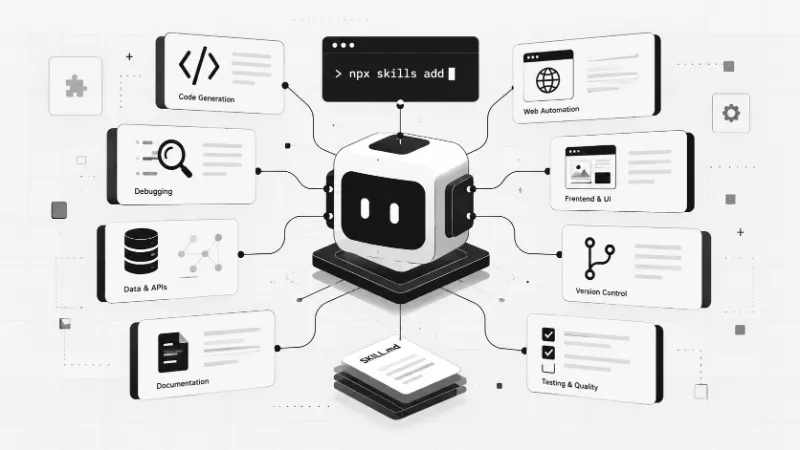
A skill is usually a set of instructions and supporting resources that tells an agent how to approach a particular job. Some help with code reviews. Others focus on design, documentation, database queries, or planning. They do not make a model infallible, but they can make its workflow more consistent.
This list revisits 30 skills from a larger community roundup, with repository links and updated star estimates. It is not a ranking of individual skill downloads: GitHub awards stars to repositories, not to the skills inside them. When several skills share a repository, they naturally share the same star count. Counts are rounded, source-dependent snapshots, not live GitHub API readings. The obra/superpowers figure is supported by a third-party snapshot of 304K stars on October 23, 2026; other repository figures remain provisional and require a fresh GitHub API audit before publication.
For repositories compatible with the open Skills CLI, start with:
npx skills add owner/repository --skill skill-name
To see what a repository offers before installing:
npx skills add owner/repository --list
Check the repository documentation first. Some projects use their own installers or plugin systems, and a GitHub project is not necessarily itself an installable skill. Read the SKILL.md and any scripts before granting an agent access to your files, shell, browser, or credentials.
Repository: obra/superpowers | GitHub stars: ~304k | Area: Ideation
Helps turn a rough idea into a workable concept by asking focused questions before implementation begins.
Install (Skills CLI, where supported): npx skills add obra/superpowers --skill brainstorming
Repository: obra/superpowers | GitHub stars: ~304k | Area: Development
Works through an existing plan in manageable stages, checking progress along the way.
Install (Skills CLI, where supported): npx skills add obra/superpowers --skill executing-plans
Repository: obra/superpowers | GitHub stars: ~304k | Area: Multi-agent workflows
Splits implementation work across specialized agents and reviews their output.
Install (Skills CLI, where supported): npx skills add obra/superpowers --skill subagent-driven-development
Repository: obra/superpowers | GitHub stars: ~304k | Area: Development
Investigates bugs systematically, starting with reproduction rather than speculative fixes.
Install (Skills CLI, where supported): npx skills add obra/superpowers --skill systematic-debugging
Repository: obra/superpowers | GitHub stars: ~304k | Area: Testing
Prompts the agent to verify its work before claiming a task is complete.
Install (Skills CLI, where supported): npx skills add obra/superpowers --skill verification-before-completion
Repository: obra/superpowers | GitHub stars: ~304k | Area: Planning
Creates step-by-step implementation plans with relevant files and checks.
Install (Skills CLI, where supported): npx skills add obra/superpowers --skill writing-plans
Repository: mattpocock/skills | GitHub stars: ~301k | Area: Development
Reviews code changes for defects, risky assumptions, and maintainability issues.
Install (Skills CLI, where supported): npx skills add mattpocock/skills --skill code-review
Repository: mattpocock/skills | GitHub stars: ~301k | Area: Development
Organizes a codebase into clearer modules with well-defined responsibilities.
Install (Skills CLI, where supported): npx skills add mattpocock/skills --skill codebase-design
Repository: mattpocock/skills | GitHub stars: ~301k | Area: Development
Tests competing explanations for a bug until the underlying cause becomes clearer.
Install (Skills CLI, where supported): npx skills add mattpocock/skills --skill diagnosing-bugs
Repository: mattpocock/skills | GitHub stars: ~301k | Area: Development
Defines the entities, relationships, and rules that shape an application domain.
Install (Skills CLI, where supported): npx skills add mattpocock/skills --skill domain-modeling
Repository: mattpocock/skills | GitHub stars: ~301k | Area: Planning
Challenges an idea with pointed questions to uncover unclear requirements and hidden risks.
Install (Skills CLI, where supported): npx skills add mattpocock/skills --skill grill-me
Repository: mattpocock/skills | GitHub stars: ~301k | Area: Planning
Compares a proposed plan against code and documentation to expose contradictions.
Install (Skills CLI, where supported): npx skills add mattpocock/skills --skill grill-with-docs
Repository: mattpocock/skills | GitHub stars: ~301k | Area: Agent workflows
Records decisions, progress, and next steps so another agent can continue the work.
Install (Skills CLI, where supported): npx skills add mattpocock/skills --skill handoff
Repository: mattpocock/skills | GitHub stars: ~301k | Area: Development
Turns an agreed plan into code while tracking progress and validating results.
Install (Skills CLI, where supported): npx skills add mattpocock/skills --skill implement
Repository: mattpocock/skills | GitHub stars: ~301k | Area: Development
Identifies tight coupling and other architectural friction that makes changes harder.
Install (Skills CLI, where supported): npx skills add mattpocock/skills --skill improve-codebase-architecture
Repository: mattpocock/skills | GitHub stars: ~301k | Area: Development
Builds a small working prototype to test an idea before committing to a full implementation.
Install (Skills CLI, where supported): npx skills add mattpocock/skills --skill prototype
Repository: mattpocock/skills | GitHub stars: ~301k | Area: Research
Reads relevant code and documentation to gather evidence before recommending changes.
Install (Skills CLI, where supported): npx skills add mattpocock/skills --skill research
Repository: mattpocock/skills | GitHub stars: ~301k | Area: Development
Helps inspect conflicting Git changes and reason about a safe merge resolution.
Install (Skills CLI, where supported): npx skills add mattpocock/skills --skill resolving-merge-conflicts
Repository: mattpocock/skills | GitHub stars: ~301k | Area: Development
Encourages a test-first workflow: write a failing test, implement the behavior, then verify it.
Install (Skills CLI, where supported): npx skills add mattpocock/skills --skill tdd
Repository: mattpocock/skills | GitHub stars: ~301k | Area: Learning
Explains technical subjects incrementally and checks understanding with exercises.
Install (Skills CLI, where supported): npx skills add mattpocock/skills --skill teach
Repository: mattpocock/skills | GitHub stars: ~301k | Area: Planning
Transforms an informal request into a clearer specification with scope and acceptance criteria.
Install (Skills CLI, where supported): npx skills add mattpocock/skills --skill to-spec
Repository: mattpocock/skills | GitHub stars: ~301k | Area: Planning
Breaks a specification into smaller implementation tickets with explicit outcomes.
Install (Skills CLI, where supported): npx skills add mattpocock/skills --skill to-tickets
Repository: mattpocock/skills | GitHub stars: ~301k | Area: Development
Assesses incoming bugs or tasks and suggests a sensible next action.
Install (Skills CLI, where supported): npx skills add mattpocock/skills --skill triage
Repository: mattpocock/skills | GitHub stars: ~301k | Area: Planning
Maps a large project into connected tasks so dependencies stay visible across sessions.
Install (Skills CLI, where supported): npx skills add mattpocock/skills --skill wayfinder
Repository: anthropics/skills | GitHub stars: ~183k | Area: Documents
Structures documents and refines drafts through an iterative collaboration process.
Install (Skills CLI, where supported): npx skills add anthropics/skills --skill doc-coauthoring
Repository: anthropics/skills | GitHub stars: ~183k | Area: Documents
Creates and edits Word documents, including tables and formatting.
Install (Skills CLI, where supported): npx skills add anthropics/skills --skill docx
Repository: anthropics/skills | GitHub stars: ~183k | Area: Design
Produces frontend interfaces with attention to layout, typography, and implementation details.
Install (Skills CLI, where supported): npx skills add anthropics/skills --skill frontend-design
Repository: anthropics/skills | GitHub stars: ~183k | Area: Agent workflows
Guides the creation of MCP servers that expose tools and services to agents.
Install (Skills CLI, where supported): npx skills add anthropics/skills --skill mcp-builder
Repository: anthropics/skills | GitHub stars: ~183k | Area: Documents
Reads, creates, and checks PDF documents where page layout matters.
Install (Skills CLI, where supported): npx skills add anthropics/skills --skill pdf
Repository: anthropics/skills | GitHub stars: ~183k | Area: Documents
Builds and edits PowerPoint presentations for reports, lessons, and pitches.
Install (Skills CLI, where supported): npx skills add anthropics/skills --skill pptx
If you build web apps, start with vercel-react-best-practices, web-design-guidelines, and frontend-design. They address different parts of the same job: performance, usability, and visual implementation.
For larger codebases, research, to-spec, code-review, and verification-before-completion are a useful sequence. Give the agent context before asking it to change files, then demand evidence that the change works.
For debugging, choose systematic-debugging or diagnosing-bugs rather than piling on speculative fixes. And if your agent keeps inventing abstractions, ponytail is worth a look.
Stars measure attention to the whole repository, not the quality or popularity of a particular skill. A repository with 15 skills can rank above a focused single-skill project without any of those 15 being more widely installed. Also, several projects here are broader tools or libraries, so their installation paths may differ from a standard SKILL.md package.
The useful question is not which skill has the largest number beside it. It is whether the instructions match your workflow, whether the project is maintained, and whether you can inspect what the agent will actually do.
A good skill should reduce guesswork, not add ceremony. Pick one repetitive task you already do, try the relevant skill on a small branch or sample project, and compare the result with your normal process. If it saves review time without hiding important decisions, keep it. Otherwise, move on.
正文由 探How 从来源站点 RSS 同步,内容未经改写;遇到排版缺失或需要图片、视频时请以原文为准。