Show HN: Lmux – A Lightweight macOS Terminal for Claude Code and Codex
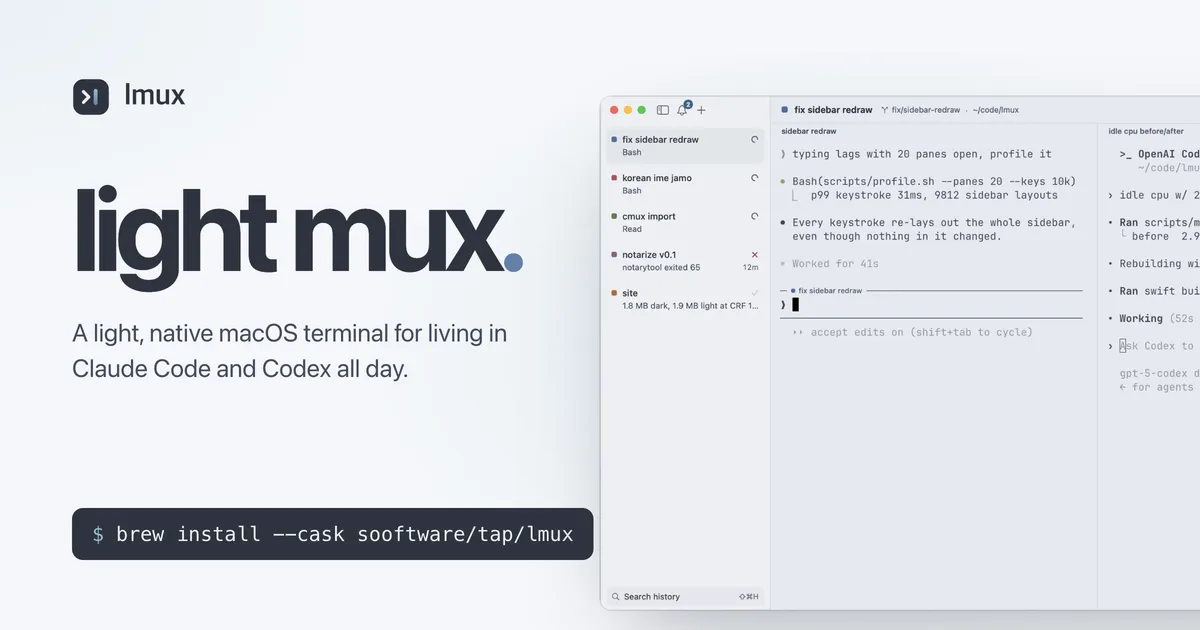
A light, native macOS terminal for living in Claude Code and Codex all day.
以下正文同步自 Hacker News 最新,版权归原站所有,已转换为易读排版。
A light, native macOS terminal for living in Claude Code and Codex all day.
English | 한국어 | 简体中文 | 繁體中文 | 日本語 | Español | Deutsch | Français | Italiano | Português (Brasil) | Русский | Türkçe | Tiếng Việt
brew install --cask sooftware/tap/lmux · macOS 14+, Apple silicon
The other day I was working in the terminal and caught myself wondering:
When did terminals get this heavy? And do they really need to be?
Terminal apps these days ship with a browser, SSH workspaces, even PR badges. With that much built in, of course they're heavy. AI has changed a lot about how I work, but to me a terminal is still just text in, text out. Personally, I don't browse the web or open SSH workspaces in it. I'm also a defaults person: I barely touch the settings. The only real difference is that I used to keep one terminal open, and now I'm talking to several agents across a bunch of sessions at once. Meanwhile my terminal kept getting heavier with features I never touched, and the little annoyances added up. So I built lmux: just the parts I actually use, plus a few things I'd always wanted.
Light.
A 25 MB app that idles near 0% CPU, whether you have one workspace open or twenty. It's native Swift on libghostty. No Electron, no browser engine, and about ten settings.
Quit, update, reboot. It all comes back.
Same workspaces, splits and folders, and every Claude Code or Codex session resumes where it left off. Closed one last week? History (⇧⌘H) finds it and brings it back.
Know which agent needs you.
Status comes straight from Claude Code's hooks and from Codex itself: running, needs you, done or failed. You get a ring on the pane, a badge on the row and one notification per event, and ⇧⌘J jumps to whoever is waiting. Any other agent can join with one escape sequence. lmux never wraps claude or codex; it only listens.
Take back a prompt.
You hit Enter, see which pane it went to, and think, "oh, fuck." Hover the turn and press ×, and Claude rewinds to just before it, without restarting, like it never happened. ✎ does the same but hands you the prompt back to fix and resend. (Claude Code only.)
Bring your cmux setup.
One click brings over your theme, fonts, shortcuts and even your open workspaces and splits, with their Claude and Codex sessions resumed. It works like a new browser importing your bookmarks from Chrome. If you change your mind, Undo Import puts it all back.
Korean input that just works.
I'm a Korean developer, so this one's personal. No dropped or mangled syllables while you type, and Hangul takes up exactly two cells. Japanese and Chinese (Pinyin, Zhuyin) got the same treatment: the caret shows inside the text you're composing, arrow keys stay with the IME, and ⌃C is still Ctrl+C. 한국어로 보기 →
It also has tabs in every pane, session titles from Claude Code, 26 themes and copy-as-markdown. See all features for the rest.
Download
Open the .dmg and drag lmux.app to Applications. The zip and older versions are on GitHub Releases.
brew install --cask sooftware/tap/lmux
macOS 14+ on Apple silicon. To build from source, see App/README.md.
First launch. If you're coming from cmux, lmux offers to bring over your setup and your open workspaces. Then it offers to install a few Claude Code hooks and shows you the exact diff to your settings.json before touching anything. Say yes to both, run claude in any pane, and the sidebar starts telling you which agent is running, which is done, and which one is waiting for you.
Codex too. If the Codex CLI is installed, lmux offers to install Codex hooks next, the same way (this time the diff is against ~/.codex/hooks.json). Codex asks once to trust new hooks the next time it starts. Choose Trust all and continue.
Every day. These are the defaults; a keybind in your Ghostty config overrides them, and the menus show whatever is bound.
Short GIFs of the agent ring, History, taking a turn back and Korean input are in the tour.
Both apps on the same Mac, opened with 1, 10 and 20 workspaces (2 live shells each) and left idle. Lower is better. lmux lets go of its GPU memory when it's not the app you're looking at, so it's measured twice, in front and in the background behind another app. See the methodology.
M4 Pro, macOS 26.6.2, lmux 0.0.102 vs cmux 0.65.2. 2 panes per workspace, every shell live, 5 interleaved runs, medians. Memory is the physical footprint of all app processes; app size is the Apple-silicon .app on disk. The screen was locked during the run, so cmux was in the background too. Its memory moves a lot with window state, so treat its numbers as a single snapshot. The shells and agents inside the panes are the same on both sides and aren't counted; this is the terminal's own cost. lmux's 0.07–0.12 % spread across workspace counts is within run-to-run noise.
Idle CPU is the number I care about most, because it's what drains your battery while twenty agents sit there waiting for you to read what they wrote.
Then use cmux. It's great, and I'll keep learning from it.
Every change gets checked against these rules:
Anything from typo fixes to whole modules is welcome, as long as it fits the rules above. See CONTRIBUTING.md for the build, the tests and the scope rule. For a new feature, open an issue first.
No. It's the same idea with a smaller scope, written from scratch and MIT licensed. There's no cmux code in this repo. Here's how lmux and cmux differ.
That's what I used before cmux, and it's a fine setup. But it can't give you a sidebar that knows which agent is waiting on you, a prompt you can take back, or Claude and Codex sessions that resume by themselves after a relaunch. lmux is basically libghostty plus those three things.
Yes. The Codex CLI gets status, notifications, resume on restart, its own session titles, History and copy as markdown. Edit, remove and undo send are Claude Code only. Codex asks once to trust lmux's hooks ("Trust all and continue"); until you do, it runs without them.
Any CLI runs in it. Resume, History and the hover actions are built for Claude Code and Codex, the two I live in, but any agent gets status and notifications by reporting its state the way Codex does, with one escape sequence (OSC 7501): printf '\e]7501;state=blocked:app=my-agent\e\', printed by my-agent itself (how). Linux and Windows, no. lmux is native AppKit on libghostty, and a port would be a different app.
No. lmux makes no network calls at all. No telemetry, no crash reports, not even an update check (Homebrew does that). Everything it writes to disk, and how to remove it, is listed in one paragraph on the features page.
Ghostty and libghostty, for doing the hard part
cmux, for the idea and the layout this borrows
MIT. Not affiliated with cmux, Ghostty, Anthropic or OpenAI; their names are used only to describe what lmux works with. Third-party licenses are in THIRD_PARTY_NOTICES, also shipped inside lmux.app.
正文由 探How 从来源站点 RSS 同步,内容未经改写;遇到排版缺失或需要图片、视频时请以原文为准。