Best Mesh Wi-Fi Systems (2026): I Tested Them All
Forget about patchy internet connections and dead spots in the house. These WIRED-tested, multi-room mesh Wi-Fi systems will keep your whole house online.
以下正文同步自 Wired,版权归原站所有,已转换为易读排版。
Whether you want to fix dead zones, stop the buffering in the back bedroom, or get decent Wi-Fi in the backyard, a mesh Wi-Fi system could be the answer. The Netgear Orbi 770 Series is the best mesh Wi-Fi system for most people, but I have many alternatives to suit different homes and internet connections.
Best Mesh: Netgear Orbi 770 Series (3-Pack) Best Subscription-Free Mesh: Asus ZenWiFi BT10 (2-Pack) Upgrade Pick: Asus ZenWifi BQ16 Pro (2-Pack) Best for Simplicity: Amazon Eero Pro 7 (3-Pack) Best Budget: TP-Link Deco BE63 (3-Pack) Best Wi-Fi 6 Mesh: Asus ZenWiFi XT8 (2-Pack) Best Outdoor Mesh: TP-Link Deco BE25 Outdoor (1-Pack)
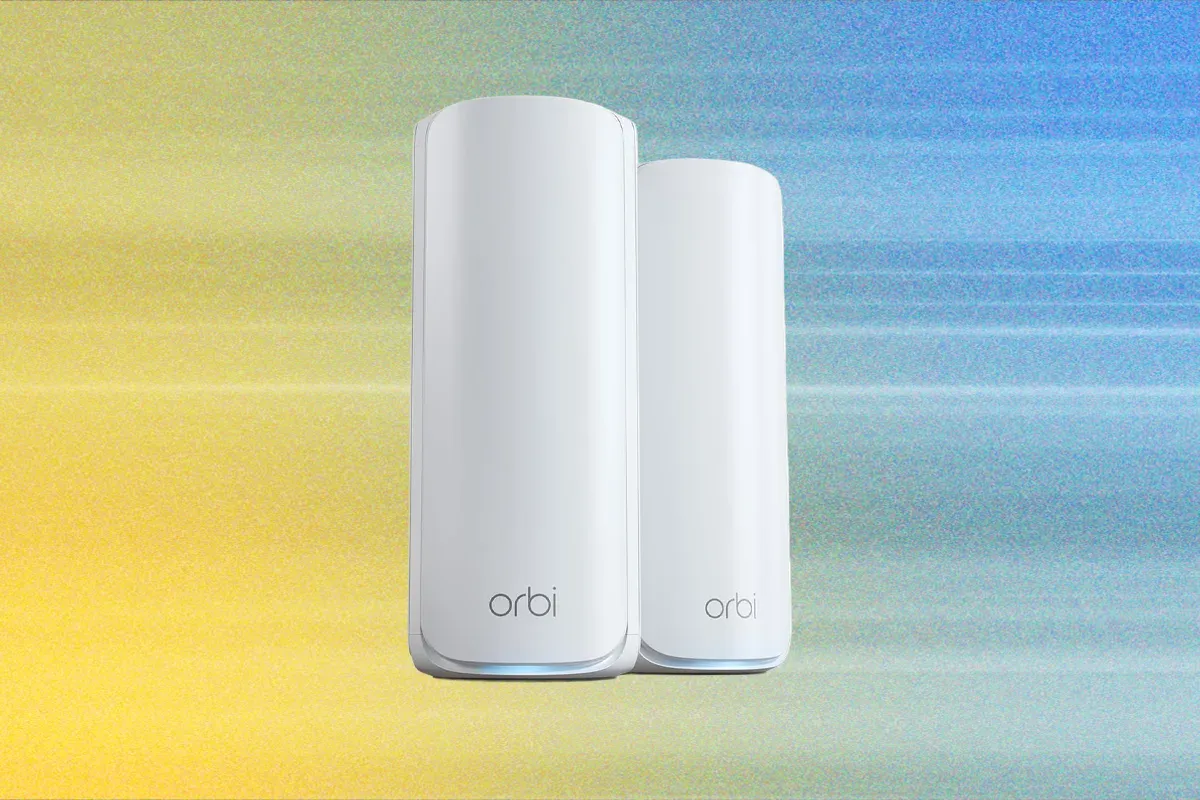
Note: The FCC's foreign-made router ban announced in March may stop any company that doesn't secure an exemption (Conditional Approval) from selling new mesh systems in the US, however, existing systems can continue to be sold (everything listed here). They can also be updated with new firmware, at least until January 1, 2029. So far, Netgear, Eero, and Asus, among others (here's the full list), have secured a Conditional Approval. Before you dive deeper into my lineup, it’s a good idea to consider whether a mesh system is right for you. My guide on how to choose a router will help you answer that question and determine the features you need. If you don't want to switch to a new Wi-Fi mesh system, I also have advice on upgrading your existing Wi-Fi, the best Wi-Fi extenders, the best routers overall, and ways to secure and protect your home network. Updated September 2026: I added more news about FCC Conditional Approvals for Asus and other manufacturers. I also updated my Asus picks with the NordVPN subscription offer, refreshed the FAQ with recent events, and added a section on access points. If you're excited to upgrade to the latest Wi-Fi 7 connectivity, the Netgear Orbi 770 Series may be the best way to do so. This is the perfect mesh for the average family home. The Orbi 770 is backward compatible with older devices, but you need some Wi-Fi 7 devices, like an iPhone 17, Pixel 11 Pro, or M5 MacBook Air, to take full advantage of the benefits. These towering routers aren’t quite as big as the far more expensive Orbi 970 Series, but they have a similar design and are still relatively large compared to most other mesh systems, like the Asus BT10 or Eero Pro 7 below. The main router has four 2.5 Gbps Ethernet ports, while the satellites make do with two 2.5 Gbps ports apiece. There’s no USB. Setup is quick and easy using the Orbi app on your phone. It is a tri-band system, and by default, there is one network name (SSID) for the 2.4-GHz, 5-GHz, and 6-GHz bands, and it supports multi-link operation (MLO). MLO is a new Wi-Fi 7 feature that allows devices to connect on multiple bands simultaneously. While a single SSID simplifies things, MLO can cause problems for legacy devices because Wi-Fi 7 has more stringent security requirements (WPA2 or higher). Something like an iPhone 5 won’t be able to connect, though you could potentially use a guest or IoT network. Wi-Fi 7 also enables wider channels (up to 320 MHz from the current high of 160 MHz) and a handful of other improvements. You can expect consistently fast Wi-Fi and excellent coverage from this system (Netgear optimistically suggests up to 8,000 square feet for a three-pack). I found it fast and stable, and it had no issues covering my home. While it is slower than some other systems I tested, you are unlikely to notice the difference in everyday use unless you are constantly transferring large files. The Orbi 770 offers more than enough bandwidth for multiple people in the household to be streaming and gaming simultaneously. There's potential for stable, low-latency, multi-gigabit speeds if you have Wi-Fi 7 devices connected to the main router, but I occasionally encountered a touch of lag with the satellites. If you can run Ethernet cables for wired backhaul, you can eliminate that. The Orbi app is straightforward and shows connected clients, enabling you to check your internet speed and tweak a few other settings. You get 30-day trials of Netgear’s Smart Parental Controls and Armor security software (powered by Bitdefender), which gets you phishing and malware protection, as well as device and network scanning. After the trial is up, it costs $40 for the first year, then jumps to $100, while the parental controls (profiles, age-appropriate filters, scheduling, and time limits) are $8 per month. You don't need either of these pricey subscriptions. Unless you have a very large home and a multi-gig internet connection (over 2.5 Gbps), this mesh is likely to be indistinguishable from more expensive mesh systems, like the TP-Link Deco BE85 ($1,200), Eero Max 7 ($1,700), and Netgear Orbi 970 Series ($2,000). In my previous modern home, I rarely noticed the enhanced performance of the much pricier 970 over the 770, and a two-pack will more than suffice for most folks. If your internet connection is faster than 2.5 Gbps, consider the excellent Netgear Orbi 870 (3-Pack) at $1,300. Watch out for frequent discounts on all of these systems.
Specs
Wi-Fi version Wi-Fi 7
Bands 6 GHz, 5 GHz, and 2.4 GHz
Ports One 2.5 Gbps WAN, three 2.5 Gbps LAN (main), two 2.5 Gbps LAN (satellites)
Size 5.28 x 9.88 x 3.95 inches
This Wi-Fi 7 mesh system delivers strong coverage and impressive throughput. It is also a tri-band system (2.4 GHz, 5 GHz, and 6 GHz ) that uses MLO for a reliable wireless backhaul between the main router and mesh node. While I originally tested a two-pack in a modern, 1,600-square-foot home, the BT10 recently proved powerful enough for my challenging old Victorian house, which features thick stone walls and dampening rubble between the floors. Each unit also includes two 10-Gbps Ethernet ports, one Gigabit port, and a USB 3.0 port. The BT10 is highly versatile—a hallmark of Asus systems—and can be configured via the mobile app or the web interface. Asus continues to offer comprehensive security software and parental controls at no extra cost, making this a great choice if you want to avoid monthly subscriptions. Competitors like Netgear, TP-Link, and Eero all charge for these extras. Just be aware that using AiProtection Pro means sharing data with Trend Micro, so you may want to review their privacy policy first. Once set up, the parental controls allow you to easily create profiles, schedule bedtimes, filter content by age, and review online activity. Asus also has a partnership with NordVPN that gives you 1 year of NordVPN Standard with your purchase of this system and several others, including the BQ16 Pro and BT8 listed below (some cheaper systems get 6 months). You must upload a photo of your invoice and register your serial number to get a coupon code. The BT10 is a feature-rich system. The Quality of Service option makes it easy to prioritize activities like working from home, gaming, or streaming, and you can limit bandwidth for specific devices. The BT10 also supports VPN services and 4G or 5G tethering. Asus gives you more access to tinker than most manufacturers. I appreciate having access to a wealth of settings, but you should be prepared to do a little tweaking and troubleshooting. When I initially tested the BT10, I was hesitant to recommend it due to buggy firmware and overall system instability. I had trouble with my Sonos speakers disappearing (this may be the fault of Sonos), and my Pixel 9 dropping connection repeatedly, requiring a reset. But I’m pleased to report that the latest firmware seems to have stabilized things, and the BT10 has come down in price. I used it over the busy holiday period, and it was rock solid, offering impressive speed and range, excellent node performance for a wireless backhaul, and silky smooth transfer speeds on my home network, where I recently set up a NAS server. An issue I had with one PC was resolved by binding it to the main router. It hasn’t been flawless (my Pixel 10 Pro XL still sometimes dropped connection when handing off between nodes, though it generally righted itself within a few seconds). While I had a much better experience the second time around—with the BT10 comfortably outperforming the Deco BE67 it replaced in my home—mixed online reviews suggest your mileage may vary. Still, the potential reward is top-notch, subscription-free networking. If you want most of these benefits in a slightly slower but significantly cheaper package, the Asus BT8 (listed below) is a great alternative.
Specs
Wi-Fi Version Wi-Fi 7
Bands 6 GHz, 5 GHz, and 2.4 GHz
Ports One 10 Gbps WAN/LAN, one 10 Gbps LAN, and one Gigabit WAN/LAN, one USB 3.0
Size 6.25 x 7.32 x 2.83 inches
Topping my charts in almost every test, this is the fastest mesh system I have reviewed. It delivers speedy, stable Wi-Fi across an impressively wide area using a quad-band setup—adding a second 6-GHz band to the usual 2.4-, 5-, and 6-GHz bands. Packed with versatile features, it takes full advantage of everything Wi-Fi 7 has to offer. I tested a two-pack of the BQ16 Pro, which looks similar to the BT10 but is slightly larger to accommodate the internal antennas needed for its expansive coverage (Asus claims up to 8,000 square feet). This system handled my thick-walled old home admirably, delivering a far stronger signal to the furthest rooms than any other system I’ve tested. I even managed to get a reliable connection in my garage, which is usually a complete dead spot. Setup was a breeze using the Asus Router app on my phone, though it’s best to keep the node close until it’s up and running. Each unit has two 10-Gbps Ethernet ports, three Gigabit ports, and a USB 3.0 port. It’s perfect for a multi-gig internet connection, and you could run wired backhaul to maximize speeds throughout your home. Like the BT10, everything you could want is included here, from free parental controls and security software to VPN support (including a free year of NordVPN) and Quality of Service options to prioritize specific activities or devices. This mesh is a dream for power users who love delving into settings and playing around. Because it was originally released in 2024, the BQ16 Pro has benefited from several firmware updates and is now rock-solid. I experienced no early bugs, and no new issues have emerged over the past three months of testing. This is the system I consistently return to after testing others. As great as it is, the BQ16 Pro is overkill for most folks. The BT10 is almost as good and will likely serve just fine in most homes. But if you have a large house or thick walls and dampening, like I do, you will notice the upgrade. Provided you don’t mind spending the cash, this is an excellent, feature-packed mesh system that can do it all.
Specs
Wi-Fi Version Wi-Fi 7
Bands 2x 6 GHz, 5 GHz, and 2.4 GHz
Ports One 10-Gbps WAN/LAN, one 10-Gbps LAN, one Gigabit WAN/LAN, two Gigabit LANs, one USB 3.0
Size 6.9 x 8.6 x 2.8 inches
Amazon’s Eero mesh systems are the easiest to set up, offer fairly wide coverage, and deliver stable connectivity. The Eero Pro 7 is an elegant system, available as two or three identical routers. Eero switched to a tower design to enable a better antenna array for wider coverage, but the Pro 7 units still blend in easily on a table or shelf. Each one has a USB-C port for power and two Ethernet ports rated at 5 Gbps. Designed as a hands-off, set-and-forget system, it fully supports Wi-Fi 7 across the 2.4-GHz, 5-GHz, and 6-GHz bands. The Eero Pro 7 is a strong performer, delivering impressively low lag and stable bandwidth sharing across many devices, with zero drops during my testing. The mobile app is straightforward, allowing you to easily view connected devices, pause the internet, and set up a guest network. You can also create profiles to group devices and set schedules. Unfortunately, unlocking content filtering, advanced security, ad blocking, and deeper activity insights requires a costly Eero Plus
正文由 探How 从来源站点 RSS 同步,内容未经改写;遇到排版缺失或需要图片、视频时请以原文为准。