Show HN: Melra – pause ambiguous MCP writes instead of blindly retrying
Modular Execution Layer for Reliable Autonomy
以下正文同步自 Hacker News 最新,版权归原站所有,已转换为易读排版。
Modular Execution Layer for Reliable Autonomy
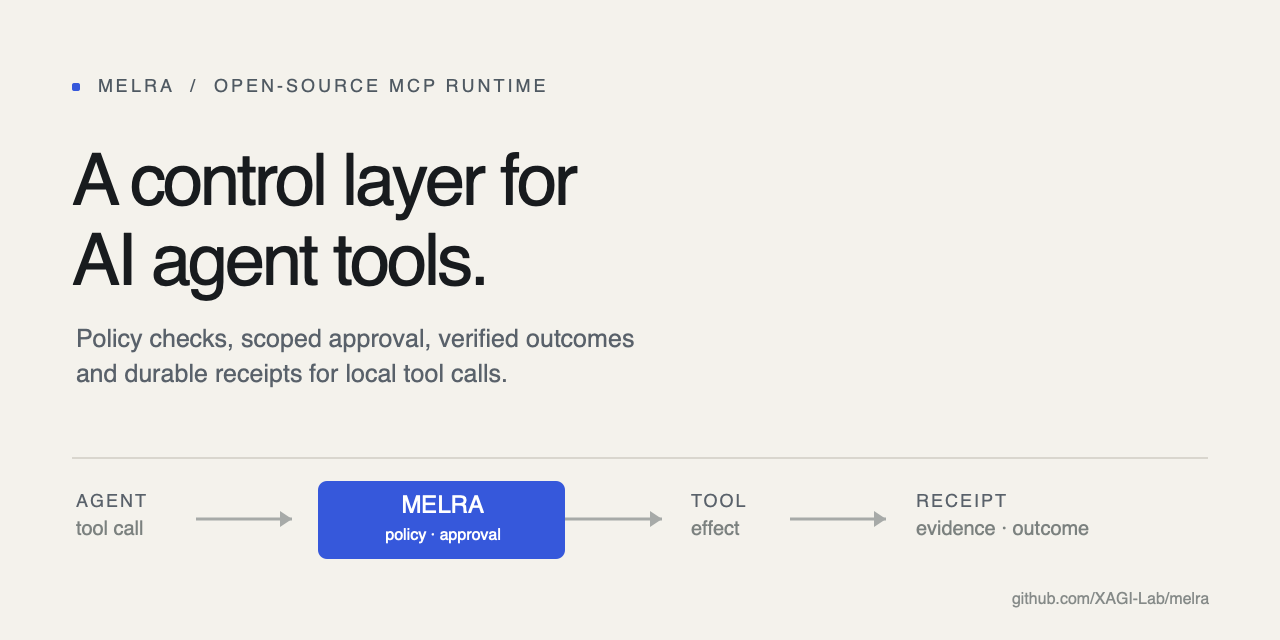
An open-source local execution runtime for agent tool calls you route through MELRA. It checks each call against policy, requests approval when needed, verifies declared evidence, and keeps a redacted receipt of what runs to an outcome. For each task, MELRA dispatches mutations at most once; uncertain outcomes are parked for reconciliation instead of replay. Exactly-once external effects still depend on the provider. Calls made through other tools remain outside MELRA's control.
26-second demo · Quick start · How it works · See what it is doing · Docs · Contribute · Discussions · Product Hunt launch
melra-product-demo.mp4
Warning
MELRA is alpha software. The local runtime is tested end to end, but APIs may change before 1.0. Use an isolated workspace, keep domain and command allowlists narrow, and read every approval before you give it.
You need Node.js 22.13 or newer, or 23.4 or newer. From the project the agent should work in, one command sets everything up:
cd ~/project npx @melra/cli@alpha setup
That directory becomes the agent's workspace, the boundary for its file and command operations. setup shows it, and asks before making your home directory, a directory holding it, or / the workspace; set MELRA_WORKSPACE to choose another.
In a terminal, setup is a short wizard. It writes a safe local policy, finds the agent apps on your machine, asks which one should use MELRA, and writes MELRA into that app's own config file, keeping everything else in it (and saving a .bak first):
Which MCP client should use MELRA?
- Claude Code detected: 'claude' on PATH
- Cursor detected: config file found
- Gemini CLI detected: config folder found ...
Choose 1-26 [1]: 1 Write it into ~/project/.mcp.json? [Y/n]
✓ Workspace ~/project ✓ Policy ~/.melra/policy.json ✓ Claude Code ~/project/.mcp.json
Next: Start claude in this workspace and approve the 'melra' server when it asks; 'claude mcp list' then shows it connected.
Then restart your agent app (Claude Code asks you to approve a project's server once) and ask it to do something, for example "use melra to show me the system info". That's it.
Every command prints readable output in a terminal and plain JSON when piped or with --json, so scripts keep working. MELRA creates <MELRA_HOME>/payload.key with private permissions on first start; back it up with the SQLite files, because losing it makes persisted payloads unreadable. See installation for every install path, environment variable, and the hardened Docker invocation.
This project publishes only under the @melra/ npm scope (@melra/cli is the CLI) and on its releases, where the Python SDK's wheel is. An unscoped npm package melra or a PyPI package melra is not this project's. Install from that scope, from this repository, or from the releases.
If MELRA helps, star the repository so other agent builders can find it. Trying it in Cursor or another client? Share the client and its version, your OS, and your MELRA version (npx @melra/cli@alpha version) in issue #184; partial test results are useful too.
AI agents no longer just talk. They edit files, run commands, click through websites and call APIs on your behalf. Four questions come with that, and most agents answer them differently, or not at all:
Every action MELRA receives is checked against your policy, and checked again at the moment it runs. Risky changes wait for your exact approval.
"No error" is not success. An action counts only when the evidence you declared holds: the file exists, the exit code is 0, the page says what it should.
Every mutation MELRA dispatches is recorded before it runs and runs at most once. After a crash, MELRA settles it from its evidence or the provider; what it cannot settle waits in recovery_required and is never replayed.
Every action MELRA runs to an outcome leaves a redacted, hash-linked receipt, so you can audit what ran, who asked, and why it was allowed.
MELRA answers those questions in one place for tool calls routed through it, across supported agents. It sits underneath your agent for those calls, the way an operating system sits underneath your apps:
The LLM reasons. The harness manages the loop. MELRA governs the effect lifecycle for calls routed through it. Swap the model or the agent; MELRA's policies, approvals, credentials, history and receipts can stay in place.
MELRA speaks the Model Context Protocol, so any MCP client can use it. For these, melra setup --client <name> writes the config in the client's own format and location, and melra doctor tells you whether each one is pointed at MELRA:
Building your own agent? Use the TypeScript SDK or the Python SDK. Both can spawn MELRA or connect to one that is already running over loopback HTTP or a private Unix socket. For agent frameworks, see the framework examples: LangChain / LangGraph, the OpenAI Agents SDK, the Vercel AI SDK, and the official MCP SDKs.
A named client is marked verified only after the released package, not a source checkout, passes discovery, planning, approval, execution, cancellation and receipt retrieval in that client. Per-client status lives in COMPATIBILITY.md.
An effect is one bounded operation an agent routes through MELRA: file.write, terminal.run, browser.click, http.request, and so on. MELRA handles each routed effect in nine stages, split between a plan step and an execute step (for a single task, melra_plan then melra_execute) so that nothing runs at planning time:
Here is one change from start to finish, in developer mode. In enforced mode the challenge carries no phrase: you approve with melra approve <task-id> outside the conversation, and the agent's melra_execute sends no approval at all.
sequenceDiagram autonumber participant A as Your agent participant M as MELRA participant You participant W as Your system A->>M: melra_plan: write notes.md, evidence "file contains 'done'" M->>M: type, classify, check policy, record M-->>A: awaiting_approval + challenge "APPROVE 3f9c…" A->>You: May I write notes.md? You-->>A: yes A->>M: melra_execute with the exact phrase M->>M: policy again, not already done? M->>W: write the file (under a budget) M->>W: read it back, independently M-->>A: verified_success + receipt
Loading
What the final status means, and what an agent should do next:
The agent resolves "run the checks" into one bounded operation, plus the evidence that would prove it worked:
{ "goal": "Run the repository checks", "operation": { "kind": "terminal", "action": "run", "command": "pnpm", "args": ["check"] }, "requiredEvidence": [{ "type": "exit_code", "value": 0 }] }
The task reaches verified_success only if the process exits 0. A process that runs and exits 1 completed the action but failed the evidence, so it is reported as partial. MELRA never receives a goal like "fix the production server": that needs judgement, which belongs to the model. A kernel that interpreted sentences would be a kernel whose guarantees depended on a model.
When an agent connects, MELRA also sends it a short guide to this loop (the MCP server's instructions), so a model knows to declare evidence, read the status, and never blindly retry an unknown outcome, without anyone prompt-engineering it.
You can see each action MELRA handled and its policy decision, and, for each that ran to an outcome, its evidence and receipt, from the terminal or the browser. Nothing here can approve or start work, and approval phrases are never displayed.
$ melra status MELRA 0.3.0-alpha.14 developer mode Tasks 3 total: 1 awaiting_approval, 1 policy_blocked, 1 verified_success Waiting 1 waiting for approval HTTP 127.0.0.1:7457 not running
$ melra tasks ID STATUS OPERATION UPDATED 64199678 awaiting_approval file.write 0s ago ca4aec7a policy_blocked terminal.run 1s ago a1285e0f verified_success system.info 1s ago
$ melra watch # live, until Ctrl-C 6:07:21 PM task 882cf55c verified_success 6:07:22 PM task f813364c awaiting_approval
melra doctor checks Node, SQLite, the browser and policy, and reports which of your agent apps point at MELRA, with the one command that fixes anything wrong.
In the browser: melra serve --http --open
An overview, a searchable task list, and durable workflows with a live event stream. It works at phone width and in light and dark, and it is served with a strict Content-Security-Policy.
Default
🏠 Local only. stdio, loopback HTTP behind a token, or a mode-0600 Unix socket only your OS user can open. No account and no hosted service.
📴 Telemetry is off.
✍️ Changes need two things: declared evidence and an exact, expiring, task-scoped approval: a phrase in developer mode, an operator's melra approve in enforced mode.
📁 Paths stay inside your workspace, including terminal working directories; symlink escapes are refused.
🚫 Shells, sudo/su and arbitrary desktop key names are denied. Terminal commands must be on the allowlist by name.
🌐 Private, link-local and cloud-metadata addresses are blocked by the browser and HTTP adapters themselves, after DNS resolution, before any allowlist is consulted; loopback too in enforced mode, unless the policy opens it.
⚠️ Web page content is marked untrusted and can never change policy.
🔑 Secrets are redacted before anything is stored, and agents get capabilities, never your raw credentials.
⏱️ Every call is bounded by a budget and a cancel signal; a stalled browser fails with a clear error instead of hanging.
Unsafe-local mode and the two deployment modes
Every row above can be switched off at once with melra serve --unsafe-local (or MELRA_UNHINGED=1): no policy, no approvals, no evidence requirement, no workspace confinement, no destination checks. The agent gets exactly the reach your OS user has. The mode announces itself on stderr, in melra doctor and in melra_capabilities, and receipts still record what ran. See unsafe-local mode.
The honest gap in a default install is that MELRA governs the effects it is asked for. An agent holding both a MELRA terminal and a native one makes the kernel optional. MELRA_MODE is where you say which situation you are in:
MELRA cannot verify that assertion from inside its own process, and it does not pretend to; the isolation is the operating system's job. What enforced mode does is close every door MELRA owns: --unsafe-local is refused outright, nothing binds outside loopback (a 0600 Unix socket is allowed), no client can register itself, and mode is stamped on every receipt. For the operating-system side, examples/deploy has a hardened Docker run and systemd unit, each checked in CI, and melra doctor reports which restrictions are actually in effect. See deployment modes, the threat model and the security policy.
An LLM decides what to do. A harness runs the loop that gets it there. Something still has to decide whether the resulting effect is allowed, avoid replaying uncertain mutations, prove what happened, and survive a crash in the middle. Today that machinery is rebuilt inside every agent harness, and it dies with the harness. MELRA is that machinery, factored out and made agent-independent.
Next to the two layers it is most often mistaken for:
Plenty of MCP servers can do these things; this is not a claim that none of them do. The difference is that in MELRA they are the execution contract rather than a per-tool option. The boundary is partly shipped: MELRA_MODE=enforced closes every door MELRA owns, but the OS isolation that stops a harness reaching the filesystem around the kernel is the operator's to build; runnable hardened deployment recipes are still to come (#52).
The feature test. Anything that would still make sense if the request came from ordinary deterministic software belongs in MELRA: authorisation, idempotency, credential isolation, recovery, verification, effect history. Prompt optimisation, LLM memory, model selection, a planner and agent personalit
正文由 探How 从来源站点 RSS 同步,内容未经改写;遇到排版缺失或需要图片、视频时请以原文为准。