Aocr.org Referrer Spam in Google Analytics and Server Logs
If aocr.org has appeared in your Google Analytics referral report, you are not alone and you did not get a mention from a medical college. The American Osteopathic College of Radiology is a real organisation in Missouri…
以下正文同步自 Hacker News 最新,版权归原站所有,已转换为易读排版。
If aocr.org has appeared in your Google Analytics referral report, you are not alone and you did not get a mention from a medical college. The American Osteopathic College of Radiology is a real organisation in Missouri with no reason to link to a Kali Linux guide. What you are seeing is referrer spam, a fake referral source written into an HTTP header by a script that has never read your site.
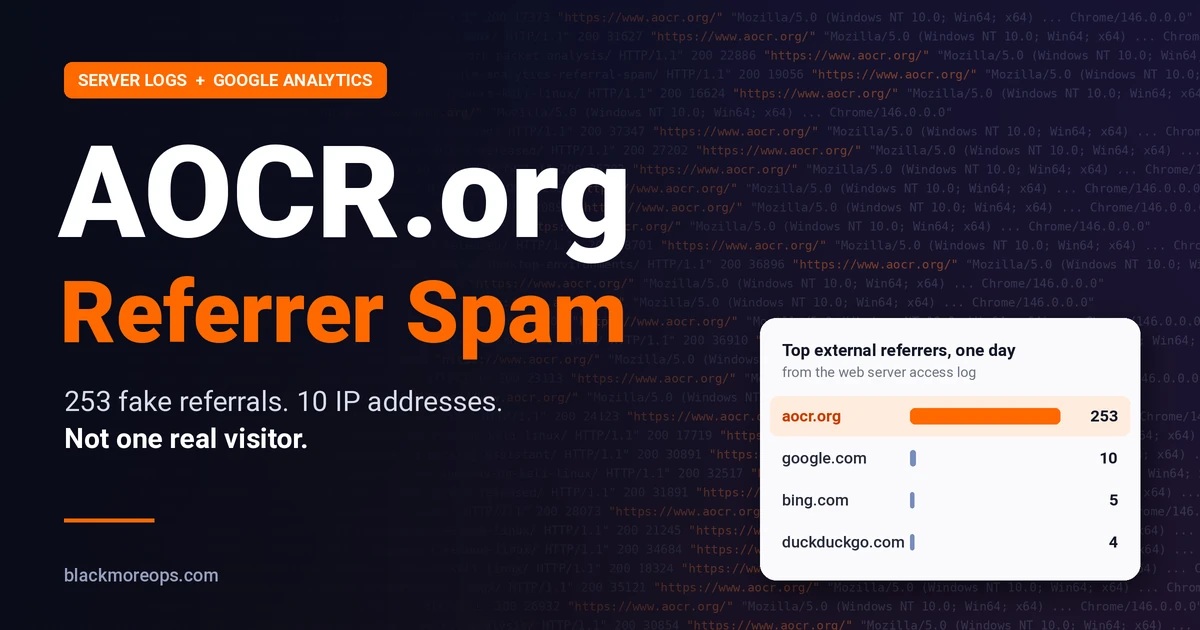
On this site one day of logs produced 253 requests naming aocr.org as the referrer, spread across roughly a hundred different articles, from ten different IP addresses, all using the same browser string. Those numbers are what a spoofed referral campaign looks like from the inside, and they are also how you tell it apart from a genuine mention.
Every HTTP request may carry a Referer header naming the page that linked to it. Analytics platforms trust that header. Google Analytics 4 files the session under the referring domain, and so do the WordPress plugins that read the same data.
Nothing verifies the claim. A script, a command line tool or a browser extension can set the header to any text, and your server has no way to know whether a page on that domain ever contained a link. The client is asked a question it is free to answer with a lie.
That is the whole mechanism, and it explains the symptoms you will see in GA4. The source appears under Reports, Acquisition, Traffic acquisition with a session count that does not match any campaign you ran. Engagement is near zero, because the client requested one page and left without running scripts. And it usually appears overnight, in a block, rather than growing with your traffic.
Older campaigns used names like buttons-for-website or semalt and were obvious. Modern ones borrow an institution, because a medical college in a referrer report survives a glance in a way a domain registered last week does not.
Filtering the access log for the referrer gave a flat, boring distribution, and that flatness is the diagnosis.
Two or three requests per article, across a hundred articles, is a crawler walking a sitemap. Hotlinking looks completely different. If another site embedded one of your images, you would see hundreds of requests for that single file from a handful of addresses, often with a cache busting parameter. What happened here was the opposite of that pattern.
Ten networks in a day, half of them home connections, one identical browser string, one referrer. That combination is a residential proxy pool. The operator pays a network to route requests through genuine consumer IPs, because a request from an Italian home line looks human while one from a Frankfurt datacentre invites a block. Ten providers in a single day is not a coincidence. It is infrastructure.
Anyone can put any domain in a header. The college was not involved, its servers did not send the requests, and nothing on its website links here.
The likeliest explanation is reputation laundering. A known institution reads as plausible in a report, might survive a manual review, and is unlikely to be pre-blocked by a security vendor. A campaign using a name people trust will get more clicks from curious site owners before it burns out.
That is the part worth internalising. The referrer field is user supplied data, and treating it as fact is the same mistake as trusting a return address on an envelope.
If your access log includes the referer variable, three commands identify the campaign in under a minute. Check your log_format first, because the nginx default does not log referrers.
log_format main '$remote_addr - $remote_user [$time_local] "$request" ' '$status $body_bytes_sent "$http_referer" "$http_user_agent"'; access_log /var/log/nginx/access.log main;
Then count hits per referrer, per address, and check whether anything is trying to log in.
grep -c 'aocr.org' /var/log/nginx/access.log
grep 'aocr.org' /var/log/nginx/access.log | awk '{print $1}' | sort | uniq -c | sort -rn | head -20
grep 'aocr.org' /var/log/nginx/access.log | awk -F'"' '{print $4}' | sort | uniq -c | sort -rn | head
grep 'aocr.org' /var/log/nginx/access.log | grep -cE 'wp-login|wp-admin|xmlrpc'
The first number is volume. The second is spread, and a long tail of single hit addresses means a proxy pool. The third confirms every request carries the same referrer string. The last one should return zero. Anything else changes the assessment from nuisance to incident.
Apache’s combined log format already includes the referrer as the fourth quoted field, so the counts work directly.
grep -c 'aocr.org' /var/log/apache2/access.log
awk -F'"' '$4 ~ /aocr.org/ {print $4}' /var/log/apache2/access.log | sort | uniq -c | sort -rn | head
grep 'aocr.org' /var/log/apache2/access.log | awk '{print $1}' | sort | uniq -c | sort -rn | head -20
grep 'aocr.org' /var/log/apache2/access.log | grep -cE 'wp-login|wp-admin|xmlrpc'
On Ubuntu the file is /var/log/apache2/access.log, with per site logs in the same directory. If the server writes to stdout, as it does inside a container, the same lines are in the container log and the same grep commands apply.
Two extra checks are worth running once. Count how many distinct paths were requested, since a hundred pages means a crawler and one page means a hotlink. And list the response codes, because a run of 404s means the client is walking an old index and costing you PHP time rather than a cache read.
grep 'aocr.org' /var/log/apache2/access.log | awk '{print $7}' | sort -u | wc -l
grep 'aocr.org' /var/log/apache2/access.log | awk '{print $9}' | sort | uniq -c | sort -rn
Stop it polluting Google Analytics
Filtering the report is the fix that actually works. In GA4, open Admin, then Data streams, select the web stream, then Configure tag settings, then List unwanted referrals. Add aocr.org and save. Sessions from that referrer stop being credited, and your acquisition reports return to describing real traffic.
Three things to keep in mind when you do it. The filter is case sensitive in some versions, so add both the bare domain and the www variant if you see both. It is retroactive only in the sense that reports recalculate from stored data, so the numbers will shift rather than vanish. And it does not stop the requests, which is fine, because the requests were never the problem. A related problem is self referral, where your own payment gateway or CDN sends traffic back with your domain as the referrer. The same setting fixes that, and it is worth adding your own domain to the exclusion list while you are there.
Nothing in this traffic suggests an intrusion. No login attempts, no uploads, no probing for configuration files, no unusual request methods. A referrer is a label on a request your server answers normally.
Two distinctions are worth keeping straight. A forged referrer is not a forged session and it is not an authorisation bypass. If the same campaign had been hitting the login page or a configuration file, the assessment would be different, and that is where two factor authentication on WordPress or Google SSO in front of the admin earns its place. Here the requests asked for published articles, which is what readers and search crawlers do.
Almost nothing, and the reason is caching. A cached HTML response is a file read measured in milliseconds and it never reaches PHP, MariaDB or the object cache. A hundred cached page views a day is noise against a normal baseline. WordPress is equally untouched. No comments were created, no users registered, no options written, and view counters that rely on JavaScript never fire, because the client does not run scripts.
One exception is worth knowing. A request for a page that is not cached renders it through WordPress, which costs seconds rather than milliseconds. That is why junk traffic asking for dead URLs is more expensive than junk traffic asking for live ones, and it is the same mechanism behind the Cloudflare rum 404 errors that fill logs with noise. Some of these 404s came from deleted posts the crawler still had in an old index, which is worth fixing separately.
Given 253 requests a day against cached pages, the honest answer is that nothing needs fixing. This is the list that would change it.
If none of those apply, leaving it alone is the correct engineering decision rather than a lazy one. Blocking a rotating proxy pool is a treadmill, and every rule spent on it is unavailable for something that matters.
If you do act, the method matters more than the intent, and most of the obvious approaches are wrong.
For the wider picture on what deserves attention, the open source security tools comparison covers monitoring that matters more than referral noise, and a packet capture habit, as shown in these tcpdump examples, settles questions like this in minutes because you see the request instead of inferring it. Older campaigns of exactly this shape are covered in solutions for Google Analytics referral spam.
It is a forged header on ordinary page requests. In this campaign the requests were GET calls for published articles, with no login attempts, no uploads and no writes to the database. What it produced was log noise and false attribution in analytics. A forged referrer is not by itself evidence of an intrusion, and it is not evidence that nothing happened either, which is why the login and upload checks above are worth running before drawing a conclusion.
Not directly. Google ranks pages and has no visibility into your analytics. The risk is indirect and self inflicted, in the form of decisions made on reports that include fake sources.
Not for long. A residential proxy pool rotates addresses continuously, so an IP list becomes maintenance with no end. If the traffic is genuinely costly, a network level rule or a challenge is more durable, and a challenge is usually enough.
Because a recognised institution survives a glance. A report showing a medical college looks plausible, while a domain registered last week invites a block. The name is borrowed for the same reason a phishing email spoofs a bank.
There is nothing to disavow. A referrer is a header on a request, not a hyperlink on a page, so no link exists. Disavowing a domain that never linked to you is pointless and creates its own confusion.
Reports, Acquisition, Traffic acquisition, then set the dimension to Session source and medium. Referral sessions appear as source plus referral. If a domain there sends sessions with almost no engagement and no landing page variation, treat it as spam before you treat it as a channel.
Writing practical Linux, security and homelab guides since 2013. Every guide on blackMORE Ops is tested on real hardware, from Kali Linux labs to an Unraid server running Docker, self-hosted apps and local AI models. No theory dumps, just the steps that worked.
正文由 探How 从来源站点 RSS 同步,内容未经改写;遇到排版缺失或需要图片、视频时请以原文为准。