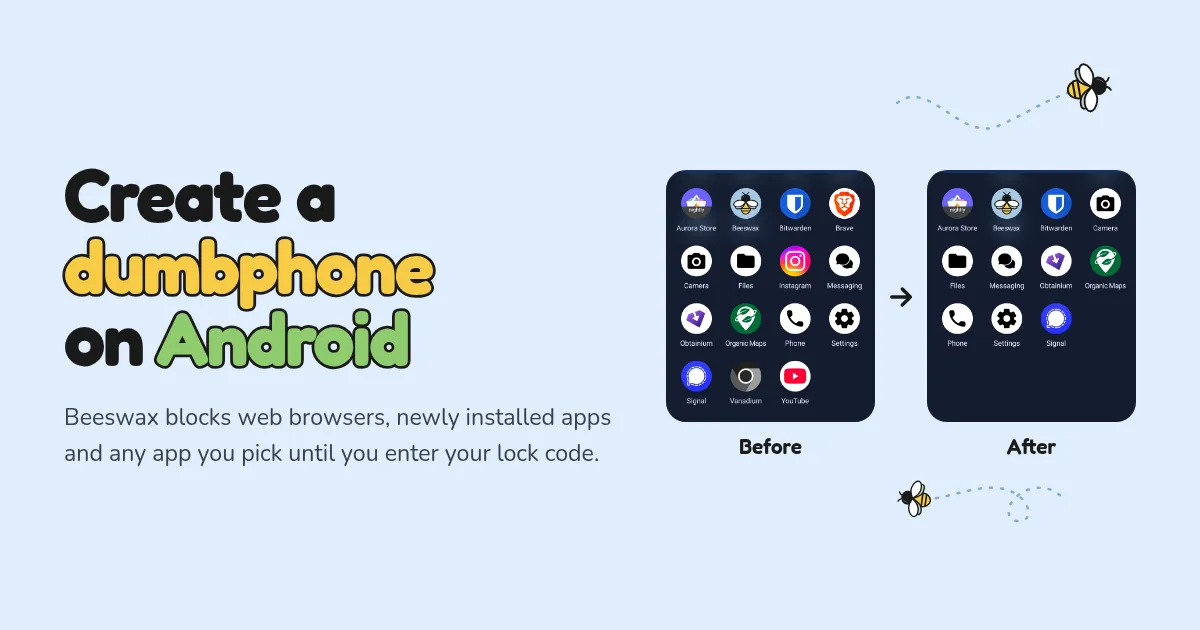
Show HN: Create a Dumbphone on Android
Beeswax blocks web browsers, newly installed apps and any app you pick until you enter your lock code. Give the code to someone you trust, or put it somewhere inconvenient.
以下正文同步自 Hacker News 最新,版权归原站所有,已转换为易读排版。
Beeswax blocks web browsers, newly installed apps and any app you pick until you enter your lock code. Give the code to someone you trust, or put it somewhere inconvenient.
bzz
bzzz
bzz
Screenshots
1Pick what to block
bzzz
Features
Block any app
Pick any app, like Instagram or YouTube, and it disappears from your phone.
Block any browser, even the built-in one that can't be uninstalled.
Every app you install after locking is blocked to prevent bypassing.
The only ways around Beeswax's restrictions are entering the lock code or a factory reset.
Beeswax collects and shares no personal data.
reproducible builds
bz
Privacy and security
bz
Setup
You'll need a computer with ADB, USB debugging enabled, and no accounts or users on the phone while you set the device owner. You can add accounts back afterwards.
Install Beeswax and make it device owner with one ADB command.
Lock Beeswax and keep the lock code somewhere you can't easily reach.
Use the code whenever you want to change which apps are blocked.
bzzzz
FAQ
Does Beeswax work on my phone? Beeswax has been tested on stock Pixels, GrapheneOS, and HyperOS.
You need a computer with ADB once, during setup. Android only lets Beeswax manage a phone with no accounts, no other user profiles and no Private Spaces, so you'll remove those first. A factory reset always works if that's easier.
Without your lock code, you can't access new apps you install and can't access apps you've blocked. You can still export all your data and access the apps you already have. If you need to install new apps or unblock apps, you'll need to factory reset your phone.
Enter your lock code, tap Unlock, then tap Deactivate and confirm. See the setup guide for more info.
You should use Apple Configurator (guide1 / guide2) to manage your devices, remove the browser and prevent new app installs. A macOS device and a factory reset of your iPhone/iPad are required for the initial setup. A new app that claims to allow this setup without a factory reset has been released but I have not looked into it.
Verify your download with an app verifier:
正文由 探How 从来源站点 RSS 同步,内容未经改写;遇到排版缺失或需要图片、视频时请以原文为准。