Building for agent use without MCP or skills
How do you make a service work well with agents without MCP or skills? That's what we were tackling when building Hookdeck Inspect. It's a webhook tester that's designed to work just as well for an agent as it does for …
以下正文同步自 Hacker News 最新,版权归原站所有,已转换为易读排版。
How do you make a service work well with agents without MCP or skills? That's what we were tackling when building Hookdeck Inspect. It's a webhook tester that's designed to work just as well for an agent as it does for a human.
Webhook testers are low-friction apps anyone can use in a browser to quickly debug webhooks. Most though, were built for humans only. What does a friction-free experience look like to an agent?
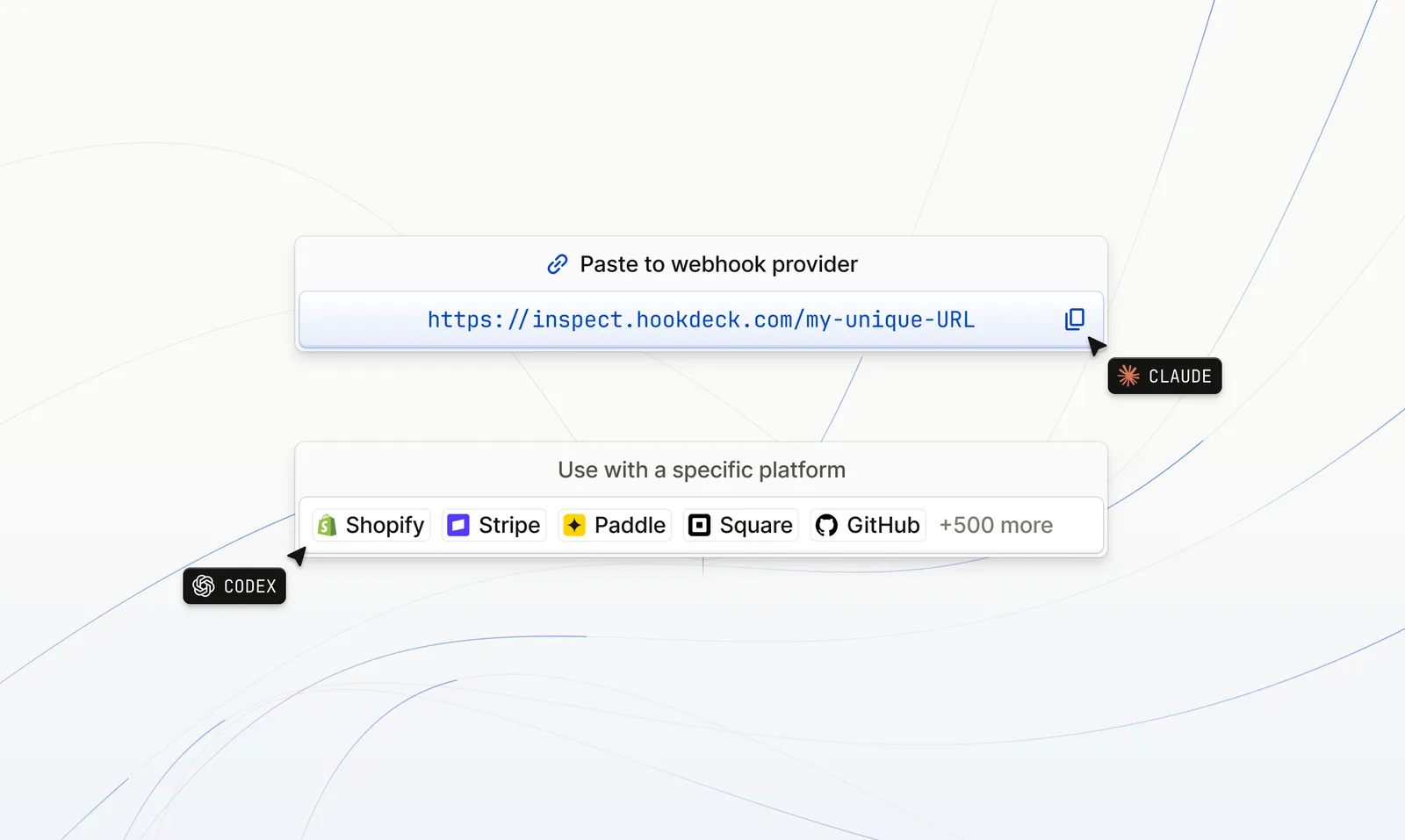
We think it's a webhook URL that a coding agent can use with nothing else: no MCP, no skills, no account, and no setup prompt. Just the URL and the kind of input a developer actually types, like "ping me when this webhook comes in" or "create a webhook to test this handler".
We had already built a webhook tester before, Console, but it wasn't agent-ready. It got the human side right: no login, an instant guest URL and a "waiting for your first request" screen. But to an agent it was a blank page. Console was a client-rendered single-page app, so a fetch tool that doesn't run JavaScript received an empty shell. The fix to that was easy, render the request list on the server and add a read path at the URL itself. But getting an agent to see a request is one thing. Getting them to reliably act on it proved to be a lot more involved.
We built a prototype request bin and handed it to agents. A few hundred runs later, across multiple models and harnesses, we had a design that works and a long list of ideas that didn't.
We knew we wanted it to work without MCP or skills. With those constraints, you're forced to answer whether an agent can call your service at all. And if so, can it use the service correctly in the environment it's running in? Most of what we learned comes from that second layer.
Most failures happened before the model reasoned about anything. An agent's first contact with a URL is usually a fetch tool, and fetch tools are blunt. Many can't set request headers. Others summarise the page against their own query and drop whatever doesn't answer it. Some cache by URL.
Caching cost us a run outright. One agent called our wait endpoint, got a timeout response and called the same resume URL again; its fetch tool served the cached timeout. It did this 41 times, believed it had waited about 17 minutes, and never saw the event that arrived seconds later.
So we designed for the least capable client: GET only, no headers, possibly cached, possibly summarised. Agents used ?format=json about three times as often as an Accept header, so query parameters do everything a header would. Every resume URL is different (r=1, r=2 and so on) and responses are Cache-Control: no-store. The page's first line combines status and next step ("No requests yet. To wait for one, GET {bin}/wait...") because a summariser asked "what has this received?" keeps that sentence and drops a separate instructions paragraph.
We tried the machine-readable options first: an embedded JSON block describing the available actions, Link headers and an llms.txt file. Uptake was close to zero. No Opus run opened llms.txt. An agent handed a URL reads that URL and doesn't go looking for site-level discovery files.
Visible instructions on the page worked. With them, agents found the wait endpoint 100% of the time; without them, 0%.
The same applied to sample data. Given just the webhook URL and no other guidance, agents mistook the sample webhooks on the page for real ones until the page said they were samples.
On a full, busy page with lots of other markup, it made no difference whether that copy sat in the hero or after the footer, because fetch tools extract the whole text layer. It only has to be somewhere in the server-rendered HTML. Copy that appears after client-side JavaScript runs is invisible to them.
We tried a bunch of other approaches, but anything other than plain instructions and dull HTTP semantics performed worse.
Few of the failures above came from a model misunderstanding our API. The harness blocked a watcher, backgrounded a command or refused a sleep. The agent knew what to do, but its environment wouldn't let it.
The same pattern shows up in other types of apps, take hosted AI app builders for example:
So compatibility has two layers. The first is whether an agent can call your service; MCP helps there. The second is whether the environment around the agent lets it use the service correctly, and no protocol settles that. It takes designing for the environments you can't see. In our case that meant: one foreground request, no background work, no headers, and instructions in plain text.
Models from different tiers and generations respond to the same page in bafflingly different ways.
Capable models have a strong urge to set up a background watcher. In a short-lived session, the watcher dies with the session. When we told Codex it was fine to stop and report back, its delivery rate dropped from 8/10 to 1/10: it took the exit. Removing the exit and telling it what to do next didn't help, because it built the watcher before reading our timeout response.
The copy that worked explained what the endpoint does: "Make this one request and wait for its response in your current turn. It blocks server-side and hands you the request directly, so there is no need to poll or set up any background process." That took Opus, for example, from 0/10 to 9/10, and Sonnet read it as a description of the endpoint, so its prompt-injection alarm stayed quiet.
At the edges, wording stopped mattering. Fable and Astra used the endpoint correctly every time. While basic models like Haiku declined ("I don't have the ability to monitor external URLs") whatever the page said. Page copy can't change how a model sees its own abilities, and that's where a dedicated MCP tool would have really helped (it scored 100% in our tests).
We wanted to see how what we had created compared to existing alternatives, so gave agents shareable URLs from other webhook testers. Opus, for instance, could read every one because it already knew their APIs from its training data.
Models that know less exposed the gap. Gemini 2.5 Flash read our self-describing URL 100% of the time, but alternatives only worked 1 in 3 times or worse. An API that agents can only use because it's in their training data worked for some models, some of the time. A URL that explains itself worked for whichever agent shows up.
Hookdeck Inspect is what we ended up with, and the changes that make it work are:
With that design and a realistic setup, most models beyond the Haiku/Luna entry-level ones can use it reliably.
To try it, point your agent at inspect.hookdeck.com and ask it to create a webhook, then tell you when the request arrives.
正文由 探How 从来源站点 RSS 同步,内容未经改写;遇到排版缺失或需要图片、视频时请以原文为准。