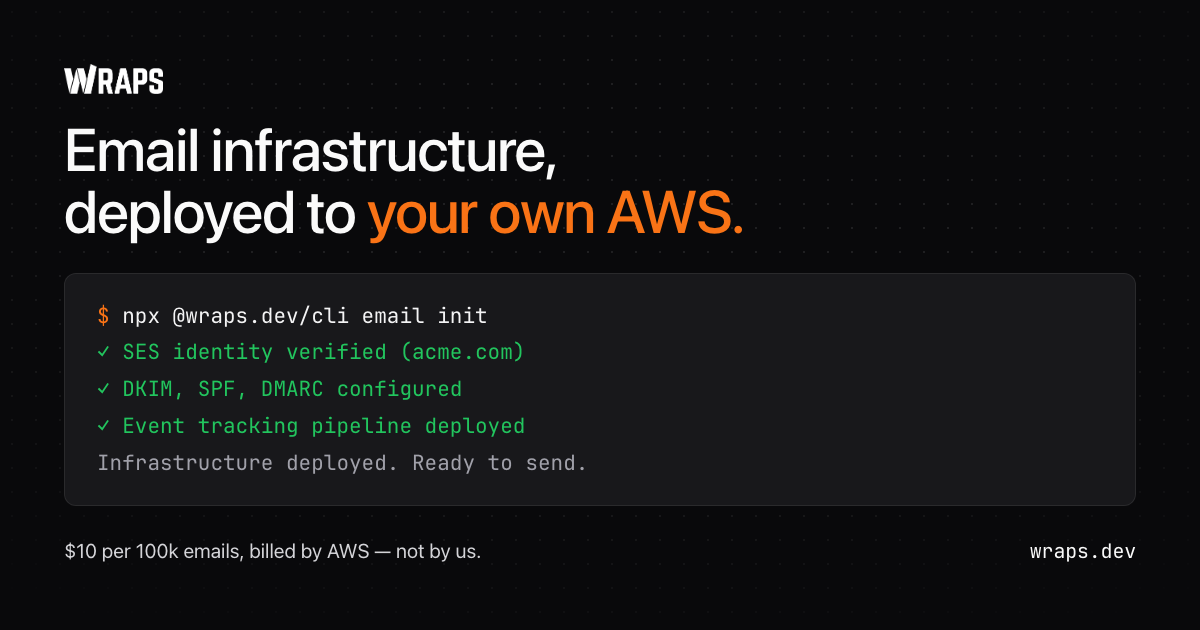
Show HN: Wraps – Resend-style email on your own AWS SES, open source
Wraps tracks bounce and complaint rates against AWS's review and pause lines, inside your AWS account. Send from your app or your agent.
以下正文同步自 Hacker News 最新,版权归原站所有,已转换为易读排版。
Wraps tracks bounce and complaint rates against AWS's review and pause lines, inside your AWS account. Send from your app or your agent.
Account survival
All systems healthyNeeds attentionus-east-1
Bounce rate
AWS account 123456789012 is in the SES review range: bounce rate 6.80% (SES pauses sending at 10%).
Follow one bounce. The left side happens in your AWS account and stays there. Wraps sees the event stream, and reads your rates through a role you can revoke.
role you can revoke
01SES
Your AWS account
A message bounces. SES records it.
wraps-email-events-rule catches the event.
Written to wraps-email-history, a table you own.
The same event streams to Wraps, which powers suppression and analytics.
SES keeps its own tally of your bounce and complaint rates, and whether sending is enabled.
Every hour, Wraps assumes a role you can revoke and reads those rates.
Past AWS's review line, the people who run the account hear about it.
At the pause line, scheduled broadcasts wait instead of queueing behind a paused account.
An alert tells you a line moved. The audit tells you what is behind it: DKIM, SPF and DMARC, MX and TLS, BIMI, and public blacklists, in one pass, with the fix list at the bottom.
Bounces and complaints are suppressed on the way in, so the rates have a floor under them and not only a gauge over them. Suppression is browsable and clearable in the dashboard, and every message has an event log.
Try it on your own domain before you install anything.
It reads public DNS records and blacklists. Nothing is deployed and no AWS account is needed.
Domain: example.com Score: 72/100 (C)AUTHENTICATION✓ SPF v=spf1 -all⚠ DKIM Found but invalid or revoked✓ DMARC v=DMARC1;p=reject;sp=reject;adkim=s;aspf=s○ BIMI Not configuredINFRASTRUCTURE⚠ MX Records 1 record, some not resolving○ Mail Server TLS Could not connect to serversREPUTATION✗ Blacklists Listed on 1 list • ZapBL RHSBL: Listed as spam source Domain: 15 lists • No IPv4 mail server addresses to check ○ SURBL Multi: did not answer (SERVFAIL)ISSUES (0 critical, 1 warnings) 1. No valid DKIM recordNeed help fixing these? Deploy Wraps to manage your email infrastructure: npx @wraps.dev/cli email init
Abridged from a real run of wraps email check on example.com. Results change as DNS and blacklists do.
Before you pick anythingThere are four ways to send application email. Wraps is the fourth.
01Run SES yourself
You, the AWS console, and a week
Your sending is simple enough that one SendEmail call covers it, and you would rather own a hundred lines than a dependency.
You have no AWS account and no appetite for one. Everything below this row assumes you are willing to hold an AWS account; if you are not, this is your row.
Someone who is not an engineer owns email day to day, and the contact-based bill is worth not having to build campaign tooling.
You want the account, the reputation and the data to be yours, and you want the tooling to be open source. This is the row Wraps is in.
Open source, your own AWS account, your own reputation — that row is getting crowded, and it should. The thing that still separates the wrappers is whether anything watches the account once you are sending.
After the first sendEvery SES wrapper deploys. Few of them operate.
The questionOther SES wrappersWraps
Does it watch the rates AWS suspends accounts over?
Other wrappersNo
WrapsBounce and complaint rates drawn against AWS's review and pause lines, swept hourly, owners and admins notified
WrapsSES account-level suppression wired on for bounces and complaints from the first send
WrapsDKIM, SPF, DMARC, MX and TLS, BIMI and public blacklist checks
Other wrappersAWS credentials, in a container you run
WrapsAn IAM role you create and can revoke. No stored keys
WrapsNo. Nobody in this category can — it is an AWS decision made from your own account. We detect the sandbox and explain it, and that is the end of what anyone can do
Why teams run email on Wraps
Code you can review
Templates and workflows live in your repo. Roll back a bad send in a pull request.
Type-safe end to end
Typed SDK, typed templates, typed workflows. Errors surface at build, not in inboxes.
No more email tickets
Engineers own the code, marketers own the content, both ship through one pipeline.
Open source
AGPL-3.0. Read the code that touches your AWS account before it does.
Built for Agents Too
Agents write TypeScript and open PRs. Your agent ships what your team ships.
Wraps deploys SES, DynamoDB, Lambda, EventBridge, and scoped IAM roles into your AWS account.
One-command deploy
Run wraps email init and the full stack is production-ready in about two minutes.
Nothing you have gets touched
Every resource is new and prefixed wraps-email-. What is already in the account is left alone.
Events land in tables you own
Sends, deliveries, opens and clicks stream into DynamoDB in your account. Query them yourself, or watch them in the dashboard.
TypeScript-first SDK
email.send() — full type inference, no boilerplate, no wrappers.
One import, one client, one call. Events stream to DynamoDB in your account — query them yourself or use the dashboard.
Your code talks to SES, not to us. Swap the SDK for the AWS SDK, boto3, or plain SMTP and the events still land.
View on GitHub
@wraps.dev/email
@aws-sdk/client-sesv2
import { WrapsEmail } from '@wraps.dev/email';
const email = new WrapsEmail();
await email.send({ from: 'hello@acme.com', to: user.email, subject: 'Welcome to Acme', react: <WelcomeEmail name={user.name} />, });
import { SESv2Client, SendEmailCommand, } from '@aws-sdk/client-sesv2';
const ses = new SESv2Client();
// No ConfigurationSetName needed. Wraps binds it to // the domain identity, so your events land either way. await ses.send(new SendEmailCommand({ FromEmailAddress: 'hello@acme.com', Destination: { ToAddresses: [user.email] }, Content: { Simple: { Subject: { Data: 'Welcome to Acme' }, Body: { Html: { Data: html } }, }, }, }));
Product tourEverything that happens after you hit send.
01One-command deploySES, DynamoDB, Lambda in one command
02Broadcastscompose once, send to thousands
03Audience segments
04Templates as code
05Workflows
06Live analytics
07Every send, tracked
PricingYou pay for the platform. AWS handles the sending.
Free to start, no credit card. Sending costs go straight to AWS — $0.10/1K on à la carte, or $0.16/1K on the new default Essentials plan.
Unlimited sends, domains & contacts
Unlimited team members
5,000 custom events/mo
1 AWS account
2 workflows
30-day history
Get Started
Most popular
Pro
For indie hackers and side projects
Need custom limits or on-prem deployment? Contact us for Enterprise
You pay AWS directly for sending at $0.10 per 1,000 emails on à la carte — AWS now defaults new accounts to $0.16, and Wraps tells you which plan applies — plus infrastructure (~$2-5/mo). The infrastructure lives in your account, so you can leave anytime and keep everything.
How is this different from the free open-source SES wrappers?
What happens when my bounce or complaint rate crosses an AWS line?
What are the costs for running Wraps?
Do you store my AWS credentials?
What happens if I stop paying for Wraps?
Can I customize the infrastructure deployment?
Does this work with my existing SES setup?
Can I receive emails too?
How is this different from using AWS SES directly?
Two things. Setup: Wraps deploys all the infrastructure AWS SES needs (IAM roles, EventBridge, DynamoDB, Lambda, SQS) in one command instead of 2+ hours of manual work, and the TypeScript SDK is just email.send(). Then the part that lasts longer — running it. The dashboard is a control plane for the daily job: bounce and complaint rates drawn against the lines AWS reviews and pauses at, swept hourly; suppression you can browse and clear; deliverability and blacklist audits; every message searchable. SES gives you none of that on its own.
Wraps is one of them — it is AGPL-3.0 and you can self-host the whole stack, so open source is table stakes in this category rather than the difference. The difference is what happens past the send API. OpenSend, useSend and MillionSend give you an API and a dashboard over your own SES; checked in September 2026, none of them watches your account against the rates AWS suspends over, governs bounces past emitting a webhook, or runs blacklist and authentication audits. They also want AWS credentials in a container you run, where Wraps assumes an IAM role you can revoke. Our CLI and SDKs are free and open source too, so if the deploy is all you want, take that.
An hourly sweep reads your account's SES reputation metrics. When a rate reaches AWS's review lines (5% bounce, 0.1% complaint), your organization's owners and admins are notified, and an ongoing episode notifies once a day rather than every hour. If the account is paused or reaches AWS's pause lines (10% bounce, 0.5% complaint), Wraps also holds scheduled broadcasts back instead of queueing more mail behind it. Wraps cannot lift an AWS review or pause, because that is AWS's decision about your account. It tells you early and shows you what to clean up.
With Wraps, you pay AWS directly with no markup: à la carte SES is $0.10 per 1,000 emails, though AWS now defaults new accounts to Essentials at $0.16 (Wraps tells you which plan you're on). For example, 50,000 emails/month costs ~$5-8 to AWS. There's a free tier with unlimited sends, domains, contacts, templates, and team members. Paid plans start at $29/month. The infrastructure is yours forever—no vendor lock-in, no surprise bills.
No! We use OIDC (OpenID Connect) for Vercel deployments or IAM roles for AWS-native deployments. The CLI uses your local AWS credentials for the initial deployment, then creates IAM roles that your app can assume. We never see or store your AWS access keys.
Your infrastructure keeps running! All resources are in your AWS account. You lose access to the Wraps Platform (if you had it) but can still use the free local console. Your SDK code keeps working, emails keep sending, and you keep paying AWS directly. Zero vendor lock-in.
Yes! The CLI offers infrastructure presets for different needs—from minimal tracking to full analytics with dedicated IPs. You can also use 'npx @wraps.dev/cli email upgrade' to add features incrementally. For full customization, all infrastructure is deployed as open-source Pulumi code you can fork and modify.
Yes! Use 'npx @wraps.dev/cli email connect' to scan your existing SES resources and add Wraps features non-destructively. We never modify existing resources—all our infrastructure uses the 'wraps-email-' prefix. You can also use 'npx @wraps.dev/cli email init' for a completely fresh deployment.
Yes! Wraps supports inbound email receiving. Run 'npx @wraps.dev/cli email inbound init' to deploy the infrastructure, then use the SDK to list, read, reply, and forward emails. EventBridge triggers let you build webhooks for real-time processing.
One command to set it up. One place to run it.
About two minutes, and nothing you already have in the account gets touched. Cancel whenever — the infrastructure is yours and keeps sending.
正文由 探How 从来源站点 RSS 同步,内容未经改写;遇到排版缺失或需要图片、视频时请以原文为准。