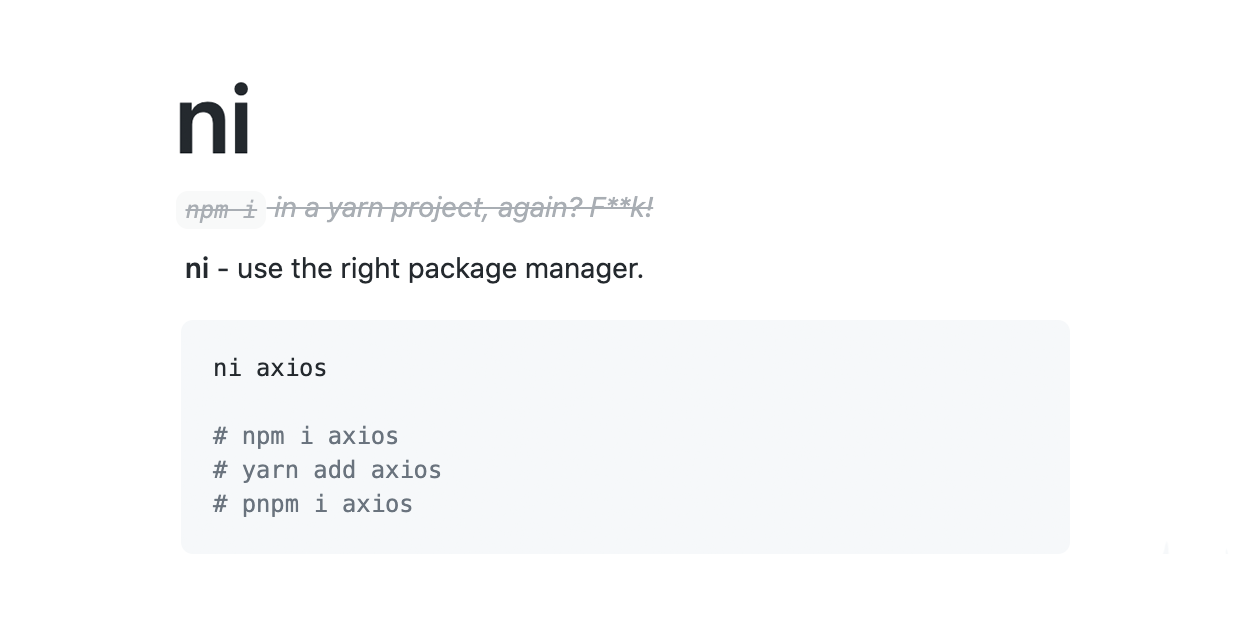
Ni – use the right package manager
npm · yarn · pnpm · bun · deno · nub · aube
以下正文同步自 Hacker News 最新,版权归原站所有,已转换为易读排版。
npm i -g @antfu/ni
npm · yarn · pnpm · bun · deno · nub · aube
ni
npm install
yarn install
pnpm install
bun install
deno install
nub install
aube install
ni vite
npm i vite
yarn add vite
pnpm add vite
bun add vite
deno add vite
nub add vite
aube add vite
ni @types/node -D
npm i @types/node -D
yarn add @types/node -D
pnpm add -D @types/node
bun add -d @types/node
deno add -D @types/node
nub add -D @types/node
aube add -D @types/node
ni -P
npm i --omit=dev
yarn install --production
pnpm i --production
bun install --production
(deno not supported)
nub install --production
aube install --production
ni --frozen
npm ci
yarn install --frozen-lockfile (Yarn 1)
yarn install --immutable (Yarn Berry)
pnpm install --frozen-lockfile
bun install --frozen-lockfile
deno install --frozen
nub install --frozen-lockfile
aube install --frozen-lockfile
ni -g eslint
npm i -g eslint
yarn global add eslint (Yarn 1)
pnpm add -g eslint
bun add -g eslint
deno install eslint
nub add -g eslint
aube add -g eslint
this uses default agent, regardless your current working directory
ni -i
interactively select the dependency to install
search for packages by name
catalogs support
Since v29.0.0
When working in a pnpm workspace with catalogs configured in pnpm-workspace.yaml, a Yarn Berry workspace with catalogs in .yarnrc.yml, or a Bun workspace with catalogs in package.json, ni automatically enters catalog mode. Instead of adding packages with pinned versions, it writes catalog: references into package.json and updates the workspace catalog.
Given pnpm-workspace.yaml with:
catalogs:
prod:
react: ^18.3.0
ni react
→ detects react in "prod" catalog
→ writes "react": "catalog:prod" to package.json
→ runs pnpm install
ni lodash
→ lodash not in any catalog
→ prompts to select a catalog (or skip)
→ fetches latest version, updates pnpm-workspace.yaml
→ writes "lodash": "catalog:prod" to package.json
→ runs pnpm install
For Bun, catalogs live in the root package.json instead, either nested under workspaces or at the top level:
Given root package.json with:
"workspaces": {
"packages": ["packages/*"],
"catalogs": { "prod": { "react": "^18.3.0" } }
}
ni react
→ detects react in "prod" catalog
→ writes "react": "catalog:prod" to package.json
→ runs bun install
When only a default catalog (catalog: top-level) is used, new packages are added directly without prompting. When only named catalogs exist, the default catalog is never offered.
Flags like -D are respected — the catalog ref is written to the correct package.json section:
ni typescript -D
→ writes "typescript": "catalog:dev" to devDependencies
Use -w / --workspace to target the workspace root package.json:
ni react -w
→ writes catalog ref to workspace root package.json
To only reuse catalog entries that already exist — never adding a new package to a catalog and never prompting for one — set catalog=existing in ~/.nirc or NI_CATALOG=existing environment variable:
with catalog=existing
ni react
→ react is already in the "prod" catalog
→ writes "react": "catalog:prod" to package.json
ni lodash
→ lodash is in no catalog
→ installed normally with a pinned version, catalogs are left untouched
To disable catalog mode, set catalog=false in ~/.nirc or NI_CATALOG=false environment variable.
nr dev --port=3000
npm run dev -- --port=3000
yarn run dev --port=3000
pnpm run dev --port=3000
bun run dev --port=3000
deno task dev --port=3000
nub run dev --port=3000
aube run dev --port=3000
nr
interactively select the script to run
supports https://www.npmjs.com/package/npm-scripts-info convention
nr -
rerun the last command
nr -p nr -p dev
interactively select the package and script to run
shell completion scripts
Add completion script for bash
nr --completion-bash >> ~/.bashrc
Add completion script for zsh
For zim:fw
mkdir -p ~/.zim/custom/ni-completions nr --completion-zsh > ~/.zim/custom/ni-completions/_ni echo "zmodule $HOME/.zim/custom/ni-completions --fpath ." >> ~/.zimrc zimfw install
Add completion script for fish
mkdir -p ~/.config/fish/completions nr --completion-fish > ~/.config/fish/completions/nr.fish
nlx - download & execute
nlx vitest
npx vitest
yarn dlx vitest
pnpm dlx vitest
bunx vitest
deno run npm:vitest
nubx vitest
aube dlx vitest
Pass --local to prefer an already-installed local binary over downloading it (equivalent to pnpm exec / yarn exec). npm, bun and aube already resolve local binaries first, so this flag mainly matters for pnpm, yarn, and nub:
nlx --local vitest
npx vitest
yarn exec vitest
pnpm exec vitest
bunx vitest
nub exec vitest
aube exec vitest
nup - upgrade
nup
npm upgrade
yarn upgrade (Yarn 1)
yarn up (Yarn Berry)
pnpm update
bun update
deno upgrade
nub update
aube update
nup -i
(not available for npm)
yarn upgrade-interactive (Yarn 1)
yarn up -i (Yarn Berry)
pnpm update -i
bun update -i
deno outdated -u -i
nub update -i
aube update -i
nun - uninstall
nun webpack
npm uninstall webpack
yarn remove webpack
pnpm remove webpack
bun remove webpack
deno remove webpack
nub remove webpack
aube remove webpack
nun
interactively multi-select
the dependencies to remove
nun -g silent
npm uninstall -g silent
yarn global remove silent
pnpm remove -g silent
bun remove -g silent
deno uninstall -g silent
nub remove -g silent
aube remove -g silent
nci - clean install
nci
npm ci
yarn install --frozen-lockfile
pnpm install --frozen-lockfile
bun install --frozen-lockfile
deno cache --reload
nub install --frozen-lockfile
aube install --frozen-lockfile
nd - dedupe dependencies
nd
npm dedupe
yarn dedupe
pnpm dedupe
nub dedupe
aube dedupe
na - agent alias
na
npm
yarn
pnpm
bun
deno
nub
aube
na run foo
npm run foo
yarn run foo
pnpm run foo
bun run foo
deno task foo
nub run foo
aube run foo
Global Flags
? | Print the command execution depends on the agent
ni vite ?
-C | Change directory before running the command
ni -C packages/foo vite nr -C playground dev
-v, --version | Show version number
ni -v
-h, --help | Show help
ni -h
Config
; ~/.nirc
; fallback when no lock found defaultAgent=npm # default "prompt"
; for global installs globalAgent=npm
; use node --run instead of package manager run command (requires Node.js 22+) runAgent=node
; prefix commands with sfw useSfw=true
; use catalog mode when catalogs are detected (default true) ; "existing" only reuses packages already in a catalog, never adds new ones catalog=true
~/.bashrc
custom configuration file path
export NI_CONFIG_FILE="$HOME/.config/ni/nirc"
environment variables have higher priority than config file if presented
export NI_DEFAULT_AGENT="npm" # default "prompt" export NI_GLOBAL_AGENT="npm" export NI_USE_SFW="true" export NI_CATALOG="false" # disable catalog mode, "existing" to only reuse existing catalog entries
for Windows
custom configuration file path in PowerShell accessible within the $profile path
$Env:NI_CONFIG_FILE = 'C:\to\your\config\location'
Automatic installation
You can set NI_AUTO_INSTALL=true to enable automatic installation.
If the corresponding package manager (npm, yarn, pnpm, bun, deno, nub, or aube) is not installed, it will install it globally before running the command.
Homebrew
You can install ni with Homebrew:
brew install ni
asdf
You can also install ni via the 3rd-party asdf-plugin maintained by CanRau
first add the plugin
asdf plugin add ni https://github.com/CanRau/asdf-ni.git
then install the latest version
asdf install ni latest
and make it globally available
asdf global ni latest
How?
ni assumes that you work with lock-files (and you should).
Before ni runs the command, it detects your yarn.lock / pnpm-lock.yaml / pnpm-workspace.yaml / package-lock.json / bun.lock / bun.lockb / deno.json / deno.jsonc / nub.lock / aube-lock.yaml / aube-workspace.yaml to know the current package manager (or packageManager field in your packages.json if specified) using the package-manager-detector package and then runs the corresponding package-manager-detector command.
Conflicts with PowerShell
PowerShell comes with a built-in alias ni for the New-Item cmdlet. To remove the alias in your current PowerShell session in favor of this package, use the following command:
'Remove-Item Alias:ni -Force -ErrorAction Ignore'
If you want to persist the changes, you can add them to your PowerShell profile. The profile path is accessible within the $profile variable. The ps1 profile file can normally be found at
You can use the following script to remove the alias at shell start by adding the above command to your profile:
if (-not (Test-Path $profile)) { New-Item -ItemType File -Path (Split-Path $profile) -Force -Name (Split-Path $profile -Leaf) }
$profileEntry = 'Remove-Item Alias:ni -Force -ErrorAction Ignore' $profileContent = Get-Content $profile if ($profileContent -notcontains $profileEntry) { ("`n" + $profileEntry) | Out-File $profile -Append -Force -Encoding UTF8 }
nx, nix and nu are no longer available
We renamed nx/nix and nu to nlx and nup to avoid conflicts with the other existing tools - nx, nix and nushell. You can always alias them back on your shell configuration file (.zshrc, .bashrc, etc).
正文由 探How 从来源站点 RSS 同步,内容未经改写;遇到排版缺失或需要图片、视频时请以原文为准。