Show HN: Publishub. An AI copilot for video creators and editors.
For people who edit Reels, TikToks and Shorts
以下正文同步自 Hacker News 最新,版权归原站所有,已转换为易读排版。
For people who edit Reels, TikToks and Shorts
Upload your cut. In about 3 minutes publishub shows the second viewers are likely to leave, why, and what to trim, with notes for CapCut, Premiere or DaVinci.
See how it works
No account · No card · Results in ~3 min
no-coffee-30-days.mp4Ready
Example
0:00 / 0:479:16
Retention
75%50%25%0:040:170:34
75%50%25%0:000:040:170:34
You were saying · 0:03
“So, before anything else, let me give you some quick context on why I decided to do this.”
Accepted
Drop the intro and open with the result.
Accepted
Say the number the title promised, right here.
Put the number on screen while you say it.
Export video
An illustrative example, not a real creator's data. With your video, the curve comes from your screenshot and the line from your transcript.
Made for freelance video editors, UGC creators and creators who edit their own videos. Reels, TikTok and YouTube Shorts, in the editor you already use.
Every note points to a second and the line you were saying, not a generic tip like “improve your hook.”
Explain every cut.
Each note comes with a reason: the intro runs long, an idea repeats, the shot sits still. You learn the pattern, and you can show a client why you cut.
Catch it before it ships.
Run the cut through publishub before you post or deliver, not after the drop shows up in Insights or in the client's feedback.
Stay the editor.
Nothing is cut without your OK and your original file never changes. Accept, skip or adjust every suggestion.
No plugin to install and no new editor to learn. Export your video the way you already do, bring it to publishub and take the notes back to your app.
Captions, b-roll and re-recording stay in your own app, done your way. publishub doesn't connect to your editor or touch your project files.
Every "improve your hook" tip is impossible to verify. publishub commits: it points to the second of the drop and predicts how much retention should rise after you re-record.
You republish, open Insights and paste the real number. It hit, or it didn't. Over time you build an accuracy score and learn what works with your audience, not everyone else's.
We said: 0:04 · Insights says: 0:04 · Hit.
Confirmed: the real number landed 3 points above the prediction.
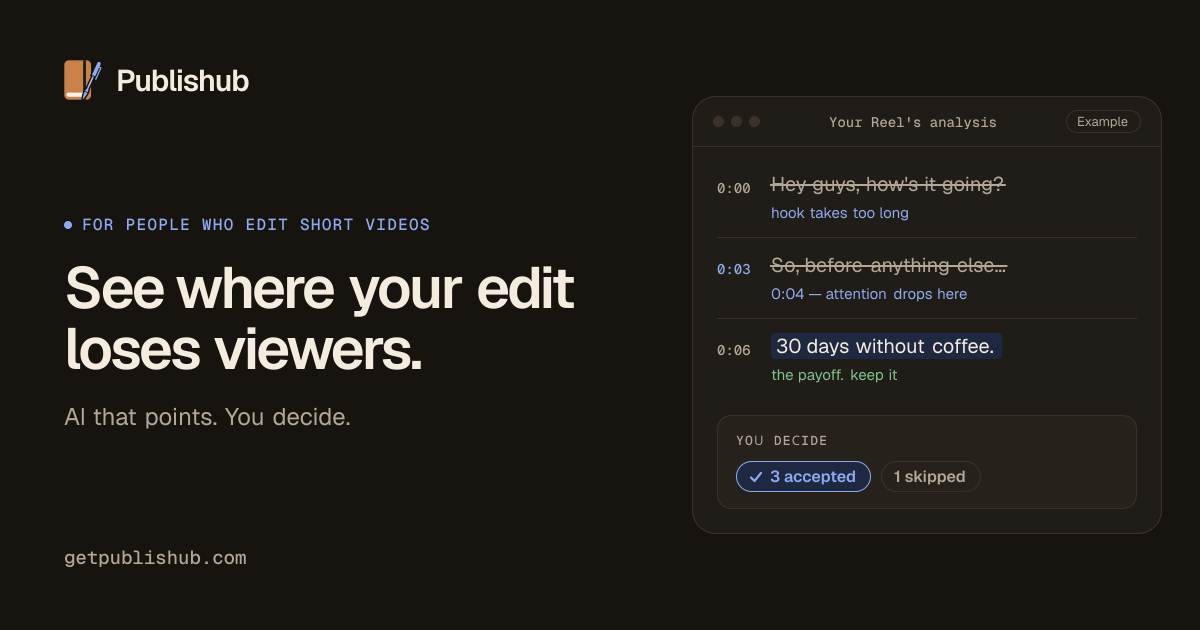
Three lines from an example script and what publishub would say about each one. Your video gets the same, second by second.
The hookThe repetitionThe ending
You say · 0:00
“Hey guys, how's it going? Today I want to tell you something.”
“30 days without coffee. This changed my sleep.”
Valmir · Solo founder · UGC creator · Salvador, Brazil
I'm Valmir, a self-taught developer and UGC creator from Salvador, Brazil. I build publishub on my own, in evenings and lunch breaks, and share every step in public. If something's off with your analysis, you're talking straight to the person who wrote it.
Questions? Email me at copilot@getpublishub.com
An AI editing copilot for short videos with speech, made for freelance editors, UGC creators and creators who edit their own videos. You upload a Reel, TikTok or Short and publishub watches it second by second: it transcribes what you say, measures pauses and scene changes, and leaves editing notes with the second and the reason for each one. It doesn't edit on its own or replace your editor. You decide what changes.
Just the Reel's video file (MP4, MOV or WEBM, up to 500 MB). You get the action plan from the video alone. If you also send the retention screenshot from Instagram Insights, publishub reads your real curve and adds a prediction you can check.
Any app that exports MP4, MOV or WEBM: CapCut, Premiere Pro, DaVinci Resolve, your phone's built-in editor and so on. publishub doesn't plug into these apps. It works with the file you export (up to 500 MB), and you apply the notes back in your editor.
You can test one video without an account and see the second people most likely leave, with the line you were saying. With a free account, your first analyses come complete: action plan, cut suggestions and rewritten hooks. After that, each analysis still shows where the video drops and its first recommendations; the full plan comes with any paid plan.
They're kept in private storage, reachable only by your account or our server through short-lived links. They're used to generate your analysis (the audio and frames are processed by Google Gemini for that), never sold and never used to train models of our own. Deleting your account removes your videos, screenshots and analyses right away.
Yes, monthly. Creator (US$ 12/month) and Pro (US$ 24/month) are subscriptions you can cancel anytime from your account, with no fee. And you can start for free.
Send the cut you're about to post or deliver, or a video that already flopped. In about 3 minutes you'll see the second, the line and what to change.
7-day guarantee: if it doesn't work for you, we refund 100%.
正文由 探How 从来源站点 RSS 同步,内容未经改写;遇到排版缺失或需要图片、视频时请以原文为准。