Show HN: Torsher – a self-hosted, TV-first media center in one container
Watch a torrent right away, keep what you watched in your own library, and let new episodes arrive on their own.
以下正文同步自 Hacker News 最新,版权归原站所有,已转换为易读排版。
Watch a torrent right away, keep what you watched in your own library, and let new episodes arrive on their own.
Self-hosted and open source, built for the TV first.
Install | Documentation | Releases | Website
Runs on x86-64 and arm64 Linux · Watch in a browser or on LG webOS
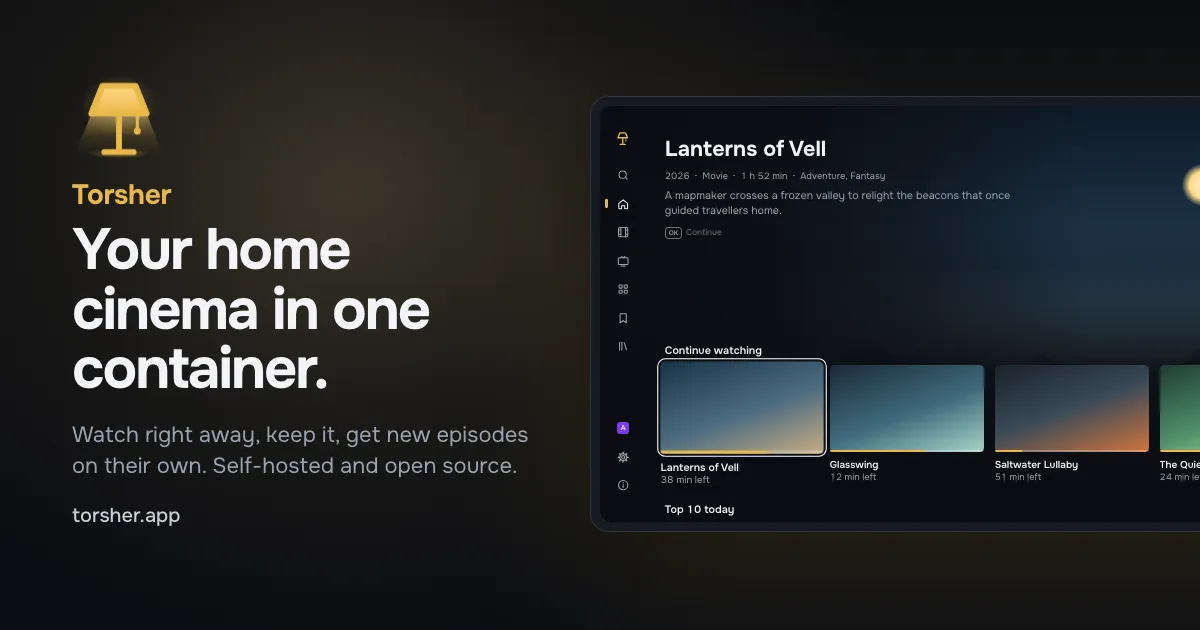
Titles and artwork in the picture are made up.
Torsher is open source and built by one developer. Donations are its only funding: there are no paid features, no ads and no telemetry. Donations pay for development time and test hardware and have nothing to do with content or the sources you connect.
Torsher started when I bought a mini PC with an Intel N150 as a home server and set up the usual self-hosted media stack on it: Jellyfin, Sonarr, Radarr, Prowlarr and Seerr. It worked, but I got tired of keeping it together. Each app has its own interface, settings and database, they all have to be wired to each other, and the TV is only the last link in the chain.
So I built the one thing I wanted instead: a media center in one Docker container, on a mini PC, a NAS or a desktop. One process with one database and one interface does the jobs of a torrent client, a media server, series and movie managers and a request app, and the TV comes first. The indexer stays outside: Torsher connects to any Torznab indexer, for example Prowlarr or Jackett.
Watch right away
Pick a title and select Watch. Torsher finds releases in your indexers and starts playback while the file downloads.
What you watch stays in a cache that cleans itself up. Keep moves the file into your library.
Follow a series on the TV, and new episodes download into your library on their own.
Movies and series with posters, descriptions, cast and ratings from TMDB.
Everything is set up in the browser, on a phone or a computer: sources, storage, profiles and devices.
You need a computer with Docker and the Compose plugin. Linux gets every feature; Docker Desktop on macOS and Windows transcodes on the CPU only.
Download the install file, docker-compose.yml from the latest release, into an empty folder:
mkdir torsher && cd torsher curl -fsSL https://github.com/torsher-app/torsher/releases/latest/download/docker-compose.yml -o docker-compose.yml
Find your user and group IDs. If they are not both 1000, put them into PUID and PGID in docker-compose.yml:
id -u && id -g
Start Torsher together with Prowlarr, the indexer manager. If you already run a Torznab indexer, docker compose up -d starts Torsher alone:
docker compose --profile prowlarr up -d
Open http://<server-address>:8080/panel/ and create the owner account. The setup wizard asks for Prowlarr's API key: add the indexers you are allowed to use in Prowlarr at http://<server-address>:9696 first.
Install the Torsher app on an LG TV, or open http://<server-address>:8080/ in a browser. Enter the code from the screen in the panel under Profiles & devices → Connect a device.
The Quick start walks through each step, and Docker Compose explains every line of the install file, several disks and updates.
Platform Status
Web browser Available The showcase on any computer, and the control panel on a phone or a computer
LG webOS Developer Mode A thin TV app that plays most files directly on the TV. For now it installs through Developer Mode
Android TV Planned The same showcase with a native player
Apple TV and phones Planned Through apps that already exist for these devices
The server runs on x86-64 Linux, including NAS systems on x86, with arm64 Linux and Docker Desktop on a best-effort basis. See Requirements.
Torsher does not include, host or index any content, and comes with no sources enabled. You connect the sources yourself, for example any Torznab indexer such as Prowlarr or Jackett, and you are responsible for making sure you are allowed to use them.
The project runs no servers for your content and collects no telemetry. The only request a server makes on the project's behalf is a daily update check against this repository's releases on GitHub, without identifiers; it can be turned off in the panel.
Movie and series information and images come from The Movie Database (TMDB). This product uses the TMDB API but is not endorsed or certified by TMDB.
Torsher does not accept external pull requests. To report a bug, please open an issue with what you did, what you expected and the file from Download logs under Logs in the panel. Issues are also welcome for release titles Torsher reads wrong and for reports from your hardware: a NAS, an older LG TV or an ARM board.
Instructions for building from source Prerequisites
Node.js 24 and pnpm (corepack enable)
Go 1.24+ for the torrent engine
ffmpeg and ffprobe for audio and subtitle tracks and remuxing
Install Dependencies
pnpm install
Check
pnpm lint pnpm typecheck pnpm test
Development
pnpm dev starts the server, the panel and the showcase with hot reload:
pnpm dev
It builds the torrent engine in engine/ (Go, built on anacrolix/torrent) into the server data folder on start; without Go, the server starts without it. To build the engine separately:
pnpm --filter @torsher/server engine:build
To use a prebuilt binary instead, set ENGINE_PATH in apps/server/.env. Without ffmpeg and ffprobe in PATH (or their paths in FFMPEG_PATH and FFPROBE_PATH), the player plays files directly.
pnpm build builds the showcase and the panel, which the server then serves itself: the showcase at /, the panel at /panel/ and the API at /api.
docker buildx build --platform linux/arm64 -t torsher:dev --load .
A local build has no TMDB app key: set TMDB_ACCESS_TOKEN or add your own key in the panel. To build with a key, pass it as a build secret:
docker buildx build --secret id=tmdb_app_key,env=TMDB_ACCESS_TOKEN -t torsher:dev --load .
License
AGPL-3.0
Copyright (c) 2026-present, Anton Reshetov.
正文由 探How 从来源站点 RSS 同步,内容未经改写;遇到排版缺失或需要图片、视频时请以原文为准。