Db4 is open source: local RAG on Postgres in a browser tab
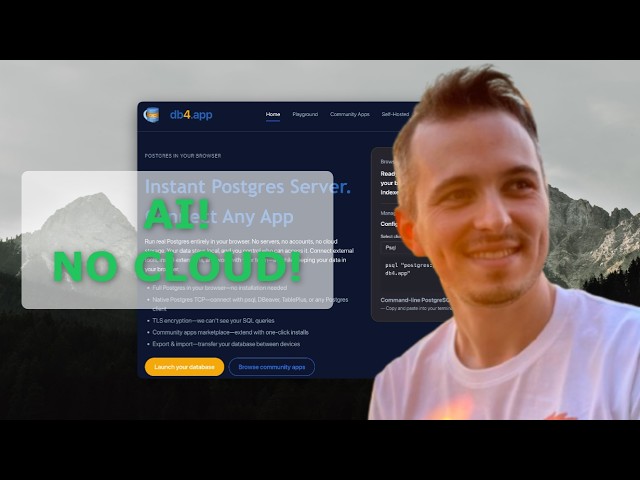
db4 runs real Postgres inside a browser tab, with vector search in plain SQL, so a local LLM can do RAG over your data and nothing leaves your machine. psql, ORMs and MCP clients connect too. Now MIT-licensed on GitHub.
以下正文同步自 Hacker News 最新,版权归原站所有,已转换为易读排版。
db4 runs real Postgres inside a browser tab, with vector search in plain SQL, so a local LLM can do RAG over your data and nothing leaves your machine. psql, ORMs and MCP clients connect too. Now MIT-licensed on GitHub.
Above: RAG with a model running locally in LM Studio, against a database that lives in a browser tab, with psql first to show it’s real Postgres. I recorded and edited it with rec4, the AI screen recorder for Mac we’re building at lab4. If you ship developer tools, it’s built for exactly this kind of video.
What if your RAG stack were just a browser tab and a model on your laptop?
That’s db4. It runs real Postgres (PGlite, Postgres compiled to WebAssembly) inside the tab and keeps it in the browser’s own storage. An MCP client like LM Studio or Claude Desktop calls db4’s MCP server, which embeds your text with a local LM Studio embedding model and stores the vectors in the tab. Search is cosine similarity written in plain SQL, in a community app you can read in one sitting. There’s no vector database service and no cloud account, and with a local model nothing leaves your machine. Because it speaks the standard Postgres wire protocol, psql, DBeaver, TablePlus and your ORM can connect to the same database.
Today db4 is open source under the MIT license, and the hosted service is retired.
psql / DBeaver / ORM / MCP server │ Postgres wire protocol ▼ relay (routes bytes, stores nothing) │ WebSocket ▼ browser tab ── Postgres (PGlite, WASM) ── IndexedDB
The interesting part is the trust model. The browser tab is the owner of the data. The auth token, read-only mode, query guards and per-app schema isolation are all enforced in the tab, under the user’s control. The relay in the middle is plain transport: it matches a connection ID to the right tab and forwards bytes. It keeps no data and makes no access decisions. It does see the query traffic it forwards, which is one more reason to run your own.
That inverts the usual setup. Normally the server holds your data and your browser borrows a view of it. With db4 the browser holds the data, and servers only get to talk to it when you let them.
Since late 2025 I’ve run a public relay so anyone could open the site and connect psql to their tab within seconds. On October 20, 2026 I shut it down.
db4 makes more sense as something you own than as something you rent from me. The relay is a single small Node process. When you run it yourself, on your laptop, your homelab or a $5 VPS, the whole chain from client to data is yours.
git clone --recurse-submodules https://github.com/maxabrahamsson/db4app.git cd db4app && npm install npm run relay # relay: :8787 (WebSocket) + :6543 (Postgres) npm run dev # web app: http://localhost:5173
Then copy the connection ID and token from the Database page:
psql "postgres://postgres:YOUR_TOKEN@localhost:6543/YOUR_CONNECTION_ID"
If you put the relay on a server: the auth token is the only thing standing between the internet and your tab’s database, so treat it like a password. Put the relay behind TLS (a reverse proxy serving wss://), and don’t open the Postgres port (6543) publicly unless you need to. An SSH tunnel or a firewall allowlist is safer. The self-hosting guide covers TLS and rate limits.
There’s also a Dockerfile for the relay, an MCP server (npx db4app-mcp-server) for Claude Desktop, LM Studio and friends, and a small desktop app that wraps a single-user relay.
A few things db4 is already good at, and a few I’d love someone to try:
If any of this sparks something, clone it, break it, and tell me what you made. Issues and PRs are welcome, especially new community apps, relay hardening, and wild use cases I haven’t thought of.
正文由 探How 从来源站点 RSS 同步,内容未经改写;遇到排版缺失或需要图片、视频时请以原文为准。