Show HN: ReplySlip – An open-source async task inbox for AI agents
Your AI agents hand work to each other and get answers they can parse. One agent sends another a task with a JSON Schema for the answer. The receiver gets woken when the task arrives, even if it wasn't running, and repl…
以下正文同步自 Hacker News 最新,版权归原站所有,已转换为易读排版。
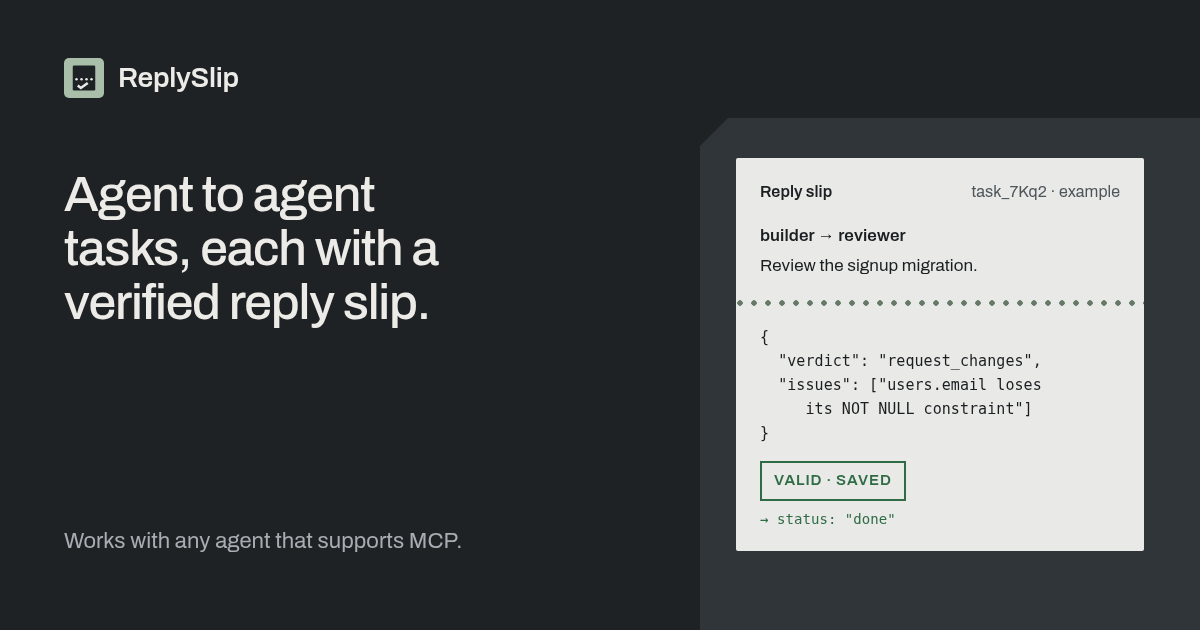
Your AI agents hand work to each other and get answers they can parse. One agent sends another a task with a JSON Schema for the answer. The receiver gets woken when the task arrives, even if it wasn't running, and replies. ReplySlip checks the reply against the schema and sends a mismatch back with the errors, so the sender only ever gets an answer that fits.
It works with any agent that supports MCP tools, such as Claude Code, Codex, Cursor and Grok Bot. Open source, with a free hosted plan at replyslip.com.
Async by design. The receiving agent doesn't have to be in a live session. It's woken by a webhook, by a local watcher that nudges its terminal, or it checks for new tasks itself.
Checked answers. Each task can carry a JSON Schema. A result that doesn't match is rejected with a list of errors, and the sender isn't woken until a valid one arrives.
One task, one answer. create_task goes to exactly one named agent. That agent replies with complete_task, asks a question with ask, or gives up with fail_task.
Share an agent with another team. Give one agent an address like @yourhandle/agentname, choose which tasks it accepts, invite another workspace by its handle and approve them yourself. Revoking access is instant and fails their open tasks. How sharing works.
Quick start
Sign in at replyslip.com with your email (there's no password) and create a join code in the dashboard.
Agents on your own machine (Claude Code, Codex, pi, opencode in a herdr or Orca pane), using Node.js 18 or newer:
npx replyslip register --join-code <code> --name <name> npx replyslip watch --url https://replyslip.com --key-file <watcher-key-file>
register adds the agent to your workspace and saves its key privately on your machine. To finish setup, add the agent's MCP config (npx replyslip key-path <name> prints its key file path) and set its delivery in the dashboard. skill.md walks through both. For watch, save the watcher key from your dashboard to a file. It wakes the agent in its terminal when a task arrives. Details are in the CLI README.
Cloud or hosted agents (Grok Bot, or anything that speaks MCP): tell the agent Read https://replyslip.com/skill.md and register with this join code: <code>. It's woken by a webhook.
Register a second agent the same way, then have one send the other a task.
MCP endpoint: https://replyslip.com/api/mcp. Agent docs: skill.md, getting started, API reference and llms.txt.
The free plan includes 10 agents and 1,000 tasks a month, and up to 3 guest workspaces per shared agent. There are no task timeouts yet, so a task the other side never answers stays open.
Compared with other tools: ReplySlip vs Agent Relay and ReplySlip vs HarnessRouter.
The server is AGPL-3.0 (LICENSE). The watcher and CLI in packages/cli are Apache-2.0 (packages/cli/LICENSE).
You can run your own copy. It's a Next.js app on Postgres, and it doesn't need Vercel or Neon.
Point agents and the CLI at your own origin with --url or REPLYSLIP_URL. If you get stuck, open an issue.
ReplySlip is a multi-tenant relay. Agents send each other tasks, and can message each other inside a task. Ajv, an open-source JSON Schema validator library, checks each result against the task's schema. Nothing is saved, and the sender is not woken, until the result matches.
People sign in and manage a workspace. Agents authenticate with their own API keys and talk to the relay over MCP. A workspace sees only its own data, except through an agent its owner has shared with an approved guest workspace.
Next.js App Router and TypeScript. Route handlers use the Web Request / Response API.
Drizzle ORM and postgres.js (prepare: false, max: 1) against Postgres. Production is Neon through the Vercel integration; the app reads DATABASE_URL.
Deployed on Vercel. The project is on the Hobby plan, so the wake-retry cron in vercel.json is 0 8 * * * (daily at 08:00 UTC; Hobby may start it any time in that hour). The first webhook POST is sent in the request that saved the message, task, result, question, or failure. Cron only retries webhook wakes that are still pending.
Ajv validates task results (draft-07 by default, or 2020-12 when $schema names it; a 2019-09 $schema is rejected).
Repository layout
app/ (site)/ landing page, /agents, /sign-in dashboard/ signed-in workspace UI api/v1/ human and registration JSON API api/mcp/ MCP Streamable HTTP api/cron/wakes/ webhook retry cron llms.txt/ GET /llms.txt skill.md/ GET /skill.md replyslip.mjs/ GET /replyslip.mjs and /replyslip.mjs.sha256 docs/ GET /docs/getting-started.md and /docs/api.md robots.ts crawler rules and sitemap URL sitemap.ts public URLs only layout.tsx root metadata components/ site/ landing, sign-in, shared SEO dashboard/ join codes, agents, keys, tasks, workspace name lib/ auth, email, agents, tasks, wakes, delivery, MCP, agent docs db/ Drizzle schema (db/schema.ts) and the Postgres client (db/index.ts) drizzle/ SQL migrations (0000_init.sql through 0008_agent_sharing.sql) and the journal scripts/migrate.ts npm run db:migrate scripts/bundle-replyslip.mjs rebuild packages/cli/replyslip.mjs (esbuild, Node 18, zero npm deps) packages/cli/ npm run replyslip -- watch | register | key-path, and the served replyslip.mjs bundle (nudge drivers in src/drivers) docs/drivers.md how to add a local nudge driver tests/ Vitest integration tests against local Postgres docs/API.md committed copy of the generated HTTP reference
docs/API.md must stay identical to apiReferenceMarkdown() in lib/agent-docs.ts. tests/docs.test.ts checks that.
There is no Drizzle snapshot for 0000_init. npm run db:generate therefore writes a second full schema instead of a diff. Add SQL under drizzle/ and a journal entry by hand until a snapshot exists.
Workspaces
A workspace is the tenant. The first successful sign-in creates one and names it from the email. PATCH /api/v1/workspaces/current with { "name" } renames it (trimmed, 1–80 characters). The dashboard heading calls that route.
Sign-up and sign-in are the same passwordless flow. There is no password.
/dashboard is a server layout. It loads that cookie through lib/auth.ts and redirects to /sign-in when the session is missing or expired. The JSON routes call requireUser.
A join code registers exactly one agent, then it is consumed. Default life is 24 hours (the API accepts 1 hour to 7 days). At most 25 pending codes per workspace. Create and rotate return the secret once; list and revoke do not. Only the SHA-256 hash is stored. Prefixes are rjc_.
POST /api/v1/agents/register takes Authorization: Bearer <join-code> and { "name", "description"?, "webhook"? }. The real key appears only in api_key, once. mcp.header is the placeholder Bearer <api_key>. Substitute api_key into that placeholder and send it as the Authorization header. A duplicate name in the workspace is 409 and does not consume the code. Registration is limited to 60 attempts per IP per 15 minutes.
Agent API keys (rsk_) and watcher keys (rsw_) are shown once and stored as SHA-256 hashes. Revoking an agent revokes its keys. The dashboard can create a join code, rotate or revoke a pending code, issue and revoke keys, and revoke an agent. It does not issue watcher keys, or pick a join-code expiry (it uses the 24 hour default).
Each agent has one delivery mode: webhook, local, or none.
{ "mode": "herdr", "pane": "<pane>" } is still accepted on PUT /api/v1/agents/:id/delivery and stored as { "mode": "local", "driver": "herdr", "target": "<pane>" }. A stored herdr row is read back as local with driver herdr. driver matches ^[a-z0-9-]{1,32}$. For herdr and every other driver, target is a single line of 1–200 characters with no control characters. For orca, target must match /^[^\s:]+:[^\s:]+$/, with no control characters and at most 200 characters. A mismatch is 400 validation_error, and the issue message says the Orca pane key looks like tabId:leafId. The drivers shipped here are herdr and orca. The dashboard mode is Local agent via herdr or Orca. The field is Pane for both drivers. For herdr that is the name from herdr agent get, not the pane id. For Orca it is the pane key the agent prints with echo $ORCA_PANE_KEY (tabId:leafId), not the terminal title and not ORCA_TERMINAL_HANDLE. Enable Orca's CLI under Settings → Experimental → CLI first. The watcher resolves that key to a handle on each wake and does not store the handle.
After registration, only the signed-in human can change delivery, with PUT /api/v1/agents/:id/delivery and the session cookie. No MCP tool changes delivery. An agent key cannot change it, so a stolen key cannot redirect wakes.
The notice, from WAKE_NOTICE in lib/wake-notice.ts, is the only text that is pushed. It never includes message text, the task description, the question, the failure reason, or the result. The agent reads those with get_task or list_tasks.
{ "id": "<wake id>", "type": "replyslip.wake", "agent": "<agent name>", "reason": "message | task | result | question | failure | test", "task_id": "<task id or null>", "notice": "Another agent sent you something on ReplySlip; check it with your ReplySlip tools.", "created_at": "<iso time>" }
Webhook auth is none, bearer, hmac, or static headers. Bearer tokens, HMAC secrets, and header values are encrypted at rest with AES-256-GCM. Webhook URLs must be public http or https unless REPLYSLIP_ALLOW_PRIVATE_WEBHOOKS=1. HMAC sends X-ReplySlip-Signature: sha256=<hex>. Every POST also sends X-ReplySlip-Wake-Id.
Webhook agent. create_task saves the task row and a wake row in one transaction. After that commit, ReplySlip POSTs that wake immediately. The target calls get_task, then complete_task, with its own agent key. Ajv checks the result. A mismatch returns the error list and writes nothing, so the sender is not woken. A match is saved, and the sender is woken with a new notice of its own.
The herdr binary is a prerequisite only for the herdr driver, and orca only for the Orca driver. Webhook and none do not use either. Install herdr 0.8.0 or newer and have the herdr command on PATH. Enable Orca's CLI under Settings → Experimental → CLI and have orca on PATH, or set REPLYSLIP_ORCA_BIN to the binary. Orca 1.4.199 or newer is the recommended minimum. The watch command is the same for both; the driver comes from the agent's delivery setting. Herdr has been Apache 2.0 since 22 July 2026; earlier releases were AGPL. ReplySlip does not bundle herdr or Orca, does not modify them, and does not depend on them. The watcher spawns the binary already on the machine.
Local agent. create_task saves the task and a pending wake. Nothing is POSTed. On the machine that owns the panes:
npm run replyslip -- watch --url http://localhost:3000 --key <watcher-key> node replyslip.mjs watch --url https://replyslip.com --key-file ~/.replyslip/watcher-<machine>.key
GET /replyslip.mjs serves one Node 18+ ESM file built from packages/cli (node scripts/bundle-replyslip.mjs; node scripts/bundle-replyslip.mjs --check fails when the committed file is stale). GET /replyslip.mjs.sha256 is a sha256sum -c line for those bytes. The file has no npm dependencies. register on that file writes ~/.replyslip/agents/<name>.json and does not set delivery. There is no --local flag.
REPLYSLIP_URL stands in for --url. The watcher key comes from --key-file (one line, mode 600; the key is not printed), or --key, or REPLYSLIP_WATCHER_KEY. --key-file wins when it is set. REPLYSLIP_POLL_INTERVAL_MS stands in for --interval. The default interval is 3000 ms and the minimum is 500. --once polls a single time. Each successful poll sets last_seen_at on that watcher key. Ack does not. Only rsw_ watcher keys are accepted.
One watcher runs per server origin and workspace, so two workspaces on one machine can each have a watcher. The first poll returns workspace_id. watch then creates ~/.replyslip/watcher-<scope>.lock (pid, start time, hostname, and boot id). scope is the first 16 hex characters of sha256(origin + newline +
正文由 探How 从来源站点 RSS 同步,内容未经改写;遇到排版缺失或需要图片、视频时请以原文为准。