Show HN: I've logged my time every day since 2024, so I built an app for it
Tasks, calendar, time and energy — in one realistic daily plan.
以下正文同步自 Hacker News 最新,版权归原站所有,已转换为易读排版。
Tasks, calendar, time and energy — in one realistic daily plan.
Download on the App Store
Watch the 47-sec tour
Try it in your browser
“It is not that we have a short time to live, but that we waste a lot of it.”
One honest day
Tasks, events and energy share one timeline, so the plan fits the hours you really have.
Energy-aware
Hard work goes where your focus peaks. Everything else fills in around it.
Progress you can see
Every logged hour rolls up into the goals it serves, so progress stops being a feeling.
Flux reads your goals, tasks and calendar, then lays out a realistic day around the hours you really have — and the energy you'll have in them.
Smart day planning
Turn goals, tasks and your schedule into a clear plan for the day in one step.
Put tasks on the timeline next to your events and see at a glance whether the day fits.
Never waste time deciding what's next — Flux surfaces the most impactful task for right now.
Quick interstitial check-ins at natural breaks. Events, tasks and reminders flow into one timeline, so time tracking takes seconds, not discipline.
Interstitial journaling
Write one line when you switch: what you just did. The duration fills itself in.
A 24-hour bar shows where every hour went, colored by category.
Link an entry to a todo and its goal moves forward right away.
Understand where your time went, how your energy changes through the week, and which hours pushed each goal ahead.
Overview
Goal progress, weekly balance, your energy curve and where the month went, ready without setup.
Ask Flux AI a question about your time and keep the answer as a chart of its own.
Find your peak hours and plan your hardest work into them.
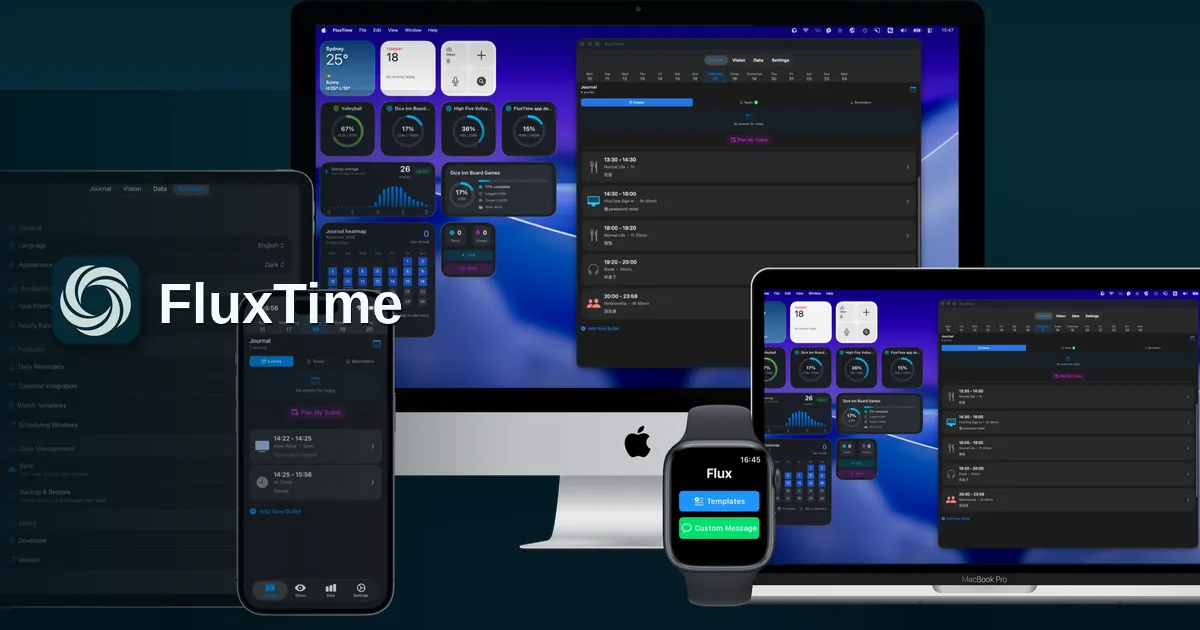
Native on iPhone, iPad, Mac and Apple Watch, deeply connected to the apps you already use.
Apple Watch
Log with templates and quick messages right from your wrist.
Apple Calendar
Events and time plans side by side, always in sync.
Progress, energy and tasks at a glance on Mac and iPhone.
Cloud sync & export
Back up, restore on new devices, and export your data anytime.
Most planning apps stop at the to-do list. FluxTime follows the whole loop on iPhone, iPad, Mac and Apple Watch: set goals, time-block a realistic day, log how the hours were actually spent, then review where your time and energy went so tomorrow's plan is better than today's.
In Vision, break each goal into projects and concrete todos. Every task you plan later stays linked to the goal it serves, so finishing it moves visible progress instead of vanishing from a checklist. How goal planning works →
Today View puts Apple Calendar events and flexible tasks on one timeline, so you see whether the day fits before it starts. With Flux Pro, Plan my day drafts the schedule around your priorities and energy, and you approve each change.
When you switch tasks, write one line about what you just did. FluxTime timestamps it, works out the duration from the previous entry and files it under a category such as Core Work, Health or Rest. How the time log works →
Review turns the journal into goal progress, a weekly balance, an energy curve and heatmaps. See which hours pushed each goal ahead and when your focus peaks, then ask Flux AI to explain a pattern.
A to-do list tells you what is left; it does not tell you whether it fits. FluxTime places tasks next to your calendar events on a timeline, links each task to a goal, and keeps a record of how the time was really spent, so you can see both the plan and the result.
No. There is no stopwatch to start and stop. You add a short journal entry when you switch activities, from your Mac, iPhone or Apple Watch, and FluxTime fills in the durations between entries.
Flux AI drafts a day plan from your goals, tasks, open time and energy patterns, suggests the next task when you are unsure, and answers questions about your history, such as where last week went. You review every suggestion before it changes your plan.
Yes. FluxTime is free to download on the App Store. Flux Pro adds smart day planning, unlimited Flux AI, advanced Review insights, Pro widgets, cloud sync, Apple Calendar integration, and your data in Claude.
Yes, with Flux Pro. FluxTime has an MCP server: add it as a connector in Claude or Claude Code, sign in and allow access, then ask where your week went or which goal is falling behind. If you also let it make changes, Claude can add tasks, move events and log time for you; it asks before deleting anything, and a deletion can be undone. How to connect.
FluxTime is free to download. Upgrade for AI day planning, deeper insights and sync across every device.
Prices in US dollars for reference. Actual pricing depends on your App Store region. Subscriptions renew automatically unless canceled at least 24 hours before the period ends.
Free on iPhone, iPad, Mac and Apple Watch.
正文由 探How 从来源站点 RSS 同步,内容未经改写;遇到排版缺失或需要图片、视频时请以原文为准。