Mochiboard
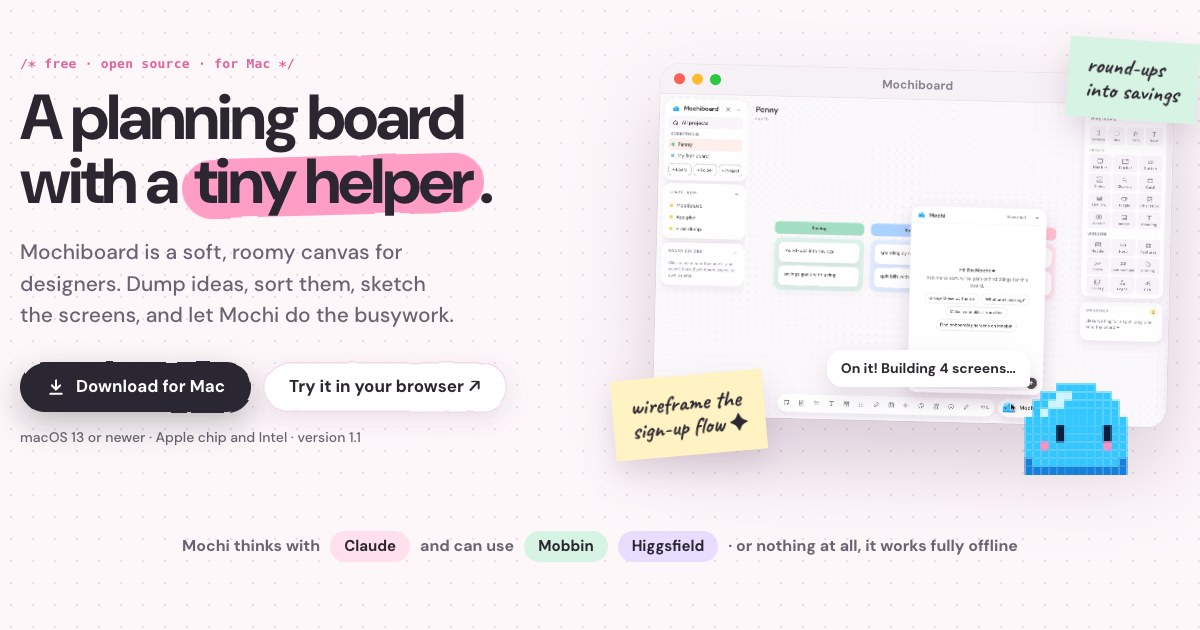
Your ideas are scattered across notes, tabs and screenshots. Mochiboard brings them onto one soft, roomy canvas, and Mochi helps you make sense of it.
以下正文同步自 Hacker News 最新,版权归原站所有,已转换为易读排版。
Your ideas are scattered across notes, tabs and screenshots. Mochiboard brings them onto one soft, roomy canvas, and Mochi helps you make sense of it.
Download for Mac Try it in your browser ↗
Free and open source · 87 downloads · Mac & Windows
Big ideas need room to wander. Give yours a whole board.
Okay, idea for Penny. What if round-ups throw a little confetti?
Blush#FF9EC4
Fonts for Penny
Rounded & friendlyBig, bold numbersSoft body copy
This week
Moodboard
Sign-up flow
Test with 5 people
Fonts I lovefonts.google.com
Feeling safe
freeze my card
Rebrand plan
Mint#7AD3A3
spending by category
Voice memosTalk it out. Mochi writes it down for you.
● Start recording
Ready0:00
VideosRecord yourself, wide or phone-shaped, right on the board.
DrawingPen, marker and highlighter, right on the board.
Blush#FF9EC4
Butter#F8E08A
ColorsName them, save them, pull them out of any image.
ShapesStars, hearts, circles and boxes in every pastel.
This week
Interview 5 first-job folks
Sketch the savings ring
Design the card freeze
Share with the team
- add
ChecklistsTick things off as you go.
Welcome
WireframesMochi builds the screens and the flow between them.
StampsFor voting, cheering and vibes.
Fonts for Penny
Rounded & friendlyBig, bold numbersSoft body copy
CanvasesBoards inside boards. Drag them anywhere.
/* meet mochi */
She reads your board and does the busywork right on the canvas. Tap a question and watch.
A little demo. In the app, Mochi thinks with Claude Code on your Mac.
Mochi has a closet now. Party hats, heart shades, a cozy scarf, a balloon. Hover to try things on, click to wear them.
In the app, she wears her outfit everywhere she shows up: her pill, your chats, even the little logo.
Each one lands with an example and a how-to note from Mochi, so you never stare at a blank board.
Connect the helpers you already use. Or none at all, it works fully on its own.
If you have Figma, keep it. Mochiboard is for the part that comes before: the thinking. A lot of making has moved into chats with Claude, and that’s where design thinking gets lost. A chat is a long list, in the order it happened. A board is a table where the pieces can move until the idea makes sense.
Shape the idea here, with the flows, the screens and the notes about why. Then hand Claude the plan, instead of hoping it comes out of a prompt.
Free forever, open source (MIT), and it updates itself from Settings.
Download for Mac Download for Windows Try it in your browser ↗
Mochiboard is in beta. It works and it’s free today, and it’s still growing: new things land most weeks, and a few rough edges are part of the deal. If something’s missing, tell Mochi.
Mac: unzip it, drag Mochiboard into Applications, and open it. It’s signed and notarized with Apple, so it opens on the first double-click.
Yes. Mochiboard is free and open source under the MIT license. The code is on GitHub for anyone to read, use or build on.
No. Every board tool works on its own. Claude Code is what lets Mochi think, so with it she can sort, write and build. Without it she still tidies notes into rows. Here’s how to connect Claude, it takes about three minutes.
On your computer, as plain files. Nothing is uploaded, and there’s no account to make.
It sits in between. It’s a loose, visual place to think before anything is a real design or a real doc, with a helper who can turn the mess into a plan.
Windows, yes: Mochiboard runs on Windows 10 and 11 too, with Mochi and everything else, including voice memos written out right on your PC. No iPad app yet, but you can try the board in any browser, and Mochi does the simple stuff there too.
Not any more. Since 1.7.4 the Mac app is signed and notarized with Apple, so it opens on the first double-click like any other app. If you downloaded an older version and your Mac says it “could not verify Mochiboard is free of malware”, just download the latest from the button above; nothing else to do. Mochiboard is open source and built from public code, and you can read how it’s signed on the code signing page.
Mochiboard is brand new, so Windows is extra careful the first time. If Edge says “Mochiboard-Setup.exe isn’t commonly downloaded”: open your downloads (the arrow at the top right), hover the file, click the three dots next to it, choose Keep, then Show more and Keep anyway. If Windows says it “protected your PC” when you open it: click More info, then Run anyway. You only do this once. After that, Mochiboard updates itself.
正文由 探How 从来源站点 RSS 同步,内容未经改写;遇到排版缺失或需要图片、视频时请以原文为准。