Stampdrill 推出 .stamp 文件格式,统一管理 API 请求、负载测试和 MCP 服务
来源标题:Show HN: Language for API calls, load tests and MCP server
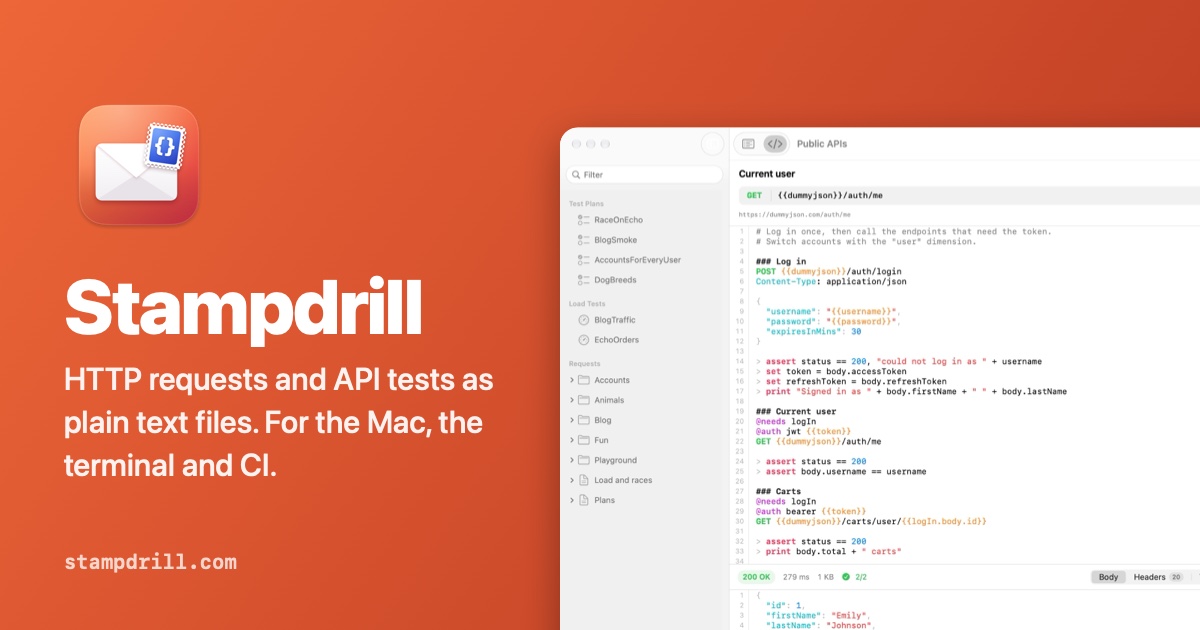
Stampdrill 发布一种名为 .stamp 的文件格式,将 API 请求、断言、测试计划、负载测试和竞态测试整合在一个文件中。该文件可在 PR 中 diff、像代码一样合并,并支持人工、CI 和 agent 以相同方式运行,覆盖 HTTP、GraphQL、WebSockets 和 MCP 服务器。其引擎和 stampdrill 命令行工具免费开源,Mac 应用售价 49.99 美元。
以下正文同步自 Hacker News 最新,版权归原站所有,已转换为易读排版。
One .stamp file holds the request, the assertions, the test plan, the load test and the race test. It diffs in a pull request, merges like code, and runs the same way for a person, for CI, and for an agent. HTTP, GraphQL, WebSockets and MCP servers; no account, no cloud workspace, nothing leaving your Mac but the requests you send.
For macOS 14 or later. $49.99 on the Mac App Store. The engine and the stampdrill command are free and open source.
One file. The app, the terminal, or your editor.
A request file is short enough to read at a glance. Open it in Stampdrill to send it with a click, or run it from a shell with the same dimensions selected.
@base = {{host}}/api
Log in
POST {{base}}/login Content-Type: application/json
{ "username": "{{username}}", "password": "{{password}}" }
assert status == 200 set token = body.token
Orders
@needs logIn @auth bearer {{token}} GET {{base}}/orders?limit=20
assert all(body.items, o => o.total > 0) print length(body.items) + " orders"
Terminal
$ stamp run api/orders.stamp env=staging region=latam → POST https://api.staging.latam.example.com/api/login orders.stamp › logIn 200 OK 142 ms 612 bytes ✓ status == 200
→ GET https://api.staging.latam.example.com/api/orders?limit=20 orders.stamp › orders 200 OK 88 ms 4 KB ✓ all(body.items, o => o.total > 0) │ 20 orders
✓ 2 requests, 2 assertions
Variables with more than one dimension.
Most tools give you a list of environments, so staging-latam, staging-mena and prod-latam each become a copy to keep in step. Stampdrill lets you name the axes instead. Variable sets say where they apply, the most specific one wins, and * means any value.
dimension env = test, staging, prod dimension region = latam, mena, apac, dach
vars { host = localhost(8080) }
vars env=staging|prod { host = "api." + env + "." + region + ".example.com" }
vars env=prod { password = secret(getenv("PROD_PASSWORD")) }
Everything an API needs, from the first request to the thousandth user.
{ }
Plain text, always
Requests are .stamp files: readable in any editor, reviewable in a pull request, and never locked inside an app.
SwiftUI and AppKit, fast to launch and quiet in use. Form or source editing on the same file, with the file watched for changes, and an editor extension when you would rather stay in VS Code.
stamp run, test and load read exactly what the app reads, with exit codes and JUnit, HTML or JSON reports for CI.
A dimension is one axis your API varies along: the environment, the region, the kind of account. Name the axes once, pick a value for each or leave one on any, and the matching variables follow.
Check responses, pass values between requests with set, keep personal ones with save, and write your own functions and lambdas.
Steps, loops, conditions, retries and timeouts, run over a matrix of dimensions and CSV or JSON data, in parallel.
Virtual users with ramp-up, think time and pass or fail thresholds on percentiles, error rate and throughput, drawn live.
concurrently starts actors together and sync lines them up on the same instant, to catch double spends and lost updates.
Realistic names, addresses and companies, related records that belong together, and bodies generated from JSON Schema. Same seed, same data.
Script a socket conversation, send GraphQL operations, check STUN and TURN servers, and test the MCP servers you build for AI assistants.
Bearer, JWT, Basic, API keys in headers or queries, and OAuth 2 tokens fetched and reused until they expire. Tokens and passwords in responses stay blurred until you click them.
Compare a run against an earlier one: status, timing and size, the headers that moved, the tests that started failing, and a line diff of the body with the noise filtered out.
Import Postman, Insomnia and Bruno collections with their environments, HAR files, curl commands and OpenAPI documents. Tokens found along the way go to a file git ignores. Side by side: Postman and Bruno.
A workspace is a folder of text files that sits in the repository next to your code. Personal values go to a file Stampdrill keeps out of git.
Unknown variables, broken expressions and missing dependencies are flagged as you type, and stamp check finds them before CI sends anything.
Double-click a .stamp file to open its workspace with that file selected. Existing .http files are read too.
JSON as text, a tree or a sortable table, CSV as a table, images, PDFs, HTML, XML and hex. Save a body, or the whole exchange as a readable transcript.
Plans sit next to the requests they run. A matrix repeats a plan for every combination of dimensions, data files add rows, and every iteration gets its own session so tokens never leak between them.
concurrently starts actors at the same moment and sync holds them until all have arrived, so a coupon redeemed ten times at once shows whether only one of them wins. Reports come out as JUnit for CI or HTML for people.
plan Checkout { matrix env = staging|prod, region = * parallel 4 retry 2 every 500ms
setup { run logIn }
step "Browse" { run listProducts with limit = 5 expect status == 200 expect time < 800 set productId = body[0].id }
concurrently 10 { sync "go" run redeemCoupon with code = "WELCOME" } expect count(results, r => r.status == 200) == 1 }
Load tests with data you can repeat.
Virtual users start over a ramp and the run is judged against thresholds on percentiles, errors and throughput, charted while it happens.
With a seed, every scenario run gets its own repeatable random data, and keyed values like uuid("order") tie the create and the lookup of one run together. share hands ids from one virtual user to the others.
load Checkout { users 50 ramp 30s duration 5m seed checkout-load threshold p95 < 800ms threshold errors < 1%
scenario { run createOrder with orderId = uuid("order") run getOrder with orderId = uuid("order") share lastOrder = body.id } }
Sample data that holds together.
fake gives names, emails, addresses, companies, prices and dates. person(7) is the same person everywhere you use it, with an email made from their name. mock(schema) builds a body from JSON Schema, honouring formats, enums and bounds.
Set a seed and every run sends exactly the same data, so a failure today can be replayed tomorrow.
Check that STUN and TURN servers answer, and that they accept your credentials, before a video call depends on them.
Chat
WS wss://chat.example.com/socket
send json({ type: "hello" }) receive 5s assert data.type == "welcome"
Countries
GRAPHQL https://countries.trevorblades.com/graphql
query { country(code: "IQ") { name capital } }
Can calls connect?
STUN stun:stun.l.google.com:19302
assert body.rtt < 200
Test the MCP server you're building.
MCP connects to a Model Context Protocol server the way an AI assistant would, over Streamable HTTP or by starting it with stdio:. After the handshake, a script calls tools, reads resources and gets prompts, and asserts on what comes back, including the errors a well-behaved server should return.
When the server asks the client for something, @sampling, @elicitation and @roots answer, so those paths get tested too. In the app, every tool gets a form built from its input schema, and Save as Test turns a call and its answer into lines of the script.
Weather server
@sampling reply Sunny, 24°C MCP stdio: node build/index.js
assert toolNames contains "forecast" let paris = call("forecast", { city: "Paris" }) assert !paris.isError assert paris.text contains "°C" assert read("weather://cities").text != "" assert request("no/such").error.code == -32601
Built for the terminal and for CI.
stampdrill is free. It runs requests, test plans, load tests and MCP server tests from the same workspace as the app, exits with 1 when a check fails and 2 when a file has errors, prints secrets masked, and writes reports your CI already understands. There are builds for macOS and fully static builds for Linux on x86_64 and arm64.
brew install stampdrill/tap/stampdrill
GitHub Actions
- name: API tests run: | curl -sL https://github.com/stampdrill/stampdrill/releases/latest/download/stampdrill-linux-x86_64.tar.gz | tar xz ./stamp test api --junit reports/junit.xml
In a pipeline
stamp check .
stamp test . --tags smoke
--junit reports/junit.xml --html reports/plans.html
stamp load . --json reports/load.json
stamp runsend requests, and test MCP servers, from a file or a folder stamp testrun test plans, with JUnit and HTML reports stamp loadrun load tests and check their thresholds stamp listshow the requests a file or folder contains stamp checkfind problems without sending anything stamp envshow dimensions and what variables resolve to stamp importbring in Postman, Insomnia, Bruno, HAR, curl and OpenAPI files
The engine is open source. The app is the window.
The Stamp language, the runner, every transport and the stampdrill command are on GitHub under the Mozilla Public License, with the language reference, examples, a VS Code grammar and an agent skill under MIT. Build it yourself, read what it sends, keep using it if this app disappears.
The skill teaches an agent the conventions, dimensions instead of copied environments, secrets out of shared files, and stamp check gives it an exit code to verify its own work against. The app is where you read what it wrote.
/plugin marketplace add stampdrill/stampdrill /plugin install stampdrill@stampdrill
Get Stampdrill
Stampdrill is $49.99 on the Mac App Store, for macOS 14 or later. It opens with an example workspace that talks to public test APIs, so there is something to send right away.
正文由 探How 从来源站点 RSS 同步,内容未经改写;遇到排版缺失或需要图片、视频时请以原文为准。