Trellis: Fractal Window Manager
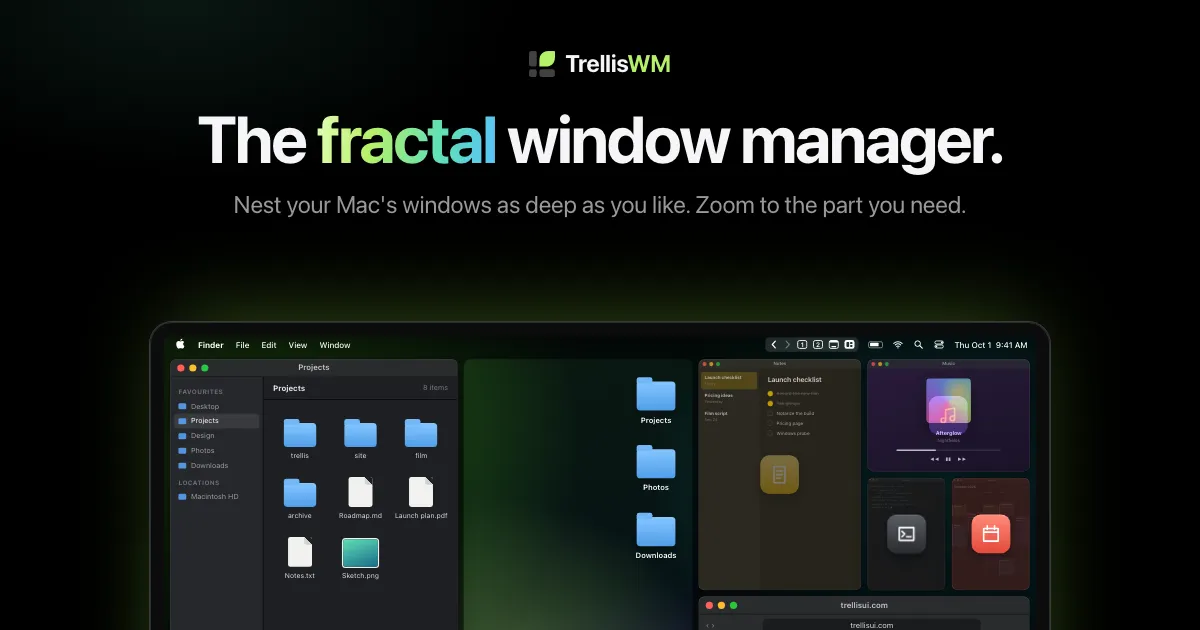
TrellisWM nests your real Mac windows inside each other, as deep as you like. Zoom out to see
以下正文同步自 Hacker News 最新,版权归原站所有,已转换为易读排版。
TrellisWM nests your real Mac windows inside each other, as deep as you like. Zoom out to see everything. Zoom into whatever you need.
Free to try: every download starts with days of Pro.
Drag a window onto another window's edge to dock beside it, or onto the screen's edge to dock beside everything you're looking at. Spaces nest inside spaces, as deep as you like.
⌥-pinch anywhere, or pinch on bare wallpaper, to zoom your real desktop. Let go, and it settles on the space that fits best. ⌃⌥Space shows everything.
Drop a window on another's middle to stack them under one strip, whatever their apps. Drag a tab out to tear it off.
Drag the gap between two windows to resize both at once. Everything else stays put.
Zoomed out, a window too small to use shows its app's colour and icon. A group too small to see becomes one tile, lined with its splits. Double-click it to go in.
Step back and forward through where you've been, or go straight to a saved view, the Desktop or everything, in one click. The button for where you are is filled in. Right-click for the rest.
⌃⌥⇧ + a number saves where you're looking. ⌃⌥ + the number takes you straight back.
Minimize a window and its neighbours take the space. Bring it back, and it returns to the same spot. Arrangements are restored when TrellisWM restarts.
Each display keeps its own spaces and camera. Drag a window across, and it joins the arrangement there.
Leave any app alone. Or float every window on the Desktop, and you're back to a normal Mac.
~ open trelliswm://arrange ~ open trelliswm://back ~ open trelliswm://zoom-out
Every action is a URL.Pro
Drive TrellisWM from Raycast, Alfred, Shortcuts, a Stream Deck or a shell. Arrange, back, forward, zoom and more, one link each.
Every move from the film, played out step by step: tabs, docking, nesting, focus, framing and pinching.
One layout motion for every split, dock and close, carried over from the original prototype.
Levels of nesting. Spaces go as deep as you do.
Saved views on every display, one keystroke each.
Windows lost. Quit, and every window comes back to a visible position.
A native Mac app built on AppKit, Accessibility and ScreenCaptureKit. It lives in your menu bar.
Accessibility lets TrellisWM move and resize your windows. Screen Recording is optional, and lets windows show their contents while they move.
TrellisWM draws windows in motion from still pictures. Nothing is recorded or stored.
Float All Windows on Desktop returns you to a normal Mac. Quit, and every window goes back to a visible position.
Trellis is a way of working: spaces that nest, a camera that zooms, and nothing ever out of reach. TrellisWM brings it to your desktop. TrellisUI brings it to the apps you build.
Early access TrellisWM for Mac
Your real windows, arranged as places you can zoom between. For Macs with Apple silicon, on macOS 14 Sonoma or later.
In development TrellisWM for Windows
The same spaces, the same camera, on the PC you already use. Included with Pro when it ships.
For developers TrellisUI for the web
A layout engine for web apps where users arrange their own workspace. Panels nest, the view zooms, and every view stays mounted.
Every download starts with days of TrellisWM Pro. No account, no card. When the trial ends, TrellisWM carries on with Free, or upgrade from its menu.
Or try it free for days: download TrellisWM, and Pro is on.
Every download starts with days of Pro. No account, no card.
Mission Control shows your windows so you can pick one. TrellisWM arranges them into a layout you work in, with spaces nested inside each other and a camera that moves between them. Full-screen apps and your other macOS desktops are left to macOS.
Macs with Apple silicon (M1 or later) running macOS 14 Sonoma or newer. Intel Macs aren't supported.
Standard windows from any app. Sheets and dialogs stay attached to their windows and are left to macOS. If an app should be left alone, tell TrellisWM not to arrange it.
Accessibility is how any app moves and resizes another app's windows. Screen Recording is optional: it lets windows show their contents while they move, instead of their app colour and icon. Because those previews are live, macOS shows its recording indicator while TrellisWM runs. Nothing is recorded or stored.
Every window goes back to a visible position. Your arrangement is saved for each display and restored the next time TrellisWM opens.
It's in development. Pro includes it when it ships. Leave your email at the bottom of this page to hear first.
No. Free keeps docking, floating and zooming, with up to five docked windows on each display. Pro adds as many windows as you like, tab groups, saved views and commands by URL. Every download starts with two weeks of Pro, so you can see which you need.
TrellisWM carries on with Free. Your arrangement stays as it is; new windows past the limit float on the Desktop. Upgrade from the app's menu whenever you like.
They share an idea. TrellisWM arranges the windows on your desktop. TrellisUI is a layout engine that lets developers build the same kind of zoomable, nestable workspace into their own web apps.
TrellisWM is in early access, for Macs with Apple silicon on macOS 14 Sonoma or later. Every download starts with days of Pro, free.
Hear about new releases, and the Windows version when it's ready:
正文由 探How 从来源站点 RSS 同步,内容未经改写;遇到排版缺失或需要图片、视频时请以原文为准。