Writing AI agents in YAML instead of Python
There are plenty of frameworks for building AI agents, such as LangChain or LlamaIndex. But as you add models, tools, and features, the agent quickly grows into a lot of code to maintain. More code means more places for…
以下正文同步自 Hacker News 最新,版权归原站所有,已转换为易读排版。
There are plenty of frameworks for building AI agents, such as LangChain or LlamaIndex. But as you add models, tools, and features, the agent quickly grows into a lot of code to maintain. More code means more places for mistakes when you need to make a change.
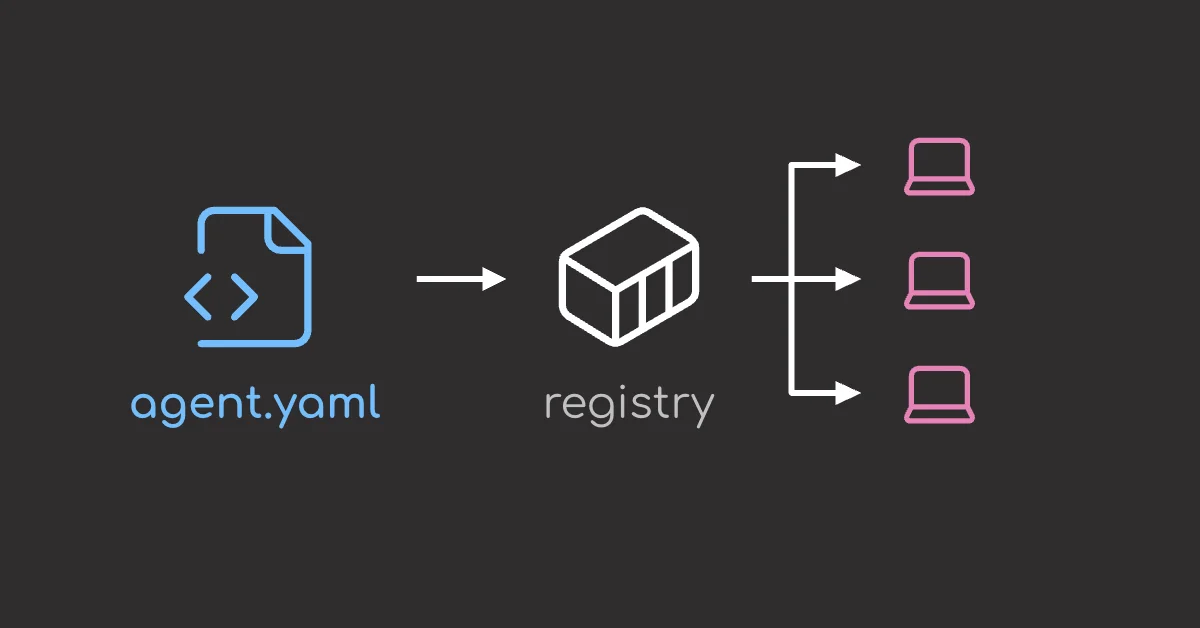
docker-agent keeps the entire workflow in one YAML file. With this approach, you can mix and match models, tools, and features, and see how the whole agent is set up at a glance.
In this article, you will learn nice features of docker-agent by building an agent that answers questions about Polars.
💻 Get the Code: The agent configs and eval files are on GitHub.
docker-agent is Docker’s open-source tool for building and running AI agents.
docker-agent does for AI agents what Docker did for apps. Instead of setting up an environment and writing code, you describe the agent in one YAML file and run it with one command.
Easy-to-digest articles on Python, AI, and open-source tools. Delivered twice a week.
Install docker-agent with Homebrew, or use the docker agent command that ships with Docker Desktop 4.63 and later:
brew install docker-agent
The agent will search the Polars user guide and answer questions about it.
docker-agent-docs-qa/ └── docs/polars/ # 72 markdown files the agent will search
Create the Agent
To create the agent, define its model, instructions, and tools in a YAML file called embeddings.yaml. Start with the agents section.
agents: root: # the agent that receives your message model: openai/gpt-5-mini description: Answers questions about Polars from the user guide instruction: | You answer questions about the Polars DataFrame library. Always search the knowledge base before answering. Answer only from what the search returns. End with a "Sources:" list of the file paths you used, relative to docs/polars.
To let the agent search the docs, give it a rag tool and tell the tool which folder to search.
agents: root: ... toolsets:
- type: rag ref: polars_docs # use the source defined below
rag: polars_docs: # the name the ref points to tool: description: The Polars user guide docs: [./docs/polars] # what to search strategies: # how to search
- type: chunked-embeddings # split each file into chunks and embed them embedding_model: openai/text-embedding-3-small vector_dimensions: 1536 # number of values per vector
RAG setups usually need a vector database and a separate indexing step. docker-agent handles both for you. It stores the vectors in a local SQLite file, indexes the folder the first time the agent starts, and re-indexes files when they change.
rag is one of 30 built-in toolsets. Here are a few others that are useful:
After the YAML file is created, ask the agent a question. The --exec flag runs the agent without opening the interactive terminal UI.
docker agent run --exec embeddings.yaml "How do I read a Parquet file without loading it all into memory?"
The output shows the search the agent made, followed by its answer. The search results and the model’s reasoning summary are trimmed here:
Calling polars_docs(query: "read Parquet without loading all into memory scan_parquet scan_parquet streaming lazy read_parquet memory efficient 'scan_parquet' 'read_parquet' 'scan' 'Parquet'")
Use a lazy scan and streaming collect so Polars parses and processes the file in batches instead of materializing everything in RAM.
- Use pl.scan_parquet(...) (returns a LazyFrame) instead of pl.read_parquet(...). Scanning delays parsing and enables column/row pruning via the optimizer (projection & predicate pushdown).
- Apply selects/filters on the LazyFrame so the reader can skip unnecessary columns/rows.
- When collecting, use streaming execution to process in batches: .collect(engine="streaming").
Sources:
- io/parquet.md
- lazy/sources_sinks.md
- lazy/execution.md
The answer is correct, and every claim traces back to a file you can open.
To ask another question, run the same command with a new question without changing the YAML file.
docker agent run --exec embeddings.yaml "When should I use join_asof?"
Swap the Model
To try a cheaper model without committing to it, you can simply pass --model for a single run.
embeddings.yaml --model what runs ┌───────────────────┐ ┌───────────────────┐ │ model: gpt-5-mini │ ── gpt-5-nano ──> │ model: gpt-5-nano │ │ instruction: ... │ │ instruction: ... │ │ toolsets: rag │ │ toolsets: rag │ └───────────────────┘ └───────────────────┘ unchanged this run only
For example, this runs the same question on gpt-5-nano.
docker agent run --exec embeddings.yaml --model openai/gpt-5-nano
"How do I read a Parquet file without loading it all into memory?"
Output
- Use scan_parquet to read lazily. This returns a LazyFrame and does not parse the data into memory until you collect. ... Sources: io/parquet.md
This is very nice for several reasons:
You might want to vary the instructions based on the context, such as the audience, the length, or the tone.
With docker-agent, you can write different instructions in separate files, then pick one with the --prompt-file flag.
For example, you can create a pandas-users.md file with the instructions for pandas users and a sql-users.md file with the instructions for SQL users.
"How do I read a Parquet file without loading it all into memory?" │ ┌───────────────────┴───────────────────┐ ▼ ▼ --prompt-file pandas-users.md --prompt-file sql-users.md │ │ ▼ ▼ Pandas: read_parquet() loads SQL: SELECT * FROM the file into memory read_parquet('data.parquet')
Let’s try the pandas-users.md file first. Start by creating the file.
The reader knows pandas. Show the pandas equivalent next to each Polars answer. Keep each answer under 8 lines.
Then start an interactive chat with the file passed to --prompt-file.
docker agent run embeddings.yaml --prompt-file pandas-users.md
Now every answer follows the instructions in pandas-users.md, even though the questions never mention pandas.
The reader knows SQL. Show the Polars SQL equivalent next to each Polars answer. Keep each answer under 8 lines.
Start a chat with that file instead.
docker agent run embeddings.yaml --prompt-file sql-users.md
The same question now gets a SQL answer instead of a pandas one.
With docker-agent, you can add a flavor to the same file. A flavor lists only the settings that change, and everything else stays the same.
--flavor hybrid off on │ │ ▼ ▼ ┌──────────────────┐ ┌──────────────────┐ │ embedding search │ │ embedding search │ │ │ │ + keyword search │ └──────────────────┘ └──────────────────┘ base config base + hybrid
In this example, we add a flavor called hybrid that adds keyword search to the existing embedding search strategy.
embeddings.yaml
agents: root: ...
rag: polars_docs: ... strategies:
- type: chunked-embeddings # embedding search
flavors: # new section at the bottom of the file hybrid: rag: polars_docs: strategies+: # keep chunked-embeddings and add bm25
- type: bm25 # keyword search results: fusion: strategy: rrf # merge the keyword and embedding results k: 60 deduplicate: true limit: 5
To use a flavor, pass its name with --flavor:
embedding search only
docker agent run embeddings.yaml
embedding search + keyword search
docker agent run embeddings.yaml --flavor hybrid
Here is what the config looks like after docker-agent applies the hybrid flavor.
rag: polars_docs: ... strategies:
- type: chunked-embeddings # from the base file
- type: bm25 # from hybrid results: fusion: strategy: rrf # from hybrid ...
To see how this is useful, ask about SQLContext, a class name that appears in the docs. Without the flavor, the agent uses the embedding search strategy and finds nothing.
docker agent run --exec embeddings.yaml "What is SQLContext?"
Output
Calling polars_docs(query: "SQLContext") Calling polars_docs(query: "SQL")
I searched the Polars documentation for "SQLContext" (and for "SQL") but found no matching documents, so I cannot provide a definition from the docs.
With the hybrid flavor, every search runs both strategies. Keyword search finds the exact name, so the right page comes back.
docker agent run --exec embeddings.yaml --flavor hybrid "What is SQLContext?"
Output
Calling polars_docs(query: "SQLContext")
SQLContext is the Polars object that manages SQL queries...
Sources:
- sql/intro.md
Run Different Agents from One File
Sometimes you might want to have multiple agents for different purposes. For example, you might want to have a small model for answering questions and a stronger model for reviewing code.
docker-agent lets you add more agents to the same file. They can share tools already defined there, so you don’t need to repeat the configuration.
root reviewer ┌───────────────────┐ ┌───────────────────┐ │ gpt-5-mini │ │ gpt-5 │ │ answers questions │ │ reviews code │ └─────────┬─────────┘ └─────────┬─────────┘ │ │ └──────────────┐ ┌───────────────┘ ▼ ▼ ┌─────────────────┐ │ polars_docs │ │ defined once │ └─────────────────┘
In the code below, we add a second agent called reviewer that uses a stronger model for reviewing code but uses the same polars_docs tool as the root agent.
agents: root: model: openai/gpt-5-mini # small model for answering questions instruction: | You answer questions about the Polars DataFrame library. ... toolsets:
- type: rag ref: polars_docs # shared search
reviewer: model: openai/gpt-5 # stronger model for the harder task instruction: | You review Polars code. Search the docs for each function the code uses. Point out slower or outdated patterns and suggest the fix the docs recommend. ... toolsets:
- type: rag ref: polars_docs # same shared search
By default, docker-agent runs the first agent in the file. To run the reviewer instead, pass --agent.
docker agent run --exec embeddings.yaml --agent reviewer
'Review this code: df = pl.read_parquet("big.parquet").filter(pl.col("amount") > 0).select(["id", "amount"])'
Output
Findings:
- Using read_parquet eagerly loads the entire file before your filter/select are applied. This prevents predicate and projection pushdown, which is slower and uses more memory on large Parquet files.
Recommended fix:
- Switch to scan_parquet and collect at the end: df = ( pl.scan_parquet("big.parquet") .filter(pl.col("amount") > 0) .select(["id", "amount"]) .collect() ) ...
The reviewer spots the eager read_parquet call and suggests switching to scan_parquet.
As you experiment with different models and settings, you might want to make sure the agent keeps working as expected. It can be easy to miss mistakes by just observing the output.
docker-agents provides an easy way to define the test cases and run them against the agent.
evals/streaming-parquet.json ┌──────────────────────────────────────────────────┐ │ question: How do I read a Parquet file without │ │ loading it all into memory? │ └────────────────────────┬─────────────────────────┘ ▼ ┌─────────────┐ │ agent │ └──────┬──────┘ ▼ answer │ ┌──────────────────┼──────────────────┐ ▼ ▼ ▼ ✓ uses ✓ mentions ✓ searched scan_parquet streaming the docs
To define a test case, create a JSON file in the evals/ folder, such as evals/streaming-parquet.json.
{ "title": "Large Parquet file question", "messages": [ {"message": {"message": {"role": "user", "content": "How do I read a Parquet file without loading it all into memory?"}}} ], "evals": { "assertions": [ { "name": "uses scan_parquet", "type": "contains", "value": "scan_parquet" }, { "name": "mentions streaming", "type": "contains", "value": "streaming" }, { "name": "searched the docs", "type": "tool_called", "value": "polars_docs" } ] } }
For this question to pass, the answer must mention scan_parquet and streaming, and the agent must have searched the docs.
Now run the suite with docker agent eval:
docker agent eval embeddings.yaml ./evals
Output
✓ Asof join question ($0.001918) ✓ assertions 3/3 ✓ Lar
正文由 探How 从来源站点 RSS 同步,内容未经改写;遇到排版缺失或需要图片、视频时请以原文为准。