Turning VS Code into a control panel with custom extensions
Turning VS Code into the control panel for my work
以下正文同步自 Hacker News 最新,版权归原站所有,已转换为易读排版。
Vscode
AI
Turning VS Code into the control panel for my work
David Montero Crespo
6 min read·
Just now
--
The first panel I connected to VS Code had nothing to do with writing code. It showed the Jira tickets assigned to me that week, which until then I was checking in the browser three or four times a day. I put it together in an afternoon, with a Python script I was already running from the terminal and about a hundred lines of TypeScript to draw the list.
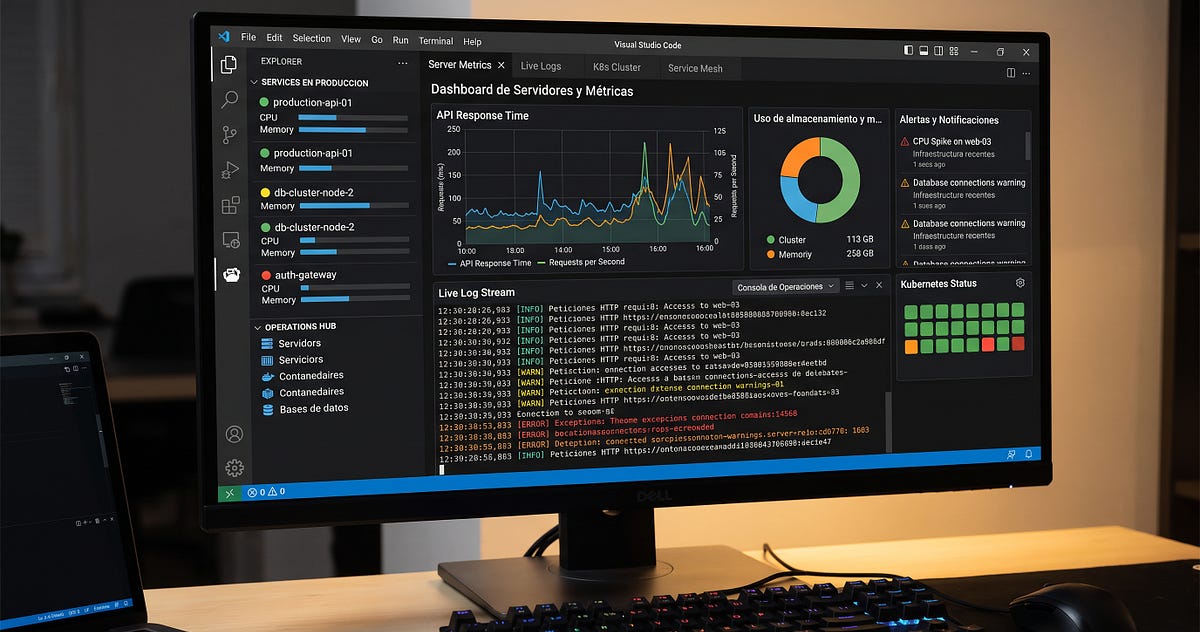
The others came later. Server status. Pipeline runs with streaming logs. Several SSH sessions open at once, each tied to a project. Pod and deployment state, with describe and logs one click away. And finally token usage for Claude and Codex, broken down by project.
None of those panels is a new tool I had to learn. They are all extensions I wrote, and they all follow the same pattern: a button in the interface runs a script that already existed.
This is the side panel, roughly in the order I added things:
The main reason is unglamorous: I am already in the editor. A web dashboard is another tab, another login, another expiring token, another thing that gets forgotten on the second monitor.
Two other reasons tipped the decision. The first is context: the extension knows which folder I am in, which branch is active, and which Jira project belongs to this repository. An external dashboard knows none of that and has to be told every time. The second is that I can change it. If I want to see a ticket’s original estimate next to its logged time, I add it and commit, instead of waiting for a SaaS to ship it.
The pattern is the same across all six extensions, and it is deliberately boring.
The extension orchestrates, the script executes. The TypeScript code holds no business logic. It registers commands, draws the view, and spawns processes.
The logic lives in Python scripts, outside the extension. I can test a script in the terminal without opening VS Code, reuse it from a cron job or from an agent, and if it breaks the extension does not go down with it.
The contract between the two layers is fixed. Arguments or stdin on the way in, JSON shaped as {ok, data, error} on the way out. Errors are shown as they arrive, without reinterpretation. Once the contract is clear, the interface can be thrown away and rebuilt without touching the logic.
The webview does not talk to the network. HTML, CSS, and JavaScript with no framework, communicating with the extension through messages. Every external call leaves from the extension process, so there is a single place to look when something fails.
The code for one command, with nothing extra:
vscode.commands.registerCommand('panel.jira.myTickets', async () => { const token = await context.secrets.get('jiraToken'); const { stdout } = await execFileAsync('python3', [jiraScript, '--assignee', 'me'], { timeout: 20_000, env: { ...process.env, JIRA_TOKEN: token }, });
const payload = JSON.parse(stdout); if (!payload.ok) { return vscode.window.showErrorMessage(payload.error); } renderTickets(payload.data); });
The uncomfortable part
VS Code extensions have been an entry point for software supply chain attacks, and it is worth stating precisely how. In October 2025, researchers documented GlassWorm, a worm that spread by publishing infected versions of extensions that already existed and worked fine. It hid its payload in Unicode characters the editor does not render, harvested npm, GitHub, and git credentials, and reached roughly 35,800 compromised installations across Open VSX and the Microsoft Marketplace. Further waves followed through 2026 before its infrastructure was taken down.
On top of that, a detail many people miss: an extension does not run in a sandbox. It runs with your permissions, your ~/.ssh, your environment variables, and your git session. The Workspace Trust documentation says so explicitly: Restricted Mode cannot prevent a malicious extension from executing code and ignoring it.
So what changes when you write the extension yourself? The nature of the risk changes, not its existence. Your code still runs unsandboxed, and a command injection bug or a compromised dependency produces the same outcome as a malicious extension from the Marketplace. What does change:
Writing your own extensions does not make you immune. It hands control back to you, and control poorly exercised is a comfortable illusion.
If you want to try this, the minimum path is short and the order matters.
Do not start with the polished panel or with Kubernetes. Start with the kubectl get pods you type ten times a day.
When an agent generates a script and you run it, nothing records what it did or with which permissions. When that same script becomes a command in a versioned extension, you get an input and output contract, a change history, and a log of what happened. That difference means little on a personal project and a fair amount on a team.
The hard part of agent-driven automation is no longer generating it. It is giving it a stable place to live with bounded permissions, and the editor is a reasonable candidate for that place because it is already open.
正文由 探How 从来源站点 RSS 同步,内容未经改写;遇到排版缺失或需要图片、视频时请以原文为准。