Potluck – Dynamic documents as personal software
There’s a certain joy to scribbling down a note, whether in a physical notebook or a digital notes app. We can write down information in whatever messy format we want, with no formal ceremony.
以下正文同步自 Hacker News 最新,版权归原站所有,已转换为易读排版。
There’s a certain joy to scribbling down a note, whether in a physical notebook or a digital notes app. We can write down information in whatever messy format we want, with no formal ceremony.
Examples of “micronotes”, from our personal notes, and from the research paper Understanding the Micronote Lifecycle: Improving Mobile Support for Informal Note Taking
However, these days, we increasingly use purpose-built software applications to manage personal information like recipes, workouts, budgets, and schedules. These apps provide all sorts of useful computational benefits—calculating workout statistics, budget trends, and more—but this power comes at a cost: apps lose much of the freedom of a note.
All the information we enter must now fit the categories and taxonomies of the application. And if the tiniest of features is missing from the app, we usually have no choice but to file feedback and hope the developers make a change.
In their classic paper Formality Considered Harmful, Shipman and Marshall outline the challenges people face when working with formal representations.
We think a promising strategy for bridging the gap between docs and apps is gradual enrichment: allowing users to record information in natural, messy ways, and then slowly adding formal structure and computational behavior only as needed.
One inspiration for gradual enrichment is spreadsheets. In a spreadsheet, a user can start writing down data in a freeform grid, without committing to any particular structure. They can then write formulas that run computations on information, if and when it’s useful to do so. Eventually, after lots of iterations, they might arrive at a highly complex software application, but one grown organically from their data and unique needs. At every point along the way, the artifact remained useful and grounded in real needs.
In this essay, we explore how it might work to apply this kind of gradual enrichment to text documents. People often jot down freeform text notes—recipes, schedules, workouts, chores, and more—using apps like Apple Notes and Notion. These notes contain meaningful information, like quantities in a recipe or weights in a workout log, that can serve as the basis for useful computations. How might we enable people to gradually turn these text documents into custom pieces of software?
Potluck is a research prototype that demonstrates a workflow for gradually turning text documents into interactive software. It has three parts:
We’ve released a demo of Potluck if you’d like to try it, but we recommend reading the essay first to understand the ideas.
Together, these ideas form a loop. By treating text as both a source of information and a substrate for hosting a user interface, we can turn a text document into an interactive application.
The Potluck interaction model forms a loop: extract data from text, compute with that data, and then display results back in the text.
Let’s see an example of how it feels to use a simple Potluck document. Below is a simple recipe for making coffee, which includes an interactive slider that can scale up the number of servings. The demo starts out as a video, but if you click on iton the button below it you can interact with a live version.
Move the slider above "Servings", and watch the numbers change.
Type in a new instruction, "Add 5g sugar", and see the quantity get scaled.
The interactive and computational behavior of this document was constructed within Potluck itself. Later we’ll explain the details of how it was made; for now it’s sufficient to know that we’ve 1) constructed a search that finds the quantities of coffee and water, 2) run a computation that multiplies those quantities, and then 3) set up some annotations to overlay the scaled quantities over the original ones.
We’ve found that many different kinds of software can be built in Potluck. We’ve used it to build tools for tracking household chores, managing a cash register, organizing a meeting agenda, tracking workouts, splitting a bill, and planning a trip.
Below are a few examples. You can try editing the text and interacting with the documents to see how they work.
A note to keep track of when we last watered each of our house plants.
Dates that are overdue for watering are highlighted in red.
💡 Try it: Edit one of the dates to be today's date, or just click the 🚿 button.
A workshop agenda. Each line has a duration, and the start/end times are computed.
If you use the arrow keys to move the cursor to a line beginning, you'll see the duration.
💡 Try it: Add a new line to the bottom of the agenda: "45 minutes Conclusion"
A cash register where each item for sale is represented as an emoji
💡 Try it: Add a new sale by entering "☕️", "🍰" or "🧁" in a new line under "## Sales"
A note for timekeeping. With the timer button users can track their time and the total duration is computed automatically.
💡 Try it: Track some time by clicking on start and then stop again.
We’ve found that starting with freeform documents promotes a wide variety of use cases. Existing notes can serve as inspiration, rather than trying to build applications from a blank slate. We’ve also found that barebones text-based UIs are sufficient for many personal use cases, without the need for a full layout design.
The idea of gradually enhancing a document into a software application is not new. It’s related to document-based productivity tools like Coda, Notion, Roam, and Logseq, as well as research systems including Documents as User Interfaces, Webstrates, and Smalltalk. What, then, are the contributions of this work? Potluck extends in two directions less explored by prior work:
It’s worth noting there are still some important limitations and open questions that we haven’t yet resolved. While we care about enabling non-programmers, and have made some design decisions with them in mind, our current prototype does expect the user to have basic knowledge of JavaScript, and our test users have mostly been skilled programmers. We’re also not yet sure exactly where the limits of this model are—what kinds of apps are possible and desirable to build in this style?
If you’re a reader who builds software applications, we hope this work encourages you to consider the benefits of freeform data formats and deferring structured formalism. If you’re interested in more abstract ideas about how software could be organized, we hope this work demonstrates the value of gradual enrichment, and hints at the potential of systems that enable users to build personal software on top of their existing freeform text data.
Applications are of the most familiar metaphors in using a computer today, so it might seem strange to question their value. But in this section we’ll argue that, when examined closely enough, the application model imposes serious rigidity on users. In contrast, we’ll show that documents have some intriguing benefits due to their more freeform nature, but have their own drawbacks.
Let’s examine some of the kinds of rigidity that applications impose on users. To ground our analysis, we’ll use some concrete examples from Paprika, a popular recipe management app that provides useful features like scaling ingredients and setting timers.
Our critique isn’t meant to single out Paprika. In fact, we chose Paprika because it’s a very popular app (4.9 rating in the iOS App Store), so its flaws are more likely to expose the problems with apps than this particular one.
One problem with apps is that they have predefined feature sets that the creators deemed appropriate for the goal. It’s impossible to make a small tweak, or even remove an unwanted feature, unless the creator of the app has explicitly allowed for the change. Each app has a (often narrow) domain that it considers in scope, requiring us to learn to use many independent apps that don’t compose together well. In short, apps enact rigid boundaries between tasks, and define rigid solutions within those boundaries.
As an example, consider the sidebar in the Paprika recipes app, which includes many extra features beyond recipes: grocery shopping, pantry management, meal planning, and a feature for assembling “menus” out of recipes. On the one hand, this feature set is very broad: the extra sidebar items may be unnecessary for many users, but there’s no way to remove them. On the other hand, the application still has a narrow focus, since it siloes away cooking as a separate domain from the rest of life. In the analog world, it’s natural to combine a grocery shopping list with other chores for the day, but there’s no way to easily integrate a Paprika shopping list with other notes in another app.
Beyond the core recipe functionality, Paprika’s sidebar has extra features for Groceries, Pantry, Meals, and Menus
There’s another important dimension of inflexibility: apps create rigid data schemas that define the kinds of information we can record within them. We can fill out the available form fields, but we can’t add new fields or scribble in the margins. Structured data inputs struggle with ambiguity—when faced with a list of radio buttons, there’s no way we can select two options, like we might have done on a paper form.
Here’s an example of this schema rigidity in Paprika: every recipe must list the ingredients in a separate section from the directions. This means that people can’t write recipes by simply mentioning the ingredient quantities directly within the directions. Also, when the recipe is scaled up, the multiplier only applies within the officially designated ingredients section, and doesn’t affect any quantities shown within the directions.
As another example of schema rigidity, when constructing a meal plan, you can only add a recipe in a specific slot for some date. There’s no way to ambiguously assign a recipe to either Tuesday or Wednesday, which would be natural to do in a paper notebook.
Each meal plan entry in Paprika must be assigned to a specific date on the calendar, with no room for ambiguity.
The overall effect is one of limited agency—once a user has picked the best available app, their choices end there. People aren’t encouraged to think about little further changes they might want to make, or naturally make tweaks as they go; instead, they just adapt their behavior to whatever the app encourages.
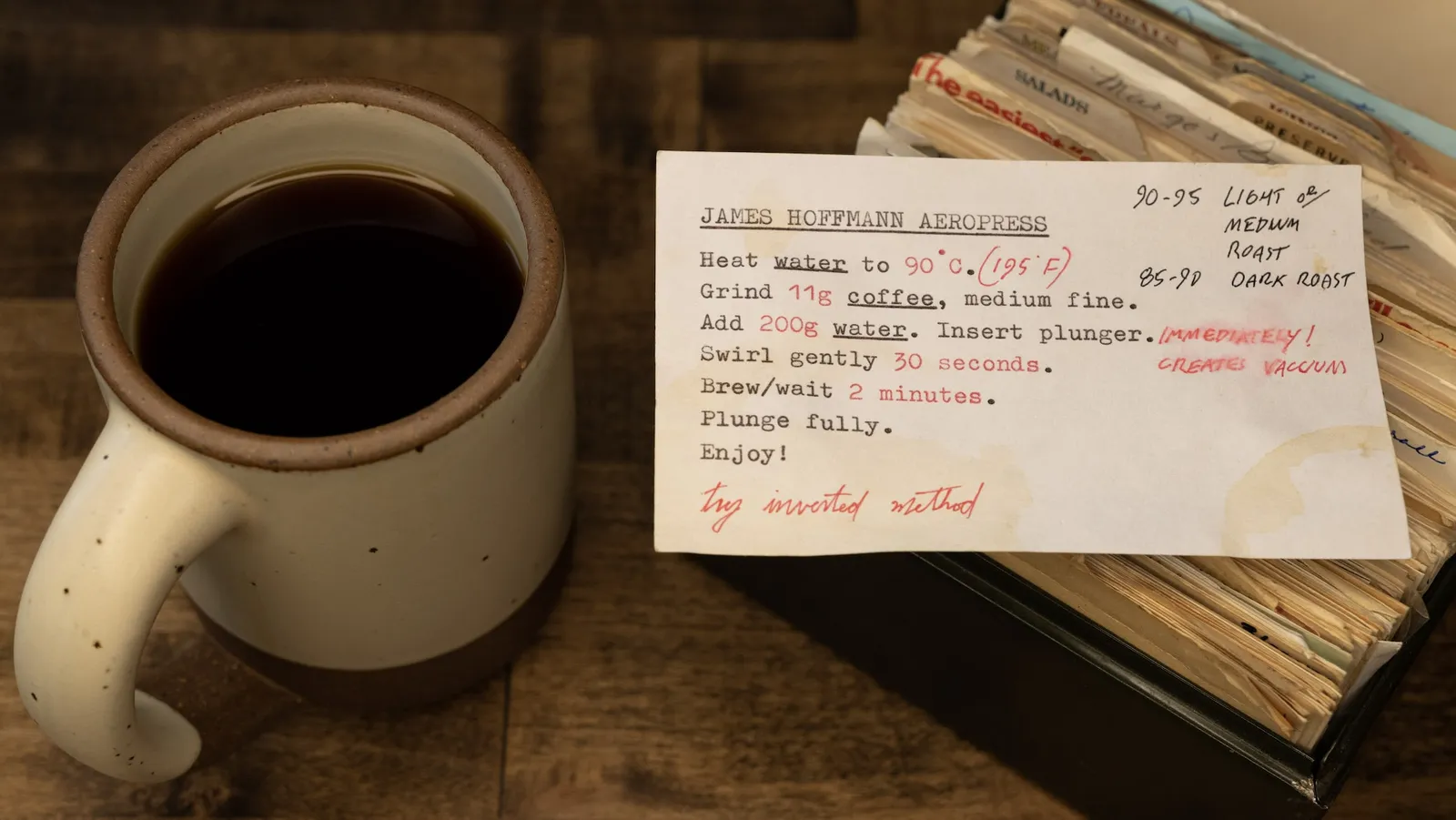
It’s striking to contrast the rigidity of a recipe app with the natural ways that people use analog tools to manage recipes. They maintain boxes or binders of favorite recipes and hand them down as treasured family heirlooms. They write in physical cookbooks to leave their own annotations. On one sheet of scrap paper, someone can write a fuzzy sketch of a meal plan for the week, a grocery list, and some notes about other ongoing todos. Because paper is an inherently permissive medium, there’s no need to adhere to preset rules.
Physical cookbooks support easy manual annotations. Even the food stains provide a kind of Read Wear.
In the digital world, we find a close analogue to this kind of flexibility in text and multimedia documents, where we can write whatever we want. Documents have a couple key advantages relative to applications.
First, documents are useful for all kinds of tasks. A note can capture any kind of information, without needing to worry about what bucket it fits in. This generality makes for more versatile tools—there’s a common set of conventions that people are familiar with for editing text, and they’re implemented to a high degree of quality in many editors and libraries because text is such a versatile data format.
Text documents are a single versatile medium for recording all kinds of information.
Also, documents don’t enforce a schema. Text doesn’t enforce rigid schemas on what we can write, so we can work in a medium closer to how we think instead of conforming to an external system. It feels entirely natural to come up with a personal way of writing down todos
正文由 探How 从来源站点 RSS 同步,内容未经改写;遇到排版缺失或需要图片、视频时请以原文为准。