Bambu Studio MCP
bambu-printer-mcp connects Claude, Codex, and other MCP clients to Bambu Lab printers on your local network. Send your agent a link, a photo, or a message from anywhere, and it can adapt the model, slice it, match the f…
以下正文同步自 Hacker News 最新,版权归原站所有,已转换为易读排版。
bambu-printer-mcp connects Claude, Codex, and other MCP clients to Bambu Lab printers on your local network. Send your agent a link, a photo, or a message from anywhere, and it can adapt the model, slice it, match the filament, and start the print.
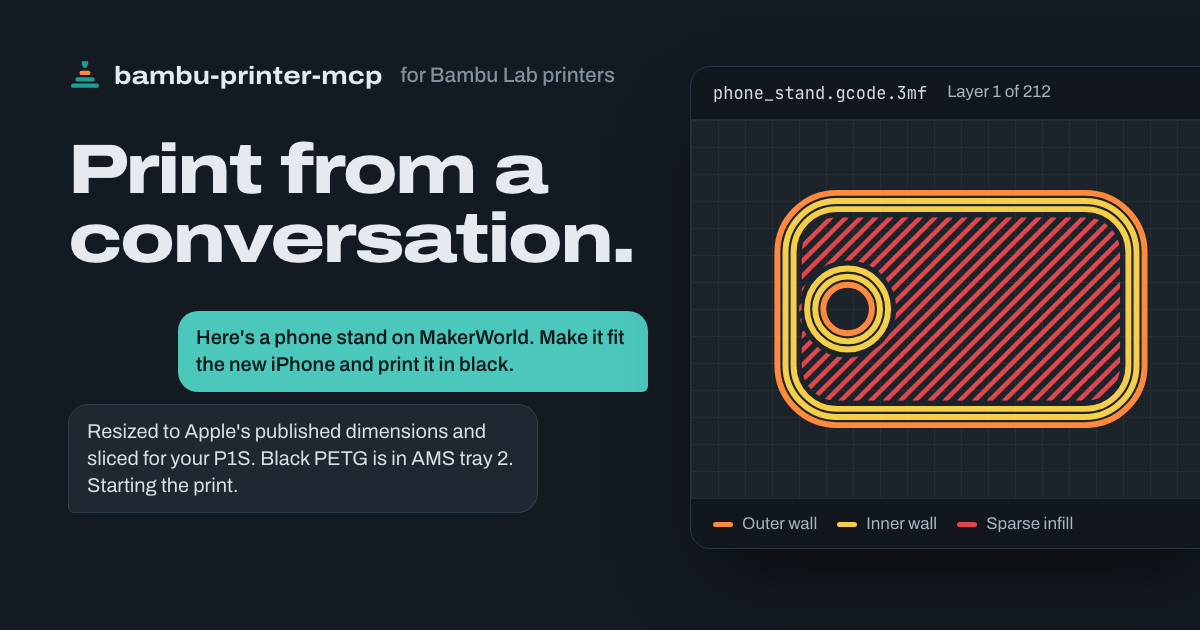
Outer wallInner wallSparse infill
Thank you, FULU Foundation, Louis Rossmann, and the OrcaSlicer-bambulab contributors. We stand with open-source developers, the right to repair, and your right to control hardware you own. You should be able to choose your software and print without a vendor cloud standing in the way.
Want to skip Bambu's software and cloud? Use FULU OrcaSlicer-bambulab to slice and export, then this MCP's direct LAN path on supported printers and firmware. That workflow does not require Bambu Studio, Bambu Connect, or Bambu Cloud. Start with the FULU setup guide. The optional BambuNetwork bridge is a separate path that still uses Bambu's networking runtime; cloud jobs still use Bambu's services.
Tell your agent your printer's model and LAN address, if you know them, then copy and paste this:
Prefer to do it yourself? Follow the installation guide, or install the Claude Desktop extension.
Install bambu-printer-mcp in the agent/harness I'm using now.
Read https://github.com/DMontgomery40/bambu-printer-mcp/blob/main/docs/SETUP.md and https://github.com/DMontgomery40/bambu-printer-mcp/blob/main/docs/FULU.md for the current setup instructions and supported workflows.
Detect my OS and harness, then use its native MCP configuration or installer. Preserve my existing servers and settings. Prefer the published npm package (npx -y bambu-printer-mcp, stdio); use Node.js 24 if a runtime is needed.
Find existing printer settings in relevant local configuration or available LAN discovery. Confirm the detected printer's model, address, and identity with me before connecting. Ask only for values you cannot find: PRINTER_HOST, BAMBU_MODEL, BAMBU_SERIAL, and BAMBU_TOKEN (the LAN access code). Keep credentials in local/private configuration; do not repeat access codes or tokens in chat. Never guess the printer model.
Use direct LAN printing by default. Explain any LAN/Developer Mode setting I need to enable. Prefer FULU OrcaSlicer-bambulab GUI slicing/export; discover an existing slicer before suggesting an install. For FULU/Orca CLI auto-slicing, require MCP 1.1.11+ and its matching installed profile tree (see guide). A slicer is not needed here to print a pre-sliced file. Configure the optional FULU BambuNetwork bridge only if I choose it, and explain its runtime/auth needs. X2D supports status and slicing; native printing requires macOS or x86-64 Linux and a locally built helper.
If this harness does not already provide code mode or an equivalent, suggest a compatible code-mode integration as an optional addition. It is not required; finish ordinary MCP setup without it unless I choose to add it.
Verify that the MCP initializes, lists its tools, and reads printer status. Do not start a print or change printer settings as a setup test. Tell me what worked and whether I need to restart or reload the harness.
Ask for what you want
Send a link, a photo, or a message from wherever you are. Your agent works out the steps and checks in when a choice matters. More on what to ask.
“Here's a phone stand on MakerWorld. Make it fit the new iPhone and print it in black.”
Your agent looks up Apple's published dimensions, adjusts the stand in Blender, slices it for your printer, and finds the AMS tray with black filament.
正文由 探How 从来源站点 RSS 同步,内容未经改写;遇到排版缺失或需要图片、视频时请以原文为准。