Pi, the coding agent, compiled ahead of time to one native executable
The Pi coding agent, compiled ahead of time to native code.
以下正文同步自 Hacker News 最新,版权归原站所有,已转换为易读排版。
The Pi coding agent, compiled ahead of time to native code.
One executable for Linux x86-64 and ARM64, macOS on Apple silicon and Windows x64.
No JIT, no Node.js or Bun required.
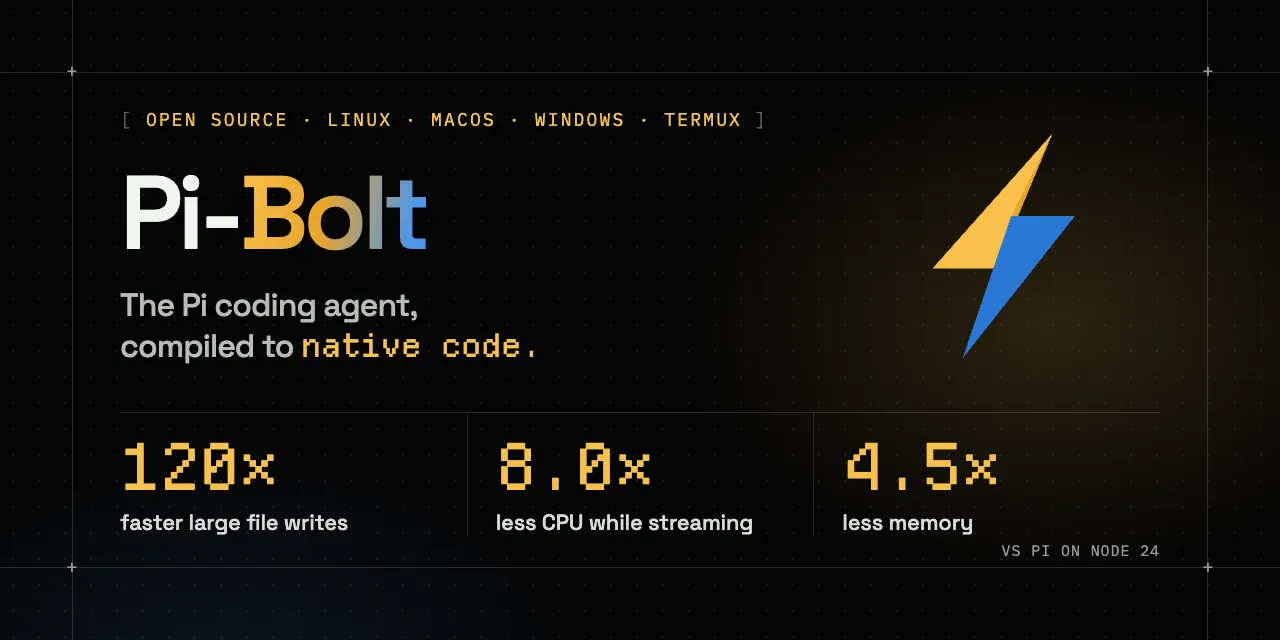
Pi-Bolt is the Pi you already use, with the same commands, sessions, settings, providers and extensions, but every function is compiled to machine code when the executable is built, so nothing is parsed or JIT-compiled at launch. Against Pi as released on Node 24, it writes a 400 KB file 120 times faster, uses 8 times less CPU while a long answer streams, 7 times less over a session and a quarter of the memory; against Pi on stock Bun, much the same.
pi-bolt-v5-github.mp4
Why Pi-Bolt
Pi on Node 24 Pi‑Bolt
Ready to type 423 ms 41 ms 10× sooner
Writing a 400 KB file through a tool call 143.7 s 1.2 s 120× faster
CPU while a long answer streams 18.6 s 2.3 s 8× less
CPU per prompt, 40 prompts into a session 352 ms 46 ms 7.7× less
Memory after 40 prompts 521 MB 117 MB 4.5× less
Pi-Bolt 1.0.0 against Pi 1.4.0 as released, Linux x86-64, one CPU. Every platform: Benchmarks.
curl -fsSL https://pi-bolt.opensec.in/install.sh | sh
Windows (PowerShell)
irm https://pi-bolt.opensec.in/install.ps1 | iex
Or:
pi-bolt # start pi-bolt update # install the latest release pi-bolt update --rollback # put back the build it replaced pi-bolt update --channel beta # take pre-releases too
New to Pi? Run /login to connect a provider. Your Pi configuration in ~/.pi/agent is used as is. Pi-Bolt installs next to Pi as pi-bolt, so both can stay installed; running the installer again updates, reinstalls or uninstalls it.
The installer verifies the release signature and offers three optional extensions by OpenSec:
The default build has no JIT: Pi's own code is compiled machine code, and an extension loaded at run time is interpreted. Light extensions don't notice. For extensions that do heavy work (search, parsing) or use bun:ffi, install the JIT build. Pi itself stays compiled, so it is within about 5% of the default.
macOS, Linux ARM64, Termux
curl -fsSL https://pi-bolt.opensec.in/install.sh | PIBOLT_VARIANT=arm64-jit sh
Linux x86-64
curl -fsSL https://pi-bolt.opensec.in/install.sh | PIBOLT_VARIANT=x64-jit sh
On Windows, run $env:PIBOLT_VARIANT = "x64-jit" before the PowerShell command. With npm, keep PIBOLT_VARIANT set in your shell profile; it is read on every run. pi-bolt --version then ends in JIT on, and pi-bolt update keeps the build you chose.
On the default build, an extension that needs the JIT (it calls into a native library through bun:ffi) fails with a line that names the extension and gives the command that switches to the JIT build.
Download a build from the latest release, check it against SHA256SUMS, unpack it and run ./pi (on Windows, pi-bolt.exe).
-jit builds are for heavy use of plugins loaded at run time; the runtime and kit archives are what pi-bolt compile builds with (compiling plugins in). In Termux, use the installer: it sets the executable's loader to Termux's glibc (Android).
In Termux from F-Droid or GitHub (the Google Play version has no glibc packages), run the same curl ... | sh command. Pi-Bolt is a glibc program and Android's libc is not glibc, so the installer first installs Termux's glibc (pkg install glibc-repo && pkg install glibc, after asking), sets it as the executable's loader, and links pi-bolt into $PREFIX/bin.
pi-bolt is a small launcher that starts Pi-Bolt in Android's time zone and without Termux's LD_PRELOAD (a library of Android's libc, which glibc cannot load); the programs Pi-Bolt starts get it back. The installer copies Termux's resolv.conf and hosts to $PREFIX/glibc/etc, where Termux's glibc reads them.
Editors: pi-bolt --acp runs Pi-Bolt in the agent panel of Zed, JetBrains IDEs, VS Code, Neovim and other ACP editors, with your Pi settings, extensions, skills and sessions. Setup
Other agents: pi-bolt --mcp is an MCP server; other agents give Pi-Bolt a task with its prompt tool and continue the session in later calls. Setup
Built-in search: the grep and find tools are on by default and search in-process, following .gitignore, with nothing to install. With opensec-pi-fff or @ff-labs/pi-fff loaded, FFF's search tools are used instead.
Compiled plugins: pi-bolt compile compiles the extensions installed on this machine into your Pi-Bolt (Linux and macOS) with the release's own compiler, where they run as machine code; pi-bolt update compiles them into each new release. Plugins
Doctor: pi-bolt doctor prints a plain-text report of your installation to paste into an issue. Details
Updates: pi-bolt update installs the latest release, and --rollback puts back the build it replaced.
Herdr: Pi-Bolt shows its state in a Herdr pane, and a Herdr restart reopens the conversation. Details
ARM64 and Android: Linux ARM64 builds, and the same installer in Termux. Android
Pi extensions work unchanged. The default build has no JIT, so an extension loaded at run time is interpreted; compile the ones you use every day into Pi-Bolt with pi-bolt compile, or use the JIT build.
"agent_servers": { "Pi-Bolt": { "type": "custom", "command": "/full/path/to/pi-bolt", "args": ["--acp"], "env": {} } }
In Claude Code (other clients):
claude mcp add pi-bolt -- /full/path/to/pi-bolt --mcp
Pi and Pi-Bolt side by side Pi-Bolt uses Pi's agent directory (~/.pi/agent) and shared packages list. Ordinary pi-bolt install and pi-bolt remove update that shared list, just as Pi does, and drop Pi-Bolt's own entry for that package, so both load what the shared list declares. Add --pi-bolt to change only Pi-Bolt's overrides. Using fictional package names:
pi-bolt install --pi-bolt npm:@example/bolt-tools pi-bolt remove --pi-bolt npm:@example/shared-tools
piBolt.packages extends the shared list. A -source entry excludes an inherited package from Pi-Bolt without changing Pi; other shared packages remain inherited. See Configuration.
{ "packages": ["npm:@juicesharp/rpiv-todo"], "piBolt": { "packages": ["-npm:@juicesharp/rpiv-todo", "npm:opensec-pi-todo"] } }
pi-bolt doctor pi-bolt doctor prints a report of your installation, in plain text to paste into an issue: the build and how it was installed, whether the release's signature verifies, which extensions are compiled in, run at run time or fail to load, how Pi's packages and piBolt.packages differ, the Herdr and editor setup, and the problems it finds, such as another pi-bolt earlier on your PATH. It prints no keys or tokens, and shows your home folder as ~. pi-bolt doctor --offline leaves out the release signature and the check for a newer version.
In a Herdr pane, Pi-Bolt shows up as pi-bolt (idle, working or blocked), and a Herdr restart reopens the same conversation in the same pane. There is nothing to install; "-builtin:herdr" in the extensions setting turns it off. Restoring a session needs Herdr 0.9.2 or later. To start other agents in Herdr panes from Pi-Bolt, install pi-herdr: pi-bolt install npm:@andrewjacop/pi-herdr.
Pi-Bolt 1.0.0 against Pi 1.4.0 as released on npm, run by stock Bun 1.4.4 and by Node 24, doing the same work against the same local model; lower is better.
GitHub's runners for Linux (pinned to one CPU) and Windows (2 cores; memory there is the working set); macOS on an Apple M5, not pinned. Node 22, the method and the raw data: bench/results/2026-10-23-stock-bun-1.0.0.
Against PiG 0.5.1 (Pi ported to Go): Pi-Bolt against PiG. Every other result, and the method: docs/BENCHMARKS.md.
Bun bundles Pi and compiles it to JavaScriptCore bytecode.
An ahead-of-time compiler turns every function into optimized x86-64 or ARM64 machine code, through B3, the back end of JavaScriptCore's top-tier JIT.
A prebuilt heap holds Pi's modules already loaded, and is mapped from the executable at launch.
A training profile orders the code so that startup touches as few pages as possible.
Diagram and sources
The compiler builds on oven-sh/WebKit#743. Pi-Bolt ports it to x86-64 and macOS and adds its own code generation and runtime work (docs/ARCHITECTURE.md). packages/ is the Pi release named in sources.json with Pi-Bolt's changes on top; the engine changes are in patches/.
Architecture: what the executable contains, how it is built, what happens at launch
Building: building the runtime and Pi from source, training profiles, tests
Benchmarks: method, results and raw data
Plugins: porting Pi extensions and writing them for AOT
Editors: Pi-Bolt in Zed, JetBrains IDEs, VS Code and other ACP editors
Other agents: Pi-Bolt as a tool of other agents and MCP clients
Troubleshooting: diagnostics, environment variables, known limitations
Releasing: CI, releases, signing
Contributing
Bug reports, benchmarks on other hardware and fixes are welcome: see CONTRIBUTING.md. Report security issues privately, as described in SECURITY.md.
git clone https://github.com/opensec-git/Pi-Bolt.git && cd Pi-Bolt scripts/fetch-runtime.sh # the released Pi-Bolt runtime (or build it: docs/BUILDING.md) scripts/prepare-pi.sh # builds the Pi in this repository scripts/build-pi.sh # out/pi-bolt/pi tests/aot/run.sh # engine tests
Star history
License
MIT. Release executables include Bun (MIT), JavaScriptCore (LGPL-2.0 and BSD), ICU (Unicode License) and Pi (MIT); see THIRD_PARTY_NOTICES.md.
Pi-Bolt is an independent fork of Pi, not affiliated with Pi's authors or with Oven.
Built on Pi by Mario Zechner and contributors, and Bun by Oven.
正文由 探How 从来源站点 RSS 同步,内容未经改写;遇到排版缺失或需要图片、视频时请以原文为准。