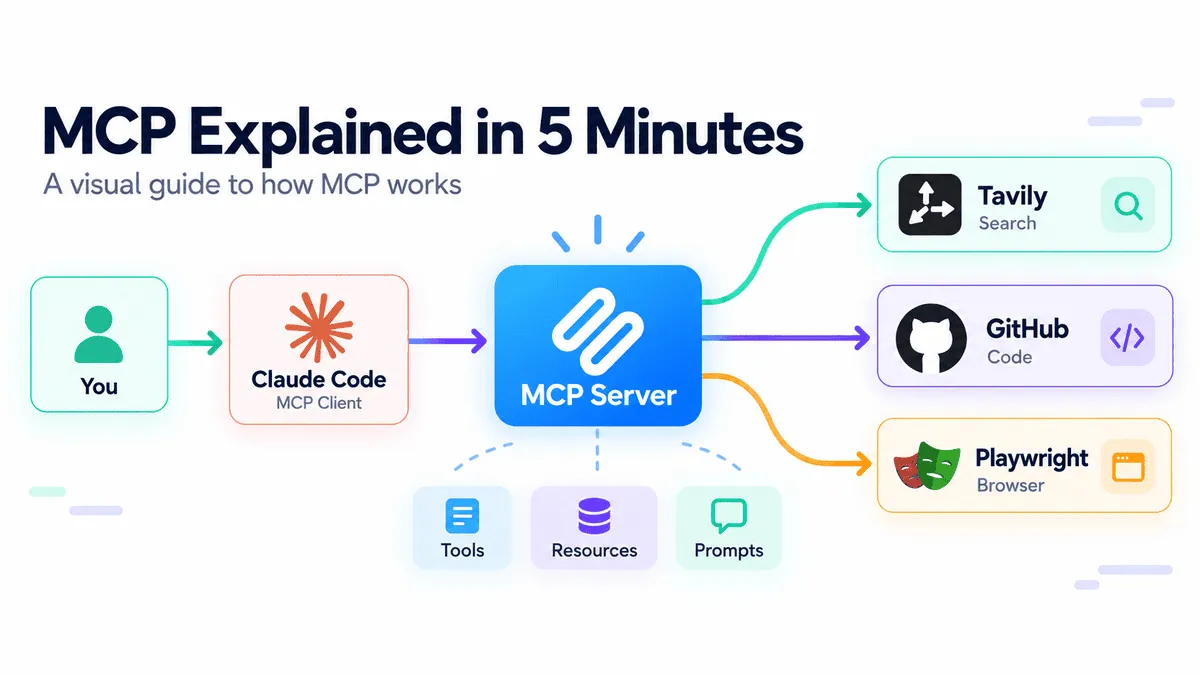
MCP Explained in 5 Minutes
A visual guide to MCP that explains how it works, how to use it with Claude Code, Tavily, GitHub, and Playwright, and what is new through simple diagrams that make the whole concept easy for anyone to understand.
以下正文同步自 KDnuggets,版权归原站所有,已转换为易读排版。
Everyone has heard of MCP by now. It is constantly mentioned alongside AI agents, coding assistants, and tool use. But while most people know what MCP is supposed to do, far fewer understand how it actually works or how to use it effectively.
At a high level, MCP gives AI applications a standard way to connect with external tools and data sources. Instead of building a custom integration for every API, database, repository, or browser, an AI application can connect to an MCP server and discover the capabilities it provides.
That sounds simple, but concepts like hosts, clients, servers, tools, resources, and transports can quickly make MCP feel more complicated than it really is. Once you understand the basic flow, however, the whole system becomes much easier to reason about.
In this guide, we will break down how MCP works in about five minutes and then put it into practice by connecting Claude Code to Tavily for web search, GitHub for repository workflows, and Playwright for browser automation.
The simplest way to think about MCP is as a common language between an AI application and the tools it wants to use.
Without MCP, every external service may require its own custom integration. With MCP, the AI application can connect to different MCP servers through the same standard interface.
正文由 探How 从来源站点 RSS 同步,内容未经改写;遇到排版缺失或需要图片、视频时请以原文为准。